How do I set up a job position for hiring?
Name the recruiter, the interview panel and the scorecard they fill for a job position.
Applicants apply for a job position. On the position you decide who runs the hiring and how candidates are scored, once, for everyone who applies.
1. Open the job position
Job positions are kept in Employees: go to Employees → Setup, click Job Positions and open one (or click New). See How do I set up departments and job positions?
2. Fill in the Recruitment tab
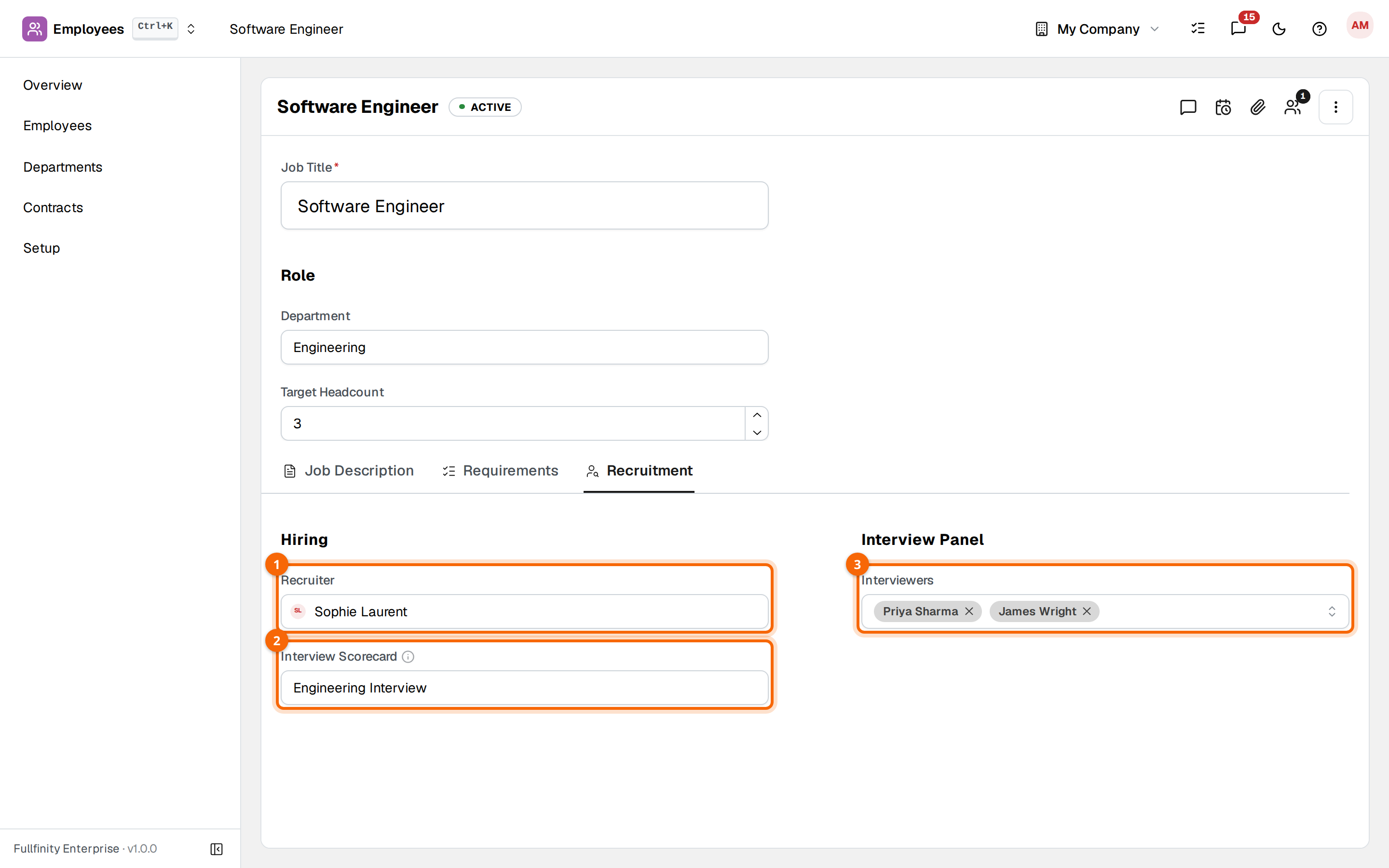
- Recruiter — who looks after this position's applicants. They follow the position.
- Interview Scorecard — the list of things interviewers rate a candidate on. Pick one, or type a name to create it.
- Interviewers — the panel. They are invited to interviews and each gets a scorecard to fill.
Scorecards
A scorecard is an evaluation template: items grouped into sections, each rated from 1 to 5 or answered in words (Technical depth, Communication, Notes for the hiring team). Manage them under Employees → Setup → Evaluation Templates. The same templates are used for performance reviews.
Once the position has applicants, an Applicants button on it opens them.
➡️ Next: How do I add an applicant?