How is overtime counted and approved?
Overtime claims are drafted from attendance; employees submit them and managers approve them, at the rate of their overtime category.
Overtime is paid only once someone has approved it. Every attendance that runs past the employee's schedule drafts an overtime claim automatically; you can also log one by hand. The claim then goes from Draft to To Approve to Approved (or Refused).
Overtime categories
A category is a rate: Normal Overtime at 1.5 times the hourly pay, Weekend Overtime at 2. Set them up under Attendances → Setup → Overtime Categories.
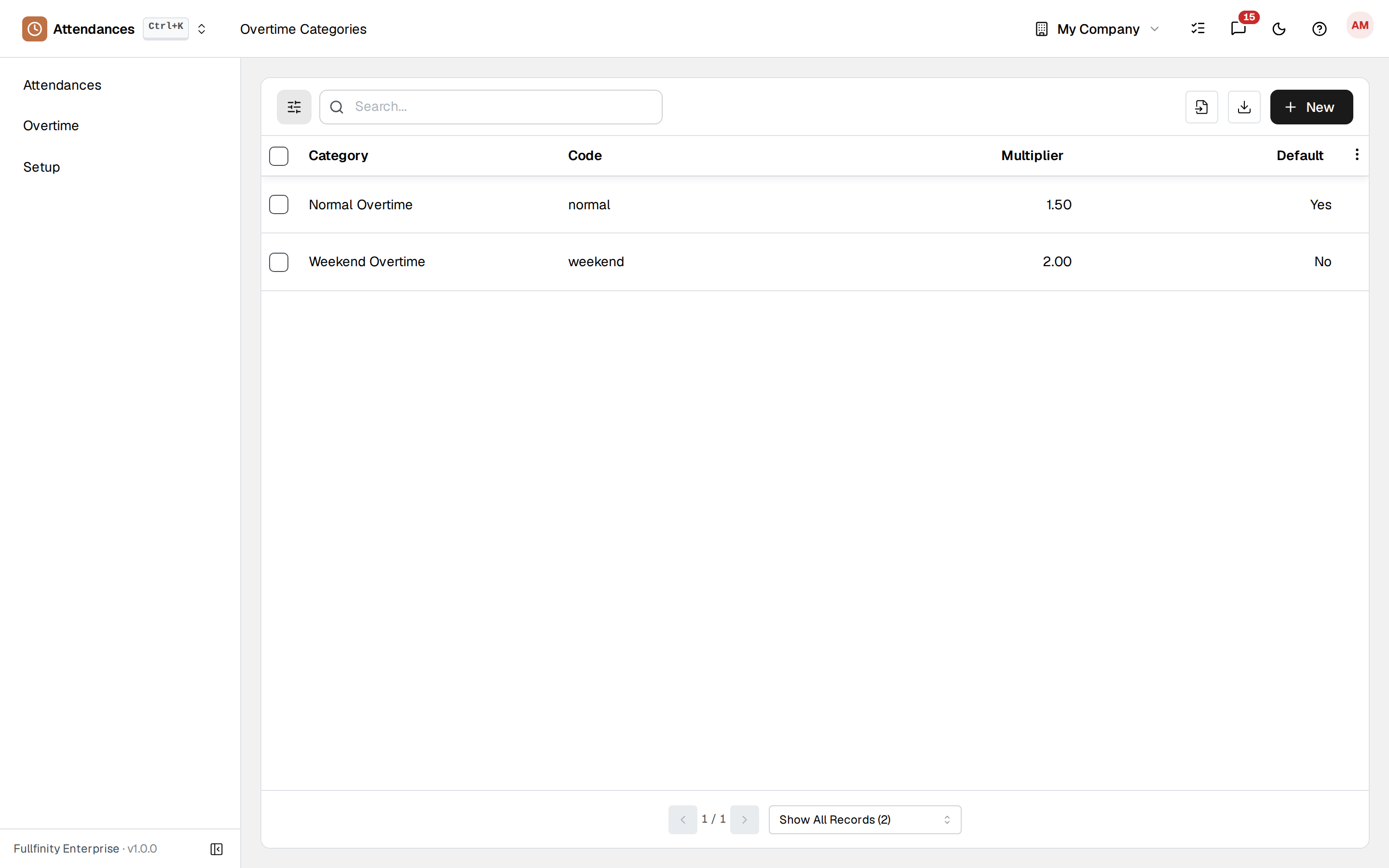
The Multiplier is applied to the employee's hourly pay. The category marked Default is put on every claim drafted from attendance — have one, or each claim has to be given a category by hand before it can be submitted.
Review the claims
Go to Attendances → Overtime. Use the To Approve filter for the claims waiting for you.
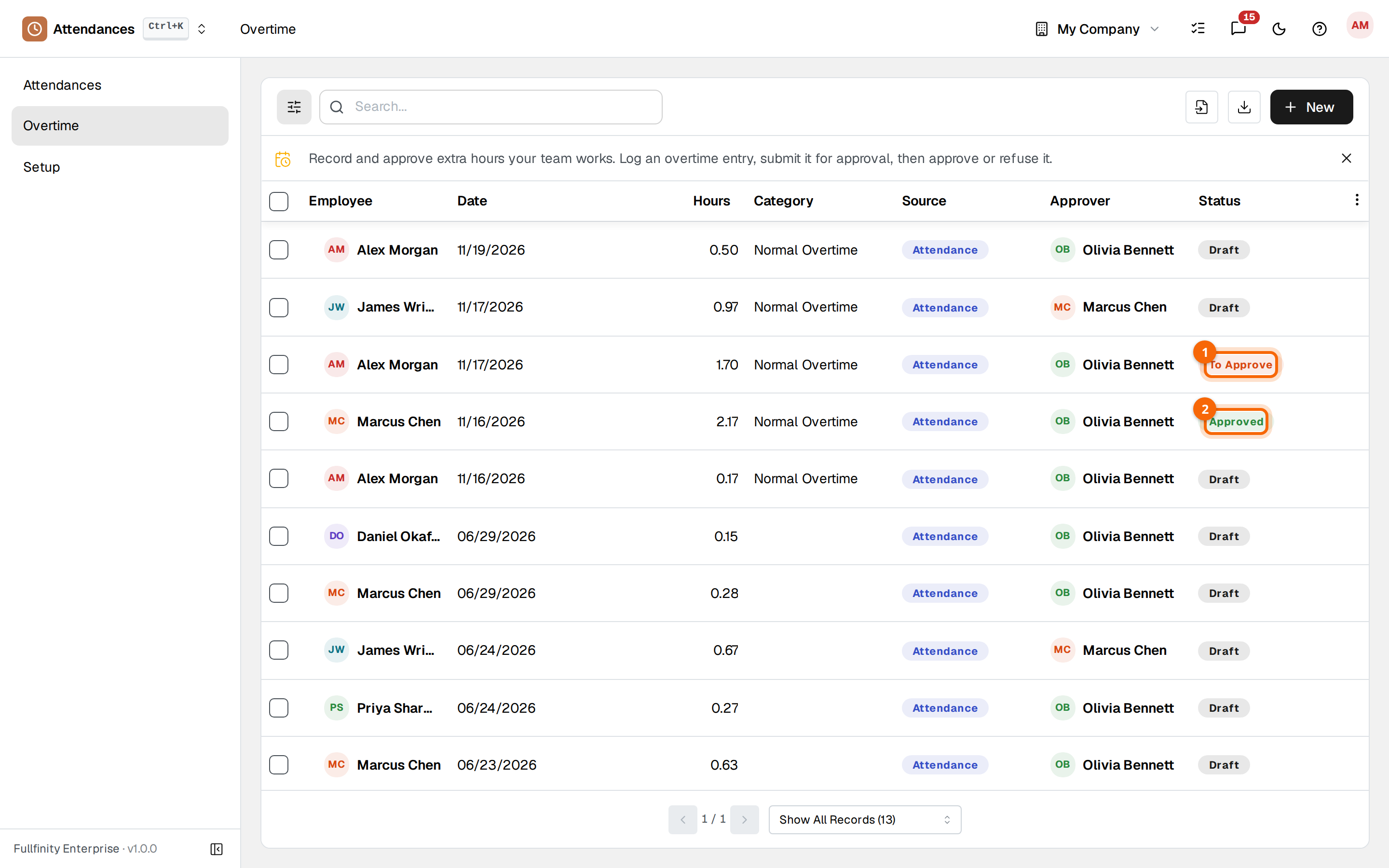
Open a claim:
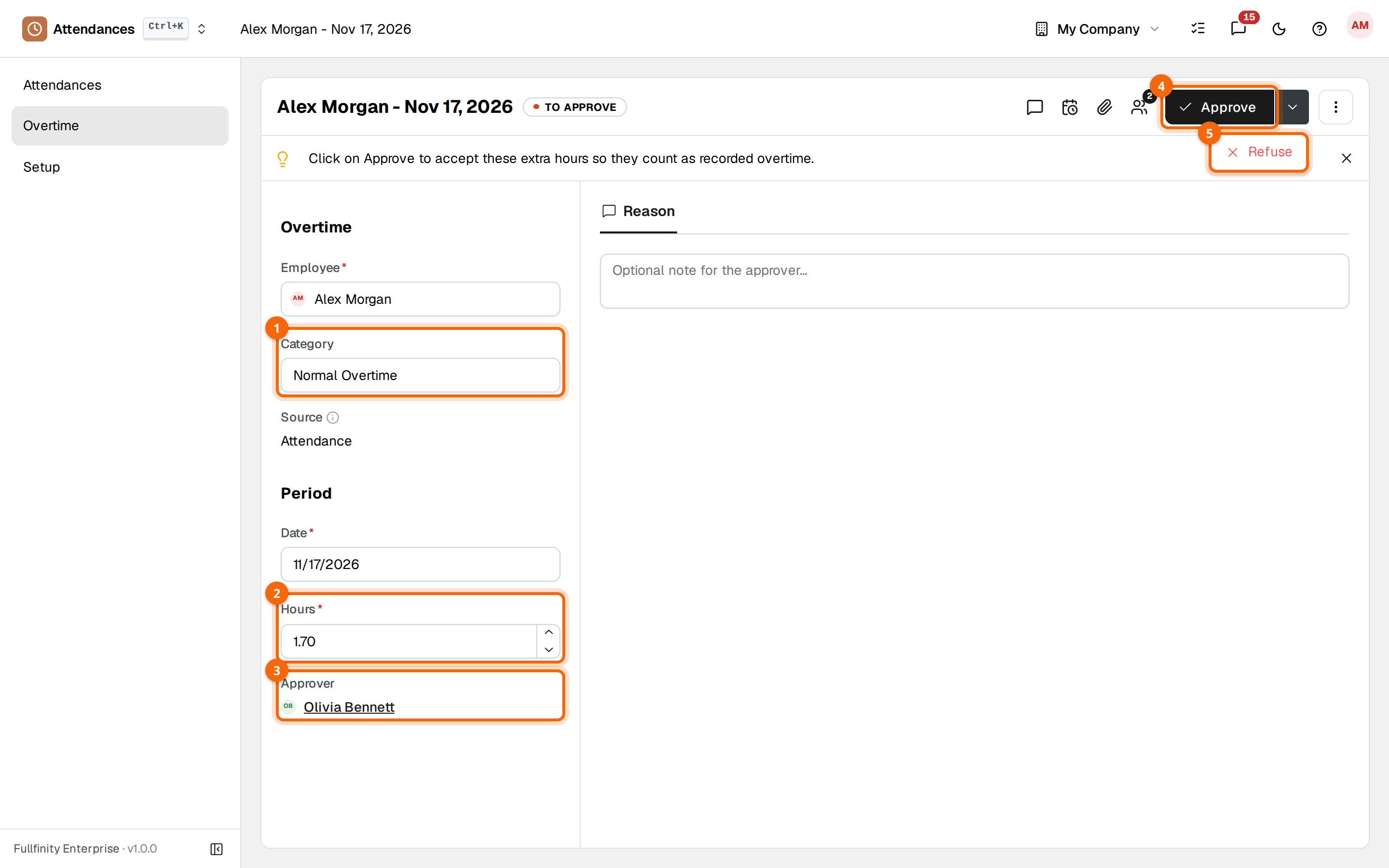
- Category — the rate the hours are paid at. Change it if the hours were, say, on a weekend.
- Hours — how much overtime is claimed.
- Approver — the employee's manager. They, or an HR Manager, decide.
- Approve — the hours will be paid.
- Refuse (in the button's menu) — the hours will not be paid.
A claim still in Draft is sent for approval with Submit. An approved or refused claim can no longer be edited; Reset to Draft reopens it.
Paying it
Approved overtime is valued at its category's rate when the employee's payslip is computed, and shows on the payslip's Overtime tab. A claim is paid by one payslip only. See What goes into a payslip?