How do I check and reserve components for an order?
See which components an order is short of, and set stock aside for it once more arrives.
When an order is confirmed, Fullfinity reserves the components that are in stock. If some are missing, the order tells you which, and you can reserve them once they arrive.
See what's missing
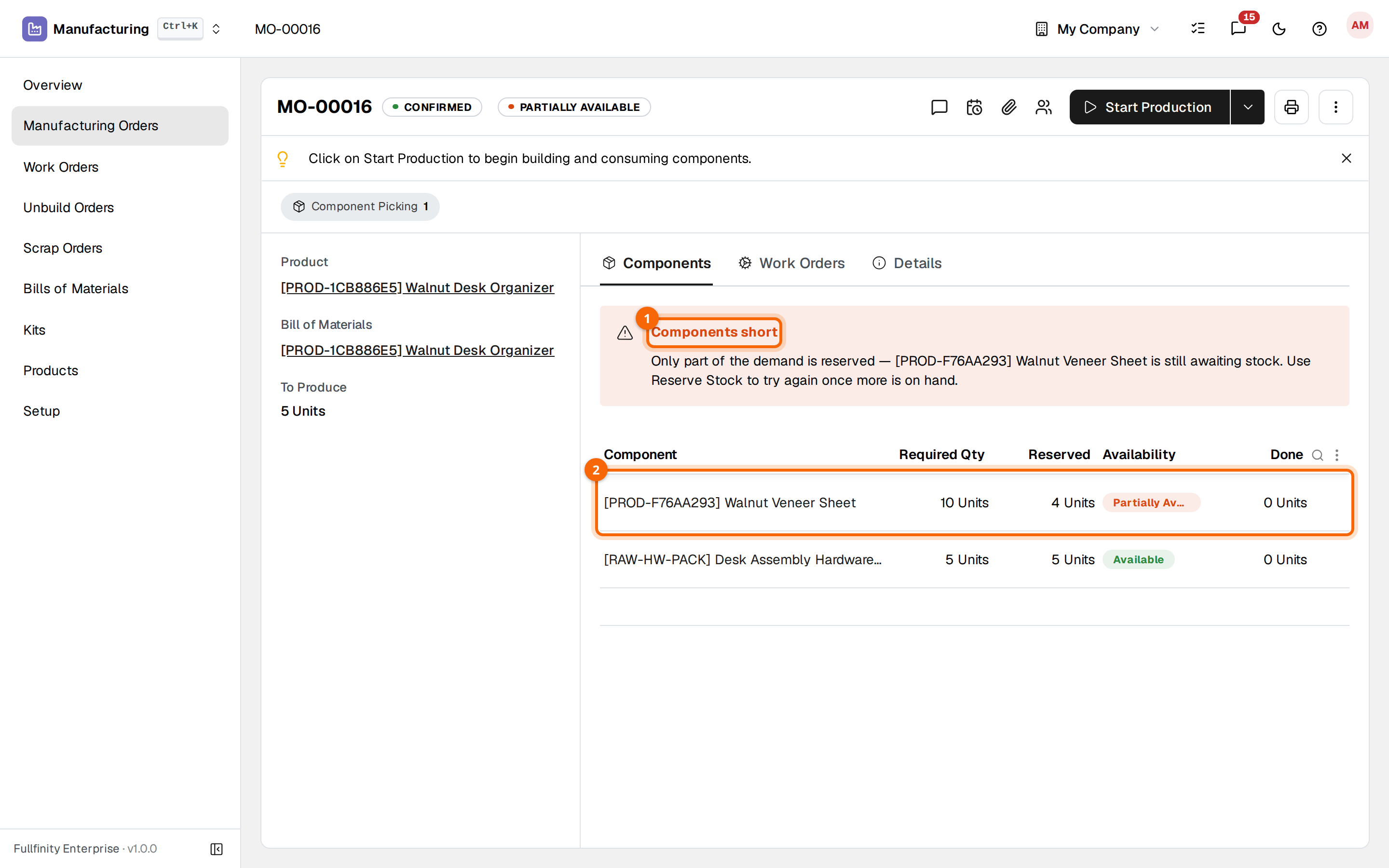
- Open the order. The badge beside its status shows Available, Partially Available or Awaiting Stock.
- On the Components tab, a Components short message (1) names what is missing. Each row shows the Required Qty, how much is Reserved and its Availability (2).
A blue Supply is on the way message means the missing components are already ordered for this order — there is nothing to do but wait.
Reserve once stock arrives
Open the action menu at the top of the order and click Reserve Stock. A message says how many components are now reserved and how many are still short.
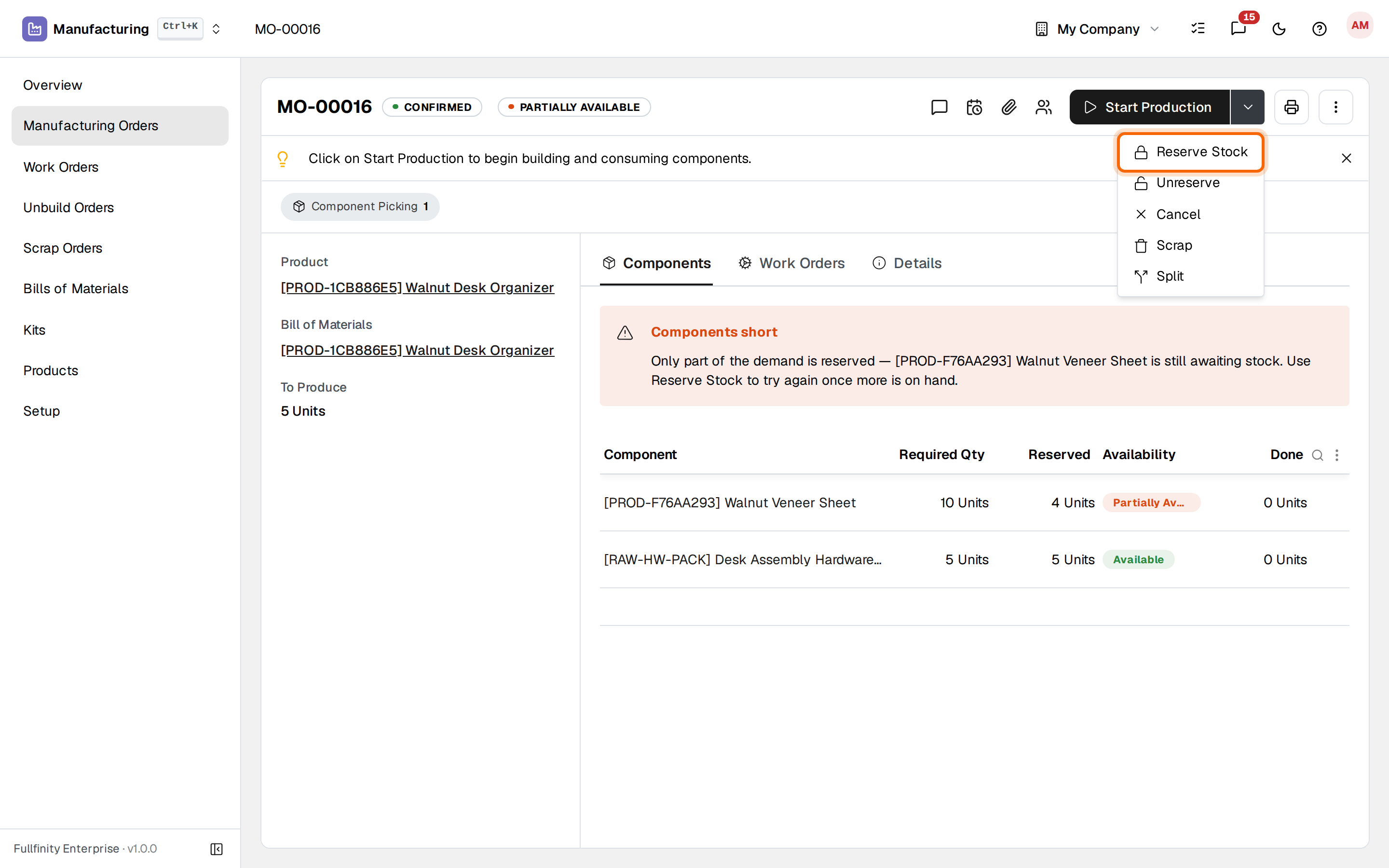
To give the reserved components back — so another order can use them — click Unreserve in the same menu.
Was this article helpful?