How do I produce part of an order and finish the rest later?
Record what is finished now and leave the rest on a backorder, or split a big order into two batches.
You don't have to finish an order in one go. Record what is finished now and the rest moves to a backorder — or split the order before you start.
Produce part of the order
- On an order that is In Progress, click Produce.
- Lower the Quantity to Produce to what is finished. The component list follows.
- Click Produce.
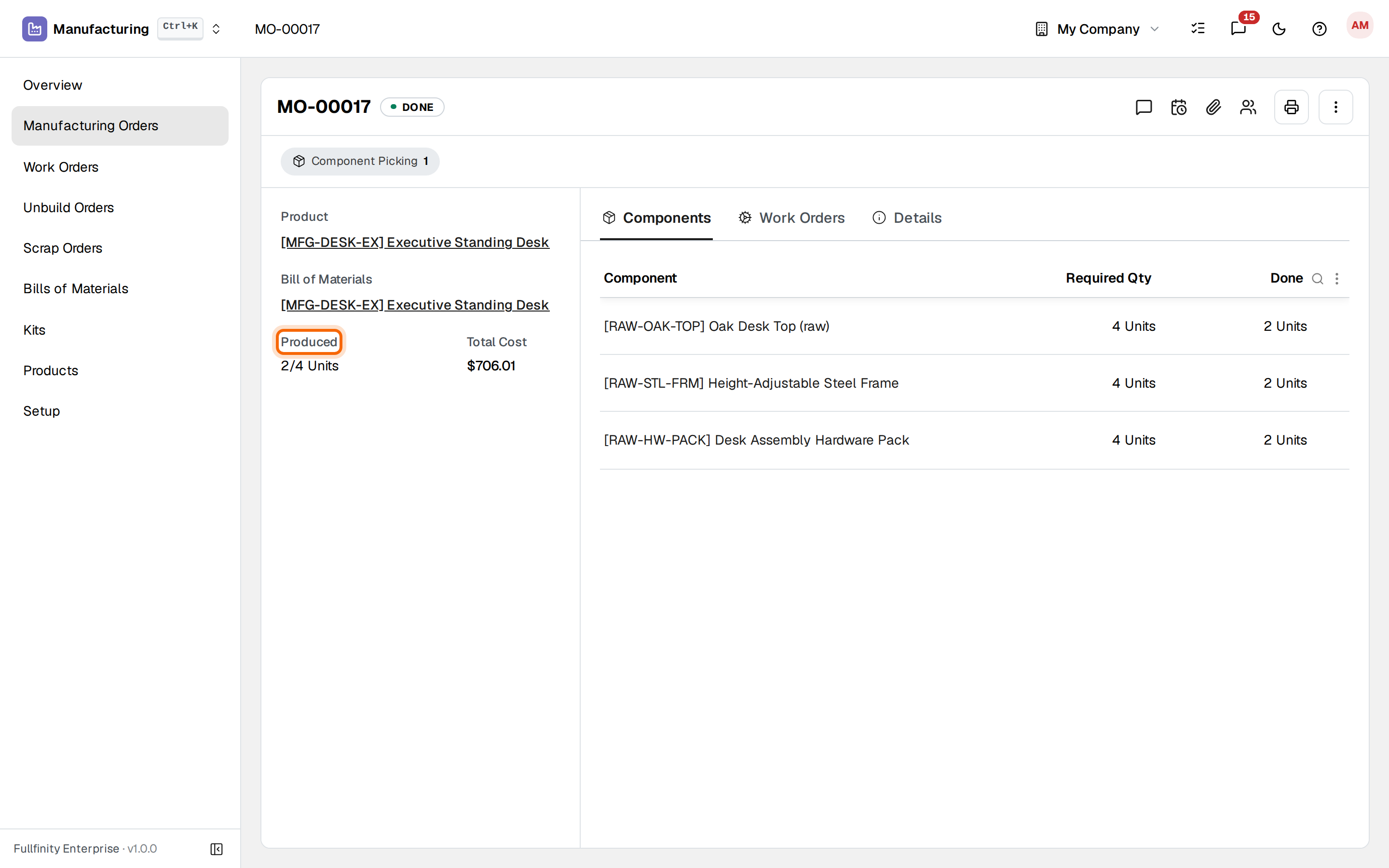
The order is Done with what you made — Produced reads, for example, 2/4 Units.
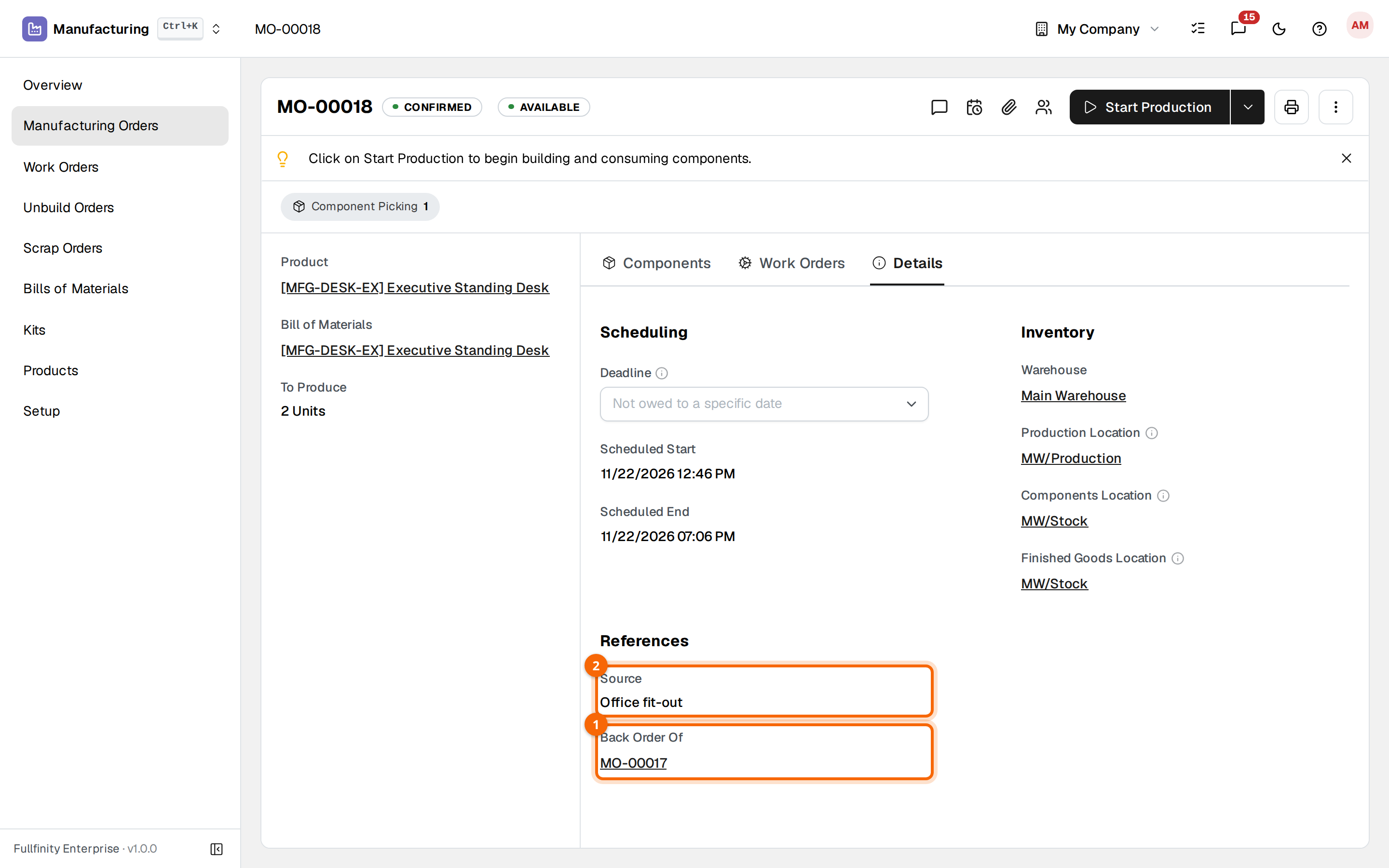
A new, confirmed order for the rest is created with the same product, bill and deadline. It reserves its own components. Its Details tab shows which order it is the Back Order Of (1), and its Source (2) is the same as the first order's.
Split an order into two batches
To build a large order in two runs, split it before you produce:
- Open the order's action menu and click Split.
- In the Split panel, enter how much to Split Off (1). It starts at half. Stays on This Order (2) shows what the original keeps.
- Click Split (3).
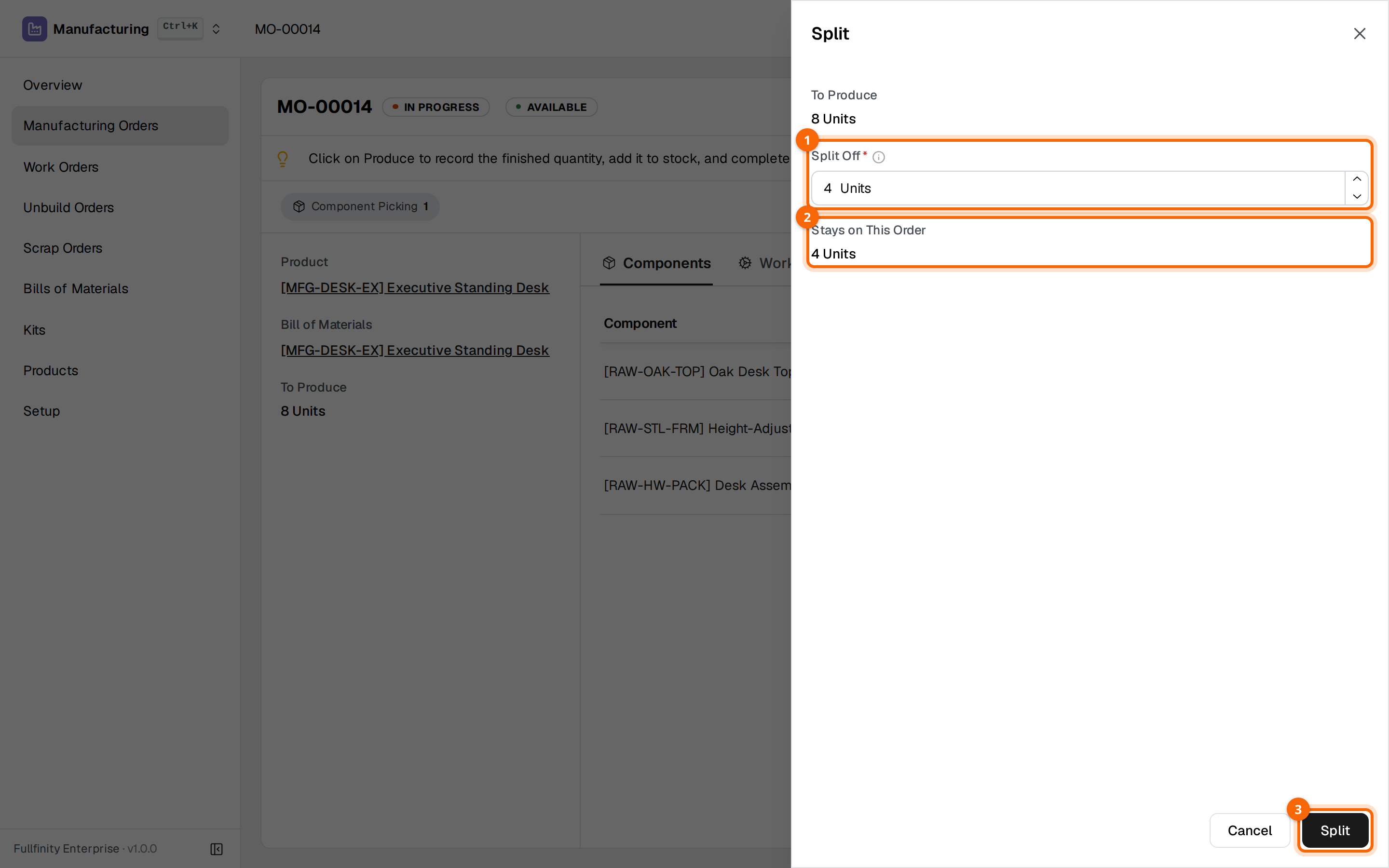
The split-off quantity moves to a new order in Draft, which opens. The original keeps the rest, with its components and work orders scaled down to match. Confirm the new order when you're ready to plan it.