How do I record production and finish an order?
Start the order, then record what you made and what it used — finished goods go into stock and the order is done.
Producing records what you made: the finished goods go into stock, the components it used come out, and the order is done.
Start production
On a confirmed order, click Start Production. The order moves to In Progress and, with work orders on, its first work order starts.
Record what you made
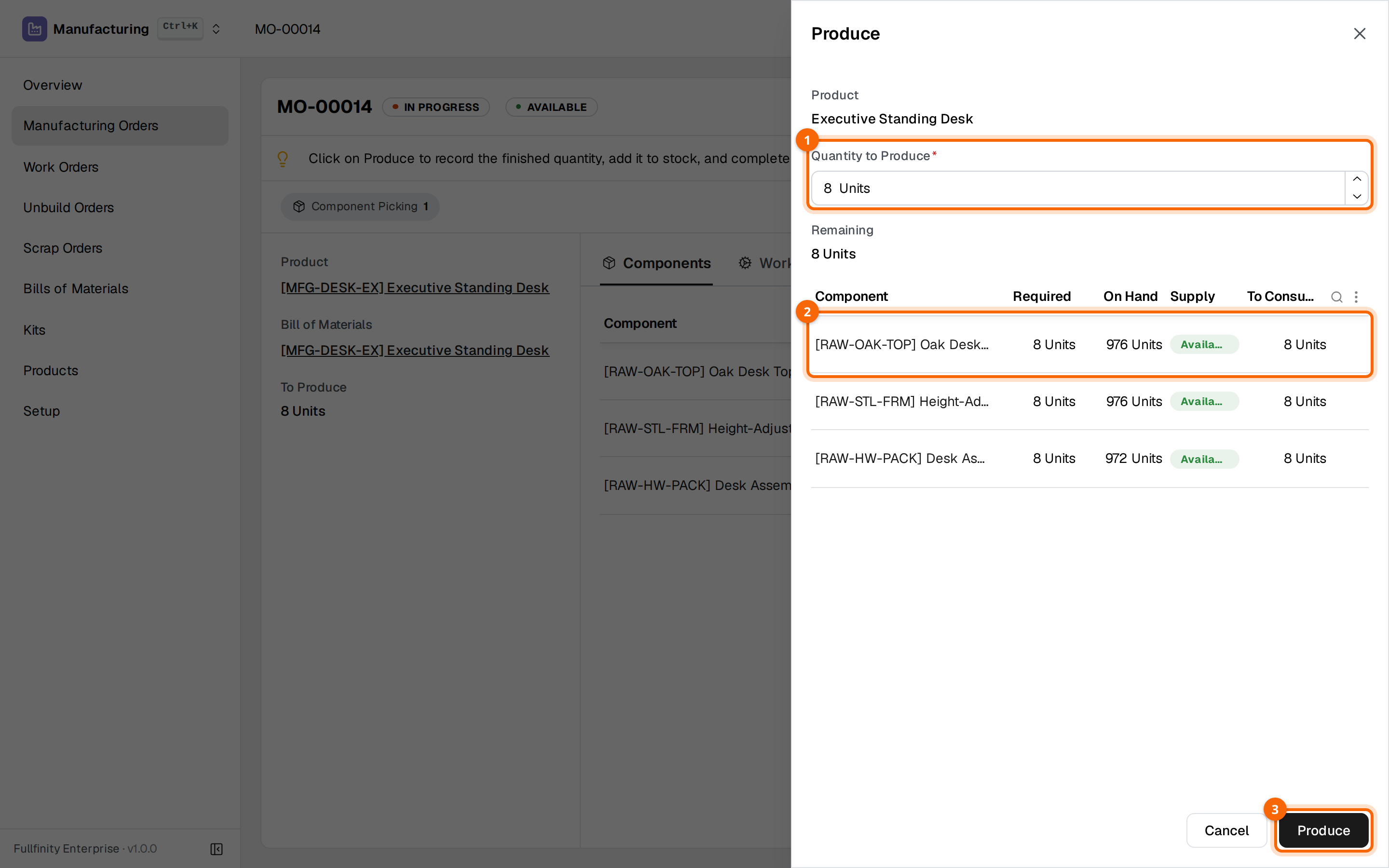
- Click Produce. The Produce panel opens.
- Check the Quantity to Produce (1). It starts at everything that's Remaining.
- In the component list (2), To Consume starts at what the bill plans. Change it if you actually used more or less — for example, when a part was dropped and a spare taken.
- Click Produce (3).
What happens next
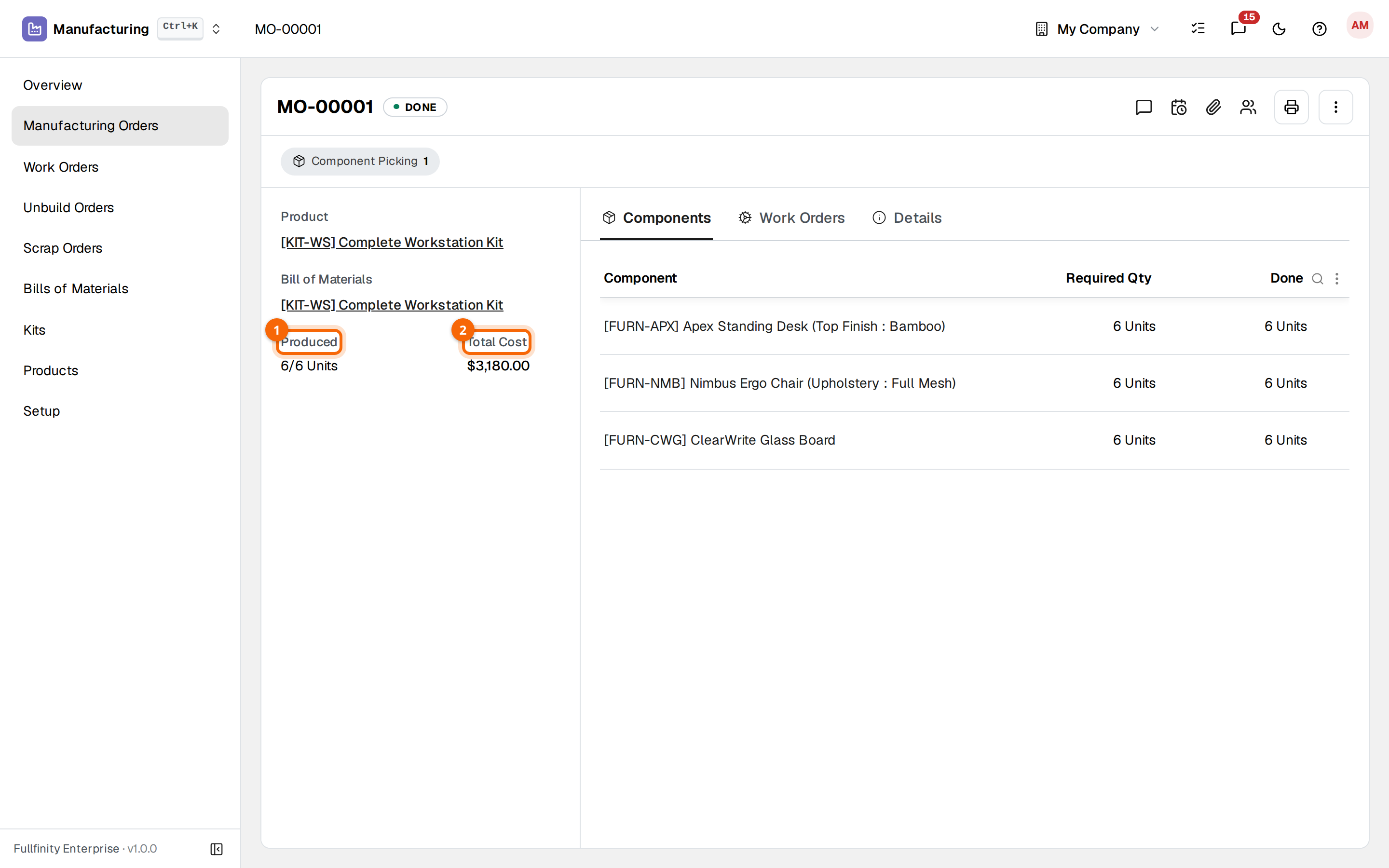
- The order becomes Done. Produced (1) shows what was made against what was planned, e.g. 8/8 Units.
- The finished goods are in stock and the components are taken out of it. The Done column on the Components tab shows what each component actually used.
- Any work orders still open are finished.
- Managers see the order's Total Cost (2): the components used plus the time spent at each work center.
If the order was raised for a sales order, its delivery is now reserved and ready to ship.
Related: How do I produce part of an order and finish the rest later?
Was this article helpful?