How do I manufacture what a sales order needs?
Let a confirmed sales order raise the manufacturing order that builds what it sold.
For a product you build when it's ordered, Fullfinity can raise the manufacturing order for you the moment the sales order is confirmed.
Set the product up
- Open the product and go to its Inventory tab.
- Under Supply Method (1), tick Manufacture.
- Set Procurement (2):
- On Demand — build only what stock on hand doesn't cover.
- To Order — build for every order, even with stock on the shelf. Use it for made-to-measure goods.
- Click Save.
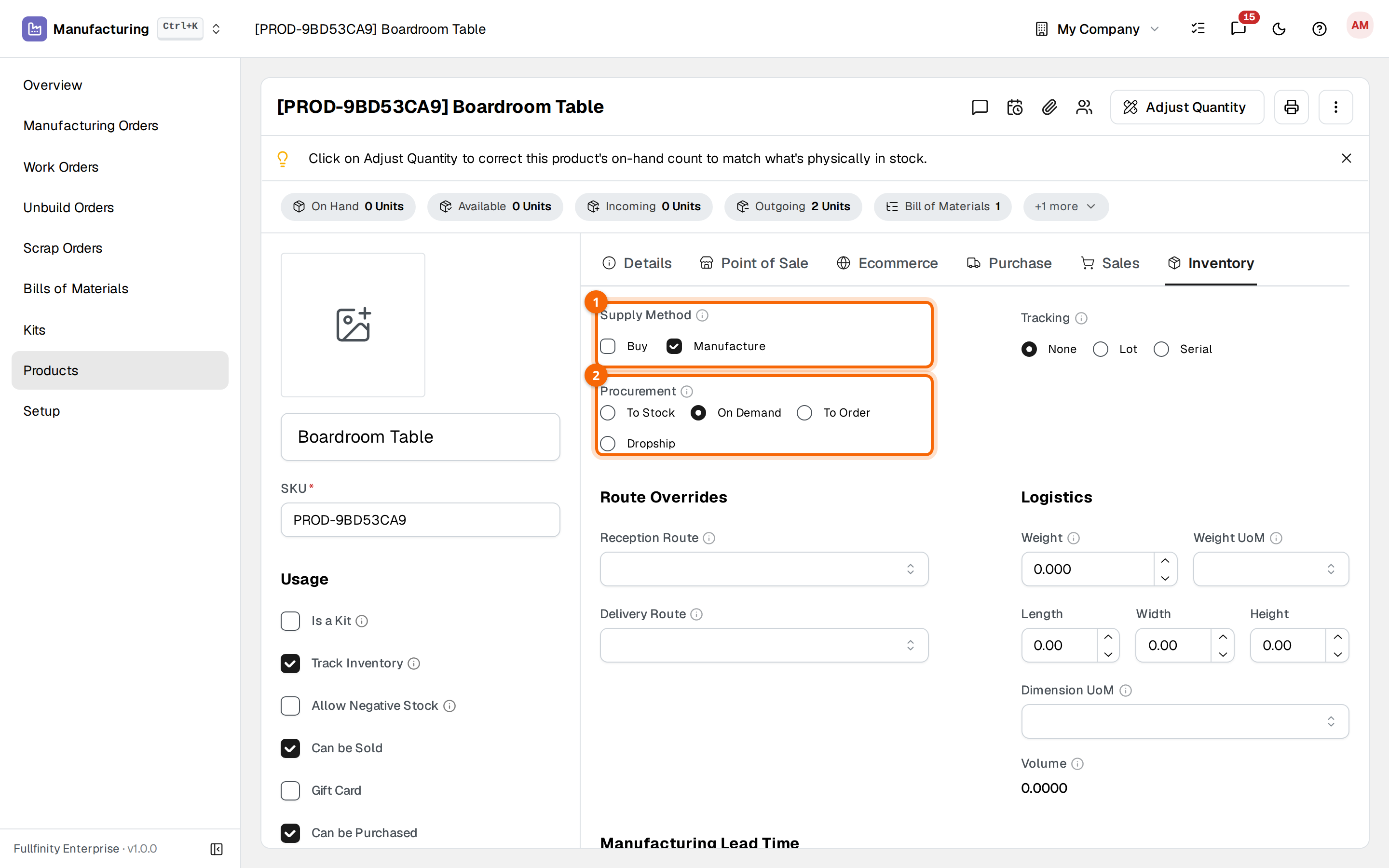
The product's Manufacturing Lead Time (days), on the same tab, is how long it takes to build. Orders raised from demand are scheduled to start that many days before the goods are needed.
What happens when you sell it
- Confirm the sales order as usual (see How do I confirm a sales order?).
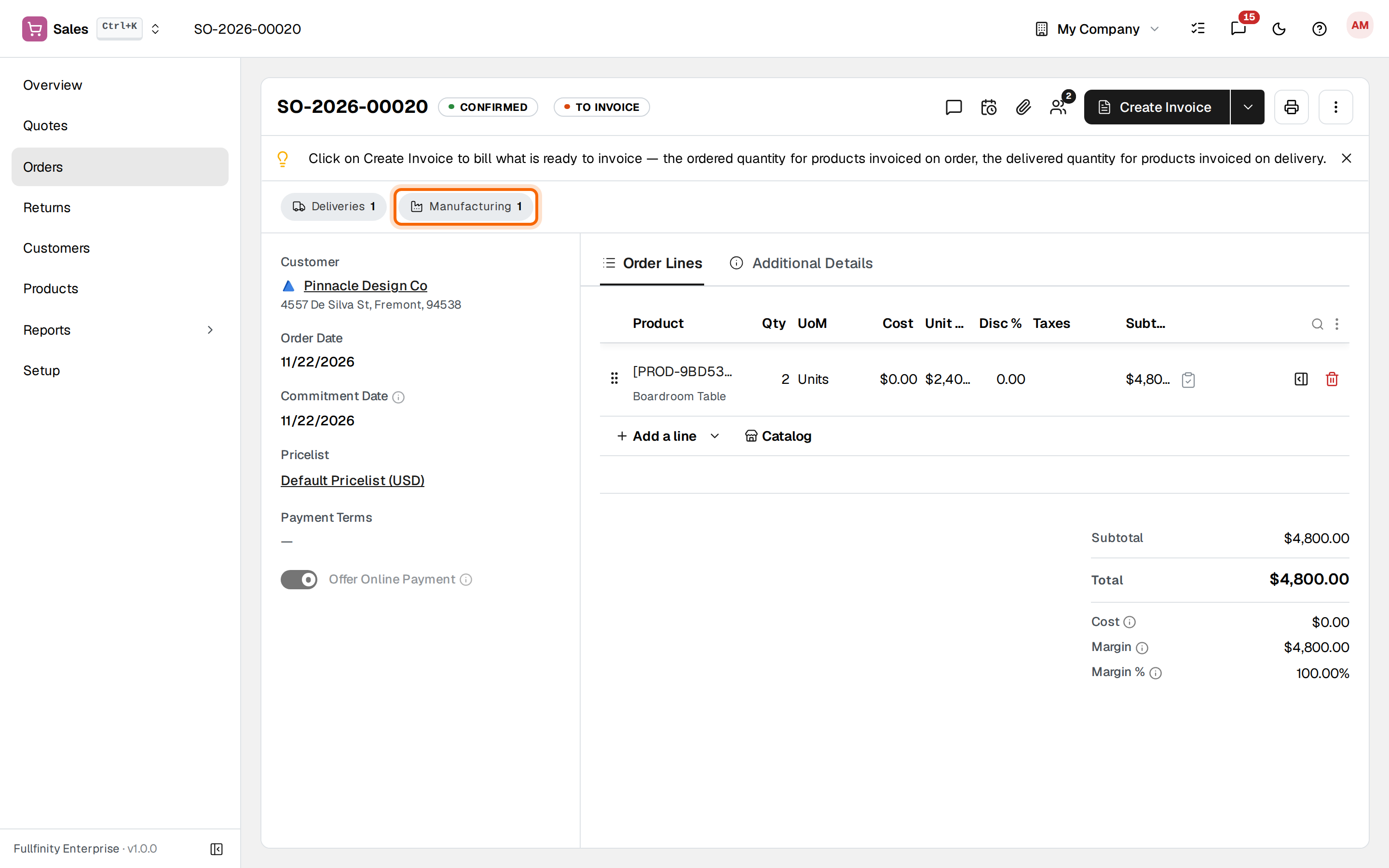
- A confirmed manufacturing order is created for the quantity needed, its Source set to the sales order. Open it from the sales order's Manufacturing button (1).
- Produce it as usual. The finished goods are reserved for the delivery straight away, so it can be shipped.
Was this article helpful?