How do I see what a manufactured product costs?
See the planned cost of a bill of materials, and what each order actually cost in components and work-center time.
A manufactured product costs its components plus the time spent making it. You can see both the plan, on the bill of materials, and the actual, on each finished order.
The planned cost of a bill
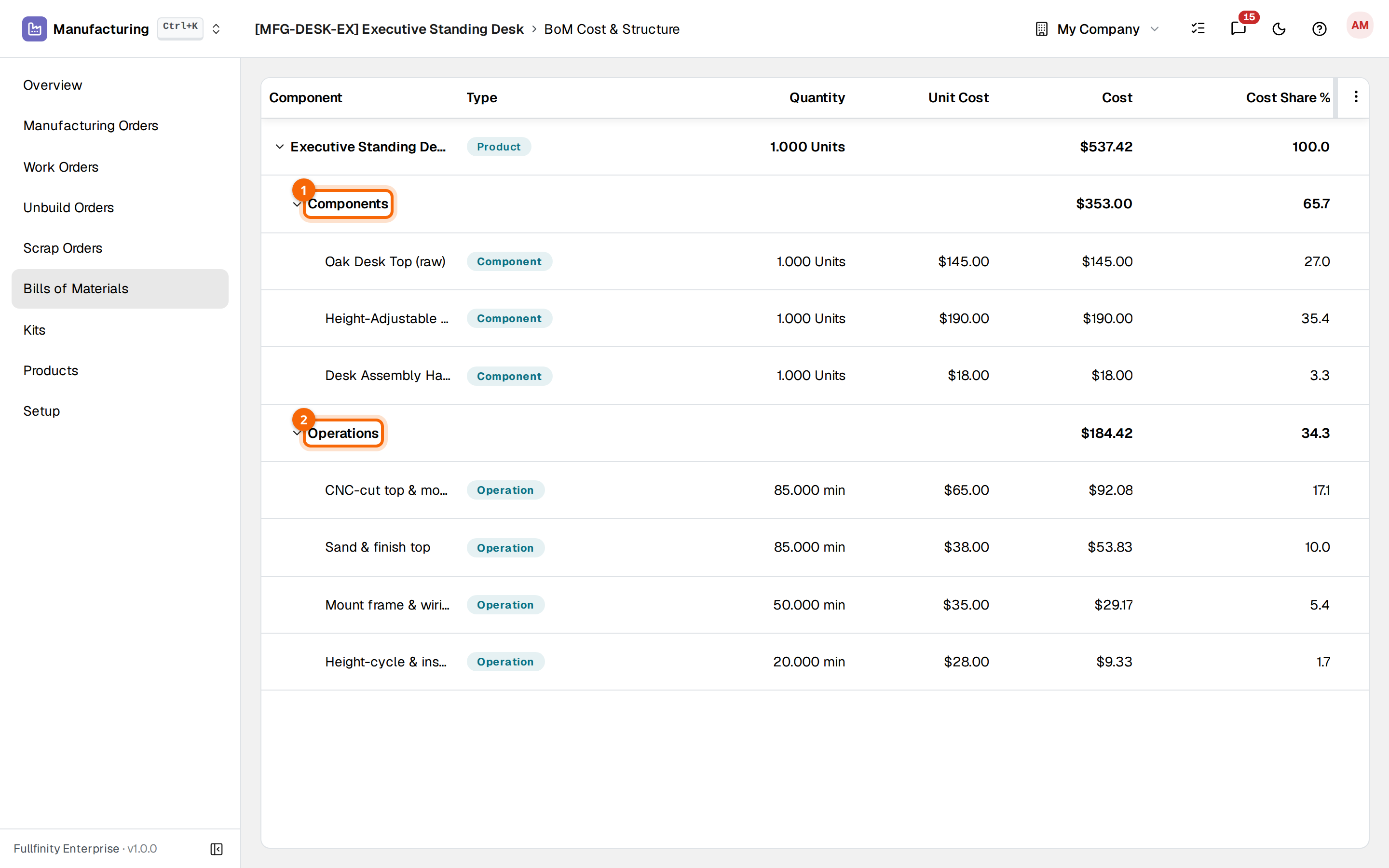
Open the bill of materials and click Structure & Cost. It lists everything the bill uses — components, and the components of components — with each one's Unit Cost, Cost and Cost Share %.
- Components are priced at each component's current cost.
- Operations are priced at their minutes for one batch times the work center's Cost per Hour.
What an order actually cost
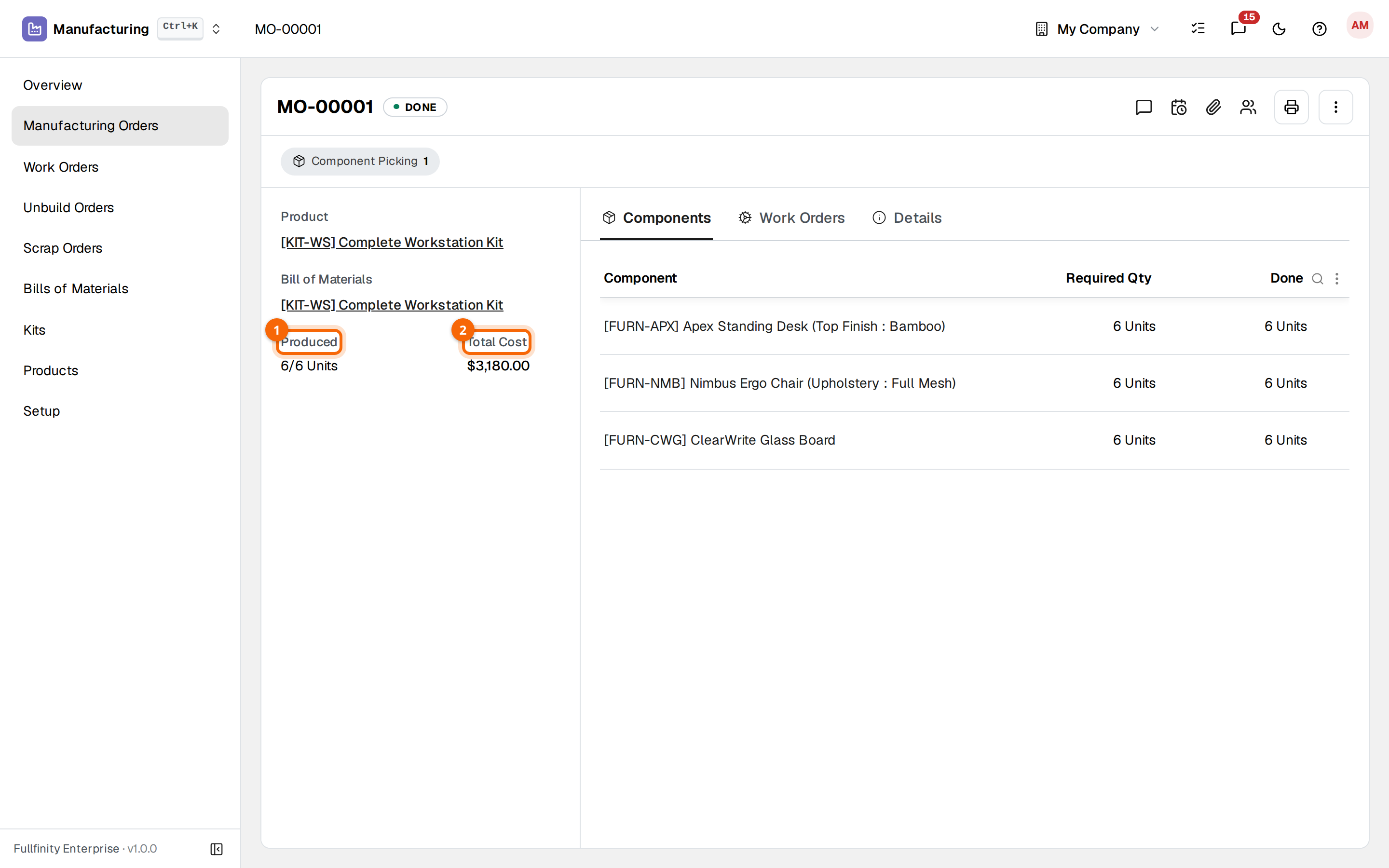
On a done order, Total Cost is what that run cost: the components it actually used, at cost, plus the time actually logged on its work orders at each work center's rate. Only managers see it. Open a work order's Timing tab to see the Cost of that step.
Into stock value
The finished goods go into stock valued at the run's cost. A by-product carries its Cost Share (%) of it and the main product the rest. How that value then flows into a product's cost depends on its category's costing method — see How do I choose a costing method?