How do I choose how stock is valued (costing method)?
Pick Standard, Average or FIFO costing per product category, and post stock value to your books automatically.
The costing method decides what each unit of stock is worth — and so what a sale costs you. It is set per product category, so different kinds of goods can be valued differently.
Set the method on a category
- Go to Inventory → Setup, choose the Products tab and click Product Categories.
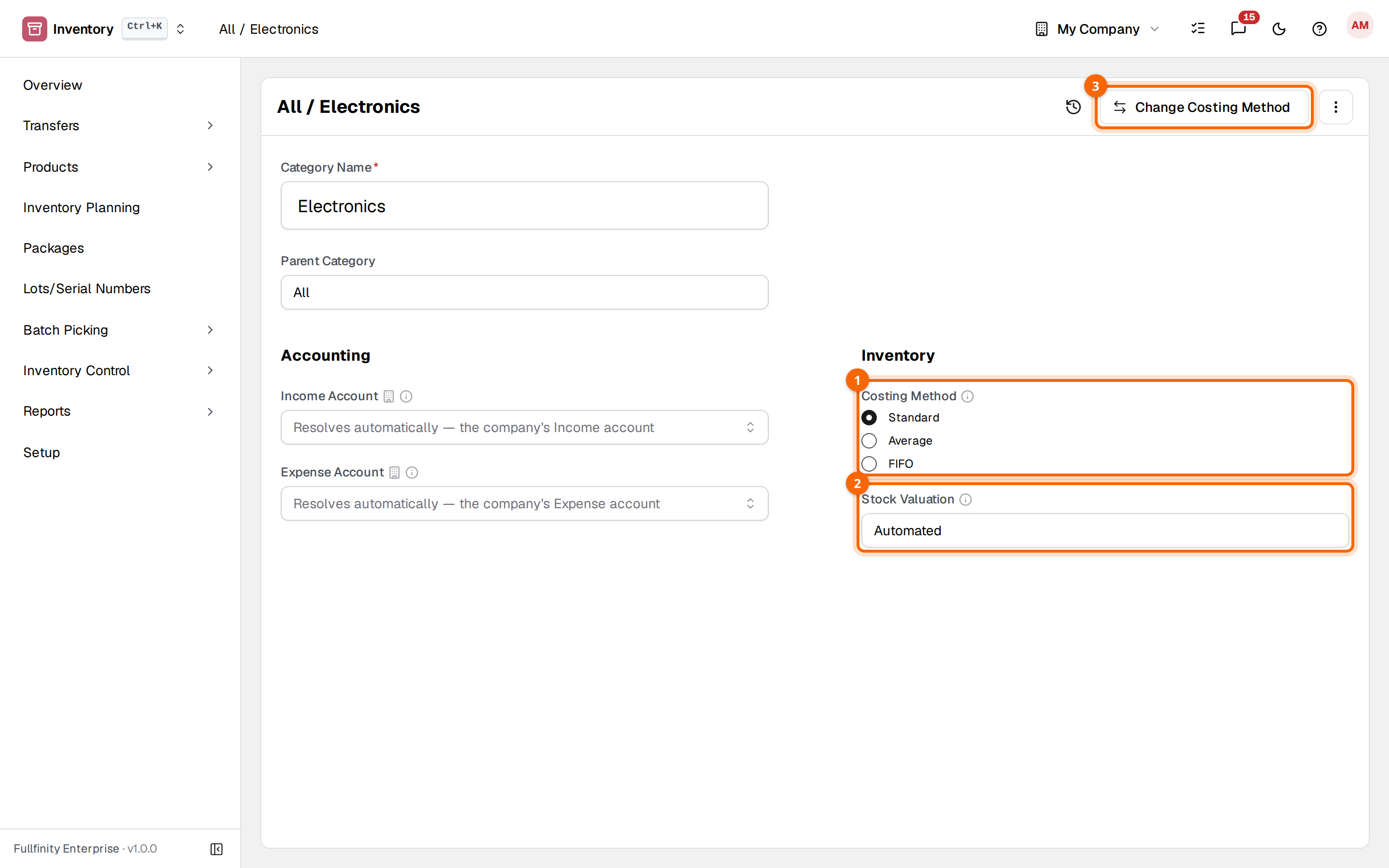
- Open a category. Under Inventory, choose the Costing Method (1).
- Check Stock Valuation (2): Automated values stock as it moves; Quantity Only tracks quantities with no value — for equipment you carry as a fixed asset instead.
- Click Save.
| Costing Method | Each unit is worth… |
|---|---|
| Standard | The cost you set on the product. Simple and stable; differences from what you actually paid go to your books. |
| Average | The weighted average of what you paid for the stock on hand. |
| FIFO | What you paid for the oldest units still in stock — first in, first out. |
Change the method when the category already holds stock
You can't just pick another method once a category has stock — its value has to be recalculated at the same time. Click Change Costing Method (3) instead:
- Choose the New Method and the Effective Date.
- Review the Impact: the Current Value, the New Value and the Revaluation between them.
- Click Apply.
Switching between FIFO and Average keeps the value the same. Switching to or from Standard changes it, and the difference is posted to your books. Moving to Standard is blocked for products that have no cost set, because their stock would be written off.
Post stock value to your books
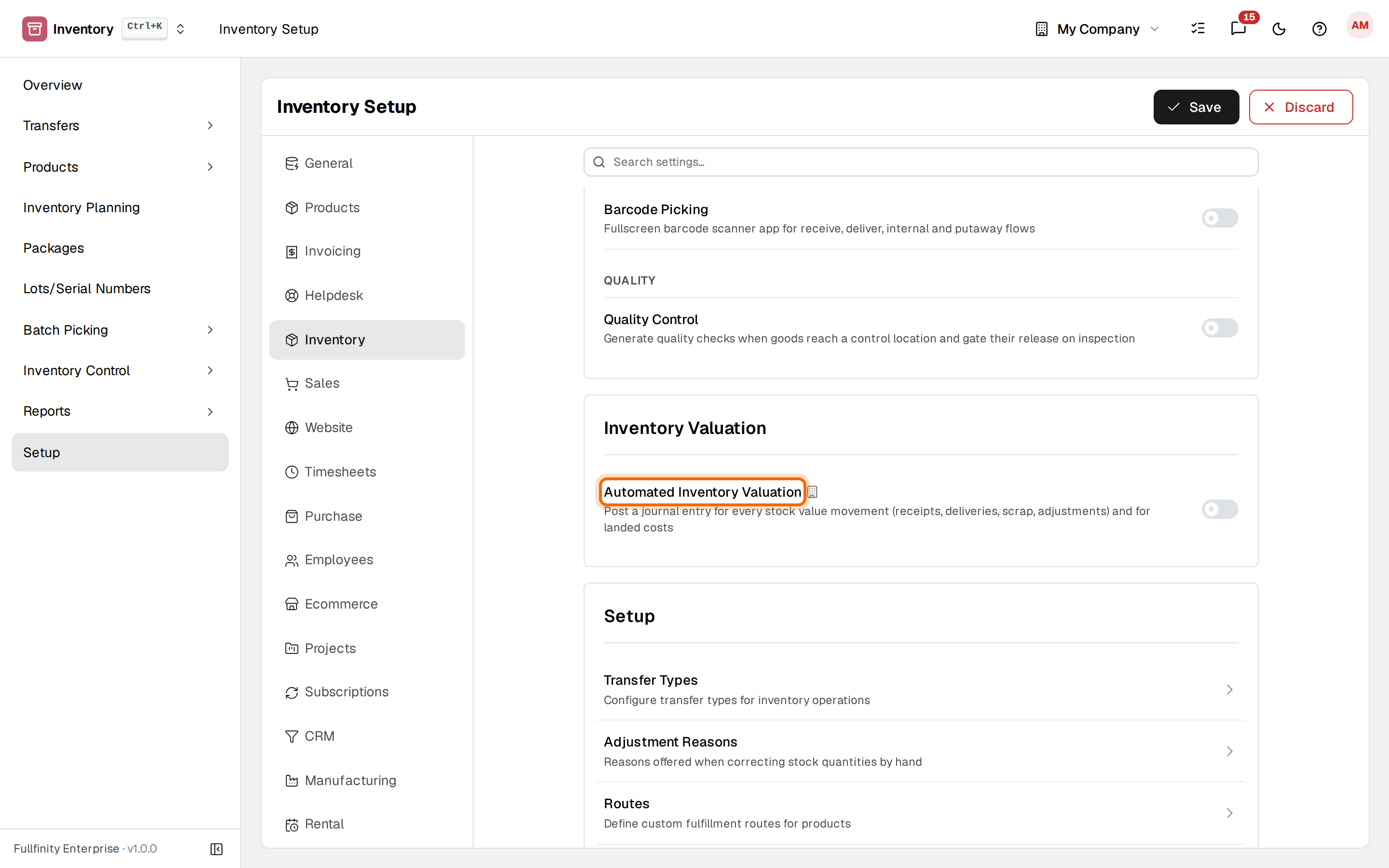
In Inventory → Setup, the Inventory Valuation panel has Automated Inventory Valuation. Switch it on to post a journal entry for every receipt, delivery, scrap and adjustment. You can then choose the Inventory Journal, and each category gets its own Stock Valuation Account and Inventory Adjustment Account — leave them blank to use your company's defaults.