How do I set up Maintenance?
Choose the default team and lead time, switch on meters, spare parts and the Workbench, and organise technicians into teams.
Maintenance looks after your equipment: machines, buildings, vehicles, IT. Breakdowns are logged as requests, regular servicing is generated from preventive plans, and technicians work through them on a board — or in the Workbench app on a phone.
1. Settings
Go to Maintenance → Setup (Maintenance managers only).
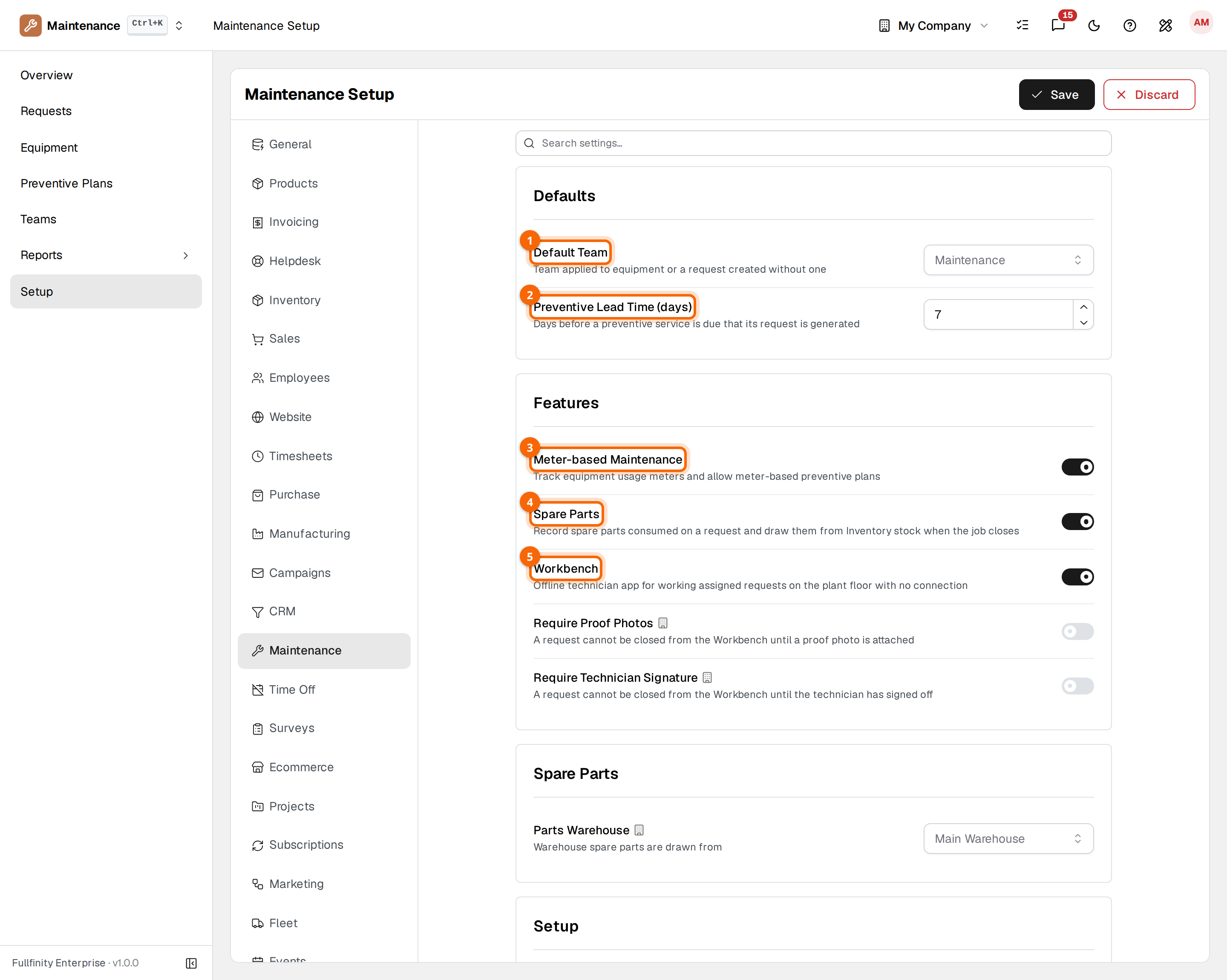
- Default Team — the team given to new equipment, and to a request on equipment that names no team. Left blank, it is the Maintenance team that comes ready-made.
- Preventive Lead Time (days) — how many days before a service is due its request is created. New preventive plans start with this; each plan can change it.
- Meter-based Maintenance — track hours, kilometres or cycles on equipment and service by usage. Switch it off if you only service by the calendar: the meter fields disappear.
- Spare Parts — record the parts used on a request and take them out of Inventory stock. See How do I record the spare parts used on a request?
- Workbench — the technicians' phone app, which works without a connection. See How do technicians work requests in the Workbench?
Click Save.
2. Stages and categories
Under Setup, Stages are the columns of the request board: New Request, In Progress, Repaired and Scrapped to start with. A stage marked Closing Stage finishes the request; a closing stage that is also a Scrap Stage retires the equipment instead of returning it to service. Equipment Categories group your equipment (Machines, Vehicles, IT Equipment, Facilities).
3. Teams
Go to Maintenance → Teams and open or create a team. Add its Technicians and Team Leader, and choose the Assignment Method — how a new request is given to a technician:
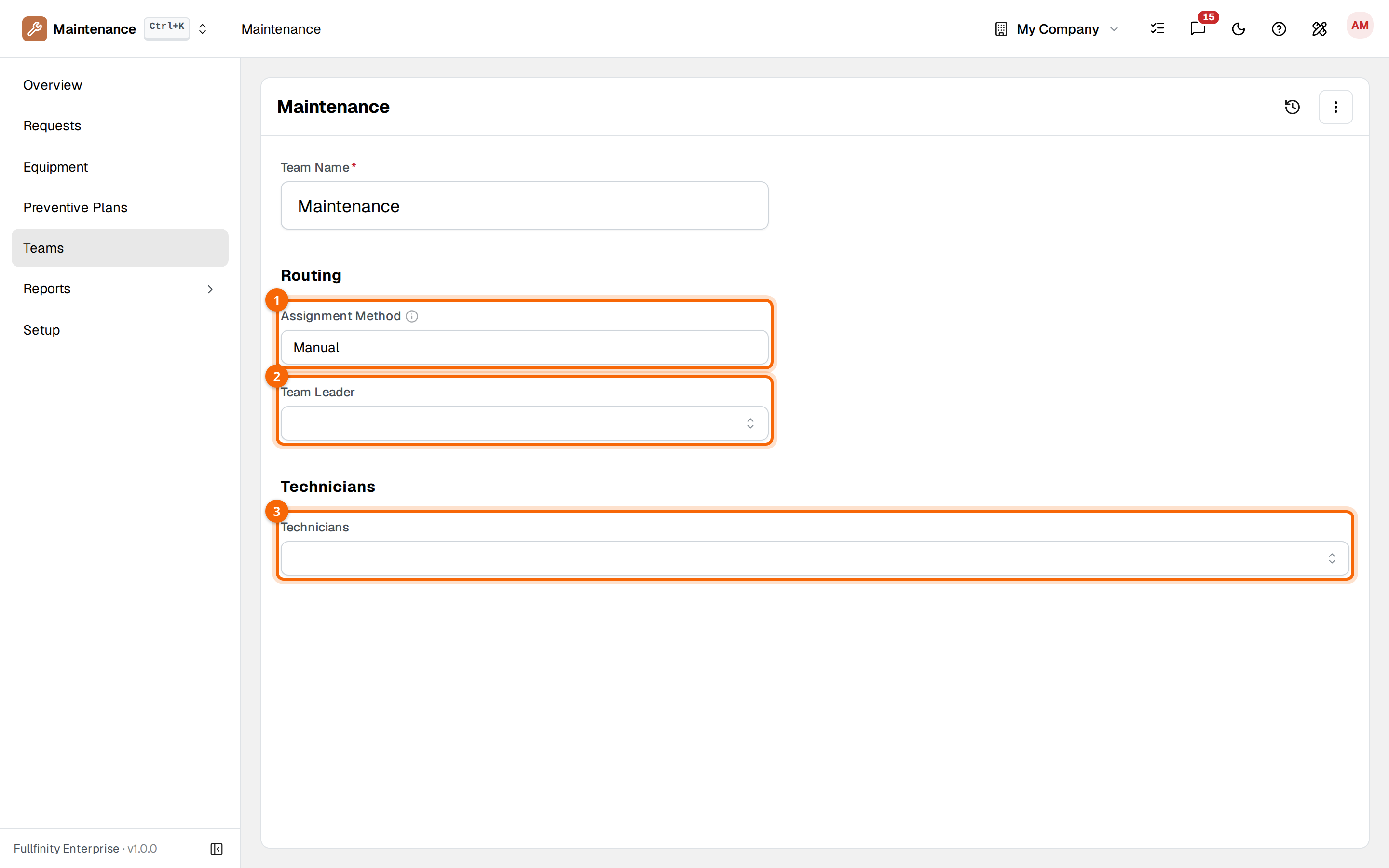
- Manual — someone assigns each request.
- Round-Robin — each technician in turn.
- Balanced — whoever has the fewest open requests.
- Random — any technician of the team.
4. Access
Maintenance has User and Manager roles; managers also change the settings. A technician who only works requests from their phone gets the Maintenance Technician role and sees just the Workbench. See How do I add users and choose what they can access?