How do prepaid support contracts work?
Sell a customer a pack of support hours and see how many they have used and have left as your team logs time on their tickets.
Some customers buy support in advance: a pack of 40 hours for the year, say. A support contract records the pack, and the time your team logs on that customer's tickets draws it down, so you always know how many hours are left.
Create the contract
Open Helpdesk → Support Contracts and click New.
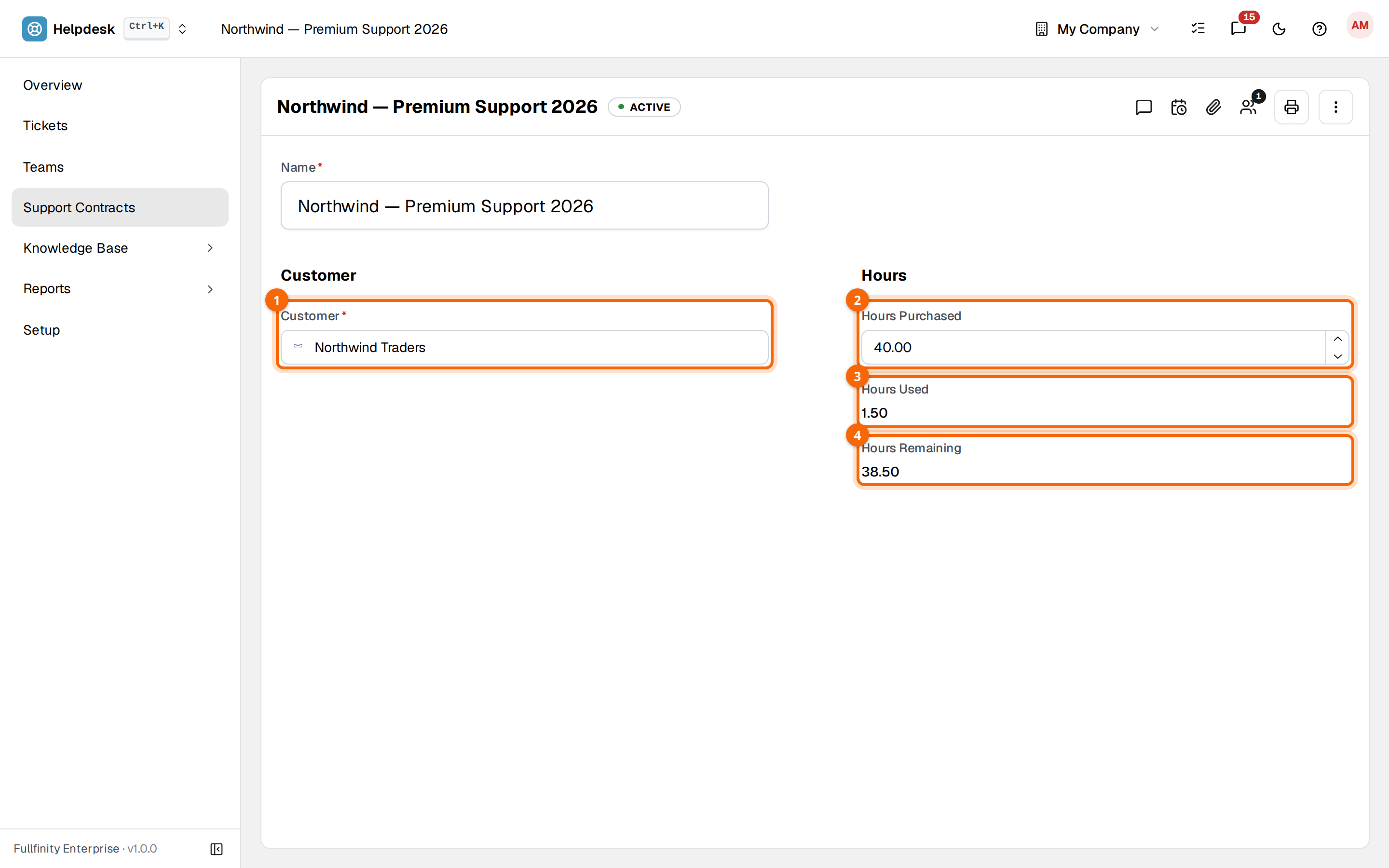
- Customer — who bought the hours.
- Hours Purchased — the size of the pack.
- Hours Used — the billable time logged so far on tickets linked to this contract.
- Hours Remaining — what is left.
Give it a Name, such as Northwind — Premium Support 2026, and save. Invoice the pack itself the way you sell anything else, for example from a sales order.
Tickets use the contract
When a ticket is created for a customer who has exactly one active contract, the contract is filled in on the ticket's Billing tab by itself. If the customer has several, pick the right one in Support Contract.
From then on, every billable hour logged on the ticket counts against the contract (see How do I log and bill time spent on a ticket?). Time marked as not billable — or, if you approve timesheets, not yet approved — doesn't use up any hours.
When a pack runs out, archive the contract from its ⋮ menu, and create a new one when the customer buys more hours. An archived contract is no longer picked for new tickets.