How do I log and bill time spent on a ticket?
Record the hours you spend on a ticket and turn the billable ones into a customer invoice in one click.
If you charge for support, log your time on the ticket as you work. The billable hours can then become a customer invoice straight from the ticket — or be drawn from a prepaid support contract.
Log your time
Open the ticket and click the Timesheets tab.
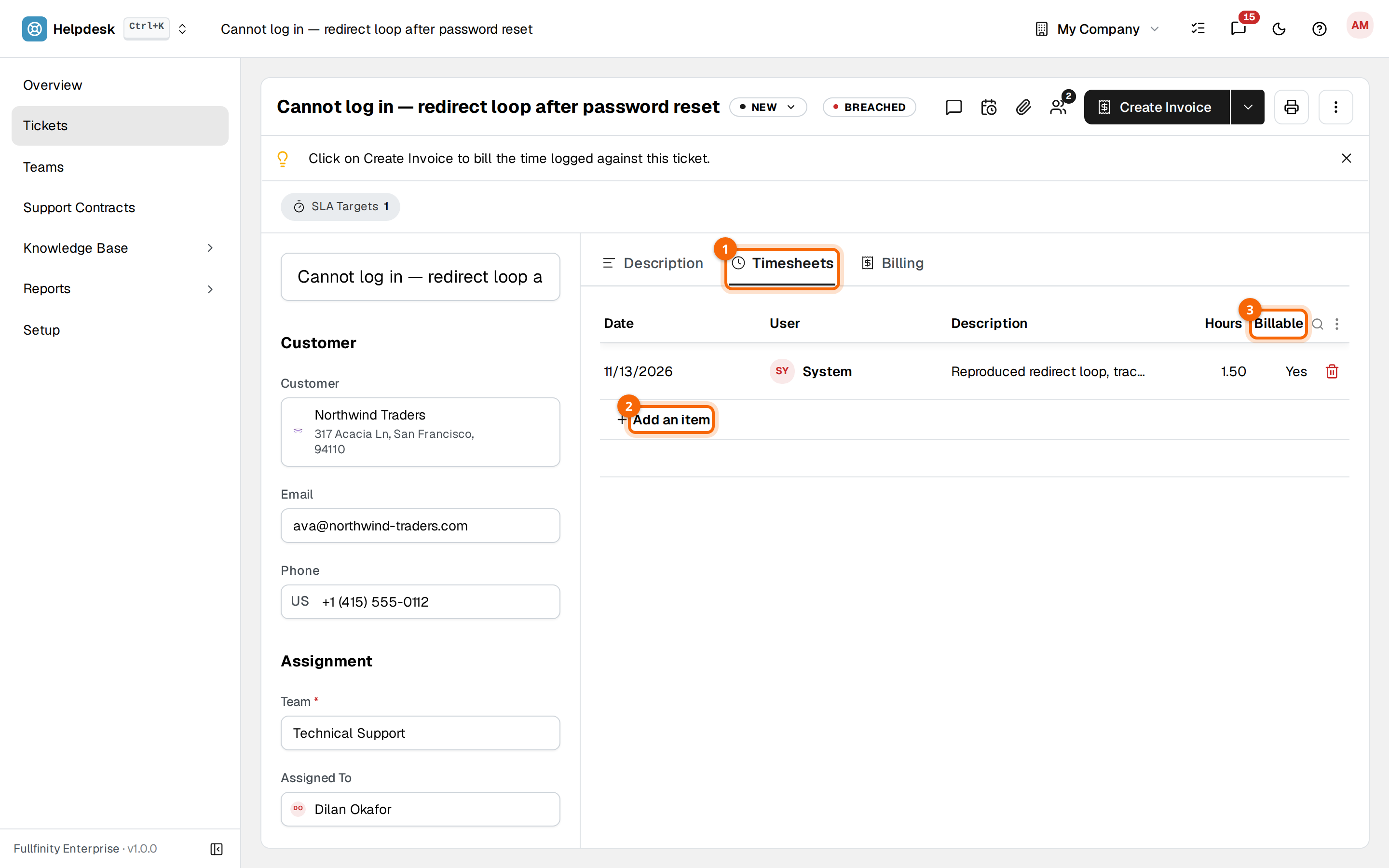
- The Timesheets tab lists the time logged on this ticket.
- Add an item adds a line: the Date, who did the work, a Description and the Hours.
- Billable — leave it on for time the customer pays for; turn it off for internal time.
Save the ticket. The time also appears in the Timesheets app, next to time logged on projects. If your company approves timesheets before billing them, only approved time is invoiced.
Invoice it
Click the Billing tab:
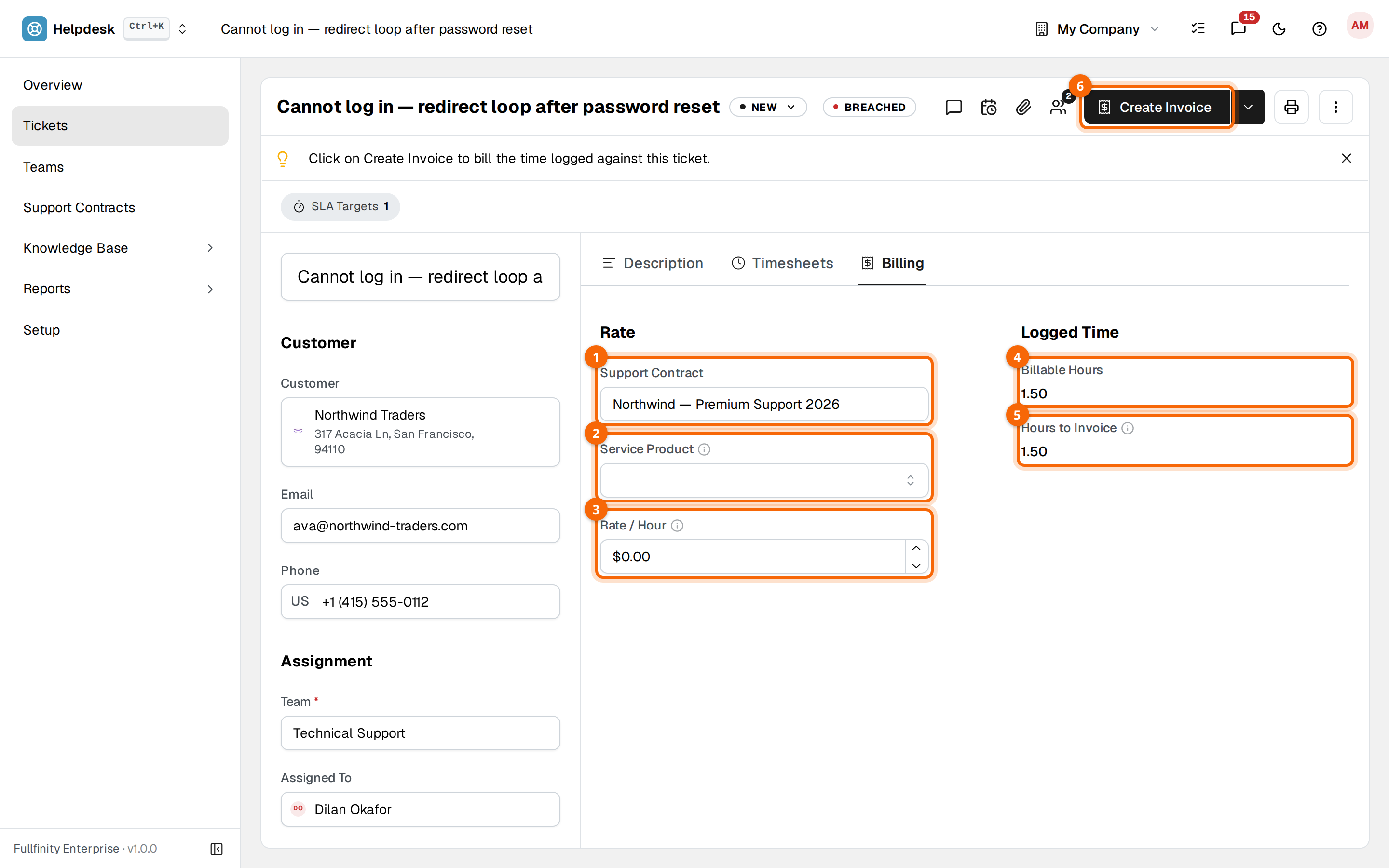
- Support Contract — the customer's prepaid hours this ticket uses; see How do prepaid support contracts work?
- Service Product — the product the invoice line is for. Leave it empty to use the company's Support Product (below).
- Rate / Hour — what an hour costs on this ticket. Leave it at 0 to charge the support product's sales price.
- Billable Hours — all billable time logged on the ticket.
- Hours to Invoice — the part of it not invoiced yet.
- Create Invoice — appears while there are hours to invoice.
Click Create Invoice. Fullfinity drafts a customer invoice with one line — the hours to invoice, at the rate — and opens it. Check it and post it as usual (see How do I create and post a customer invoice?). The invoiced time is marked as billed, so it is never invoiced twice; time logged later is billed by the next Create Invoice.
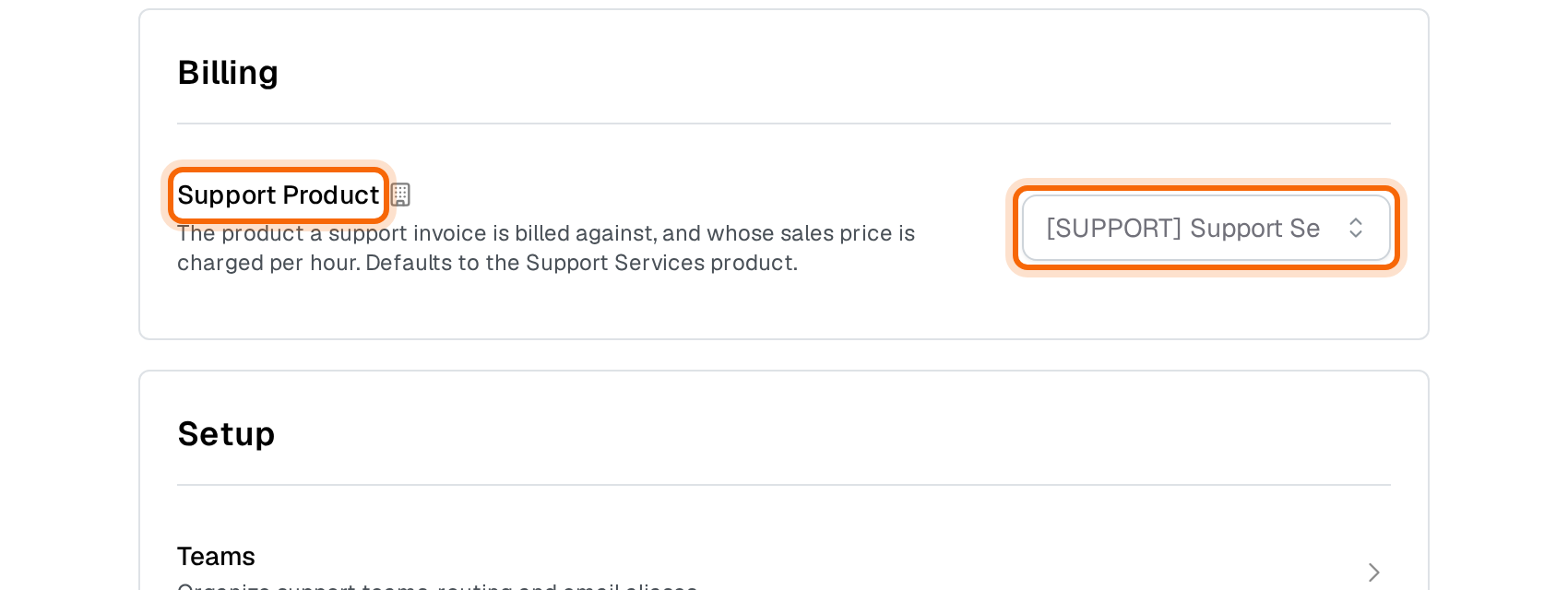
Set the default support product
Under Helpdesk → Setup, the Billing panel's Support Product is the product every support invoice uses unless a ticket names another. Its sales price is your hourly rate. Left blank, it is the Support Services product Fullfinity ships — give that product your price.