How do I submit an expense report?
Send your report to your manager for approval, and follow it until you are paid back.
When every expense is on the report, send it for approval.
Open the report from Expenses → Expense Reports and click Submit.
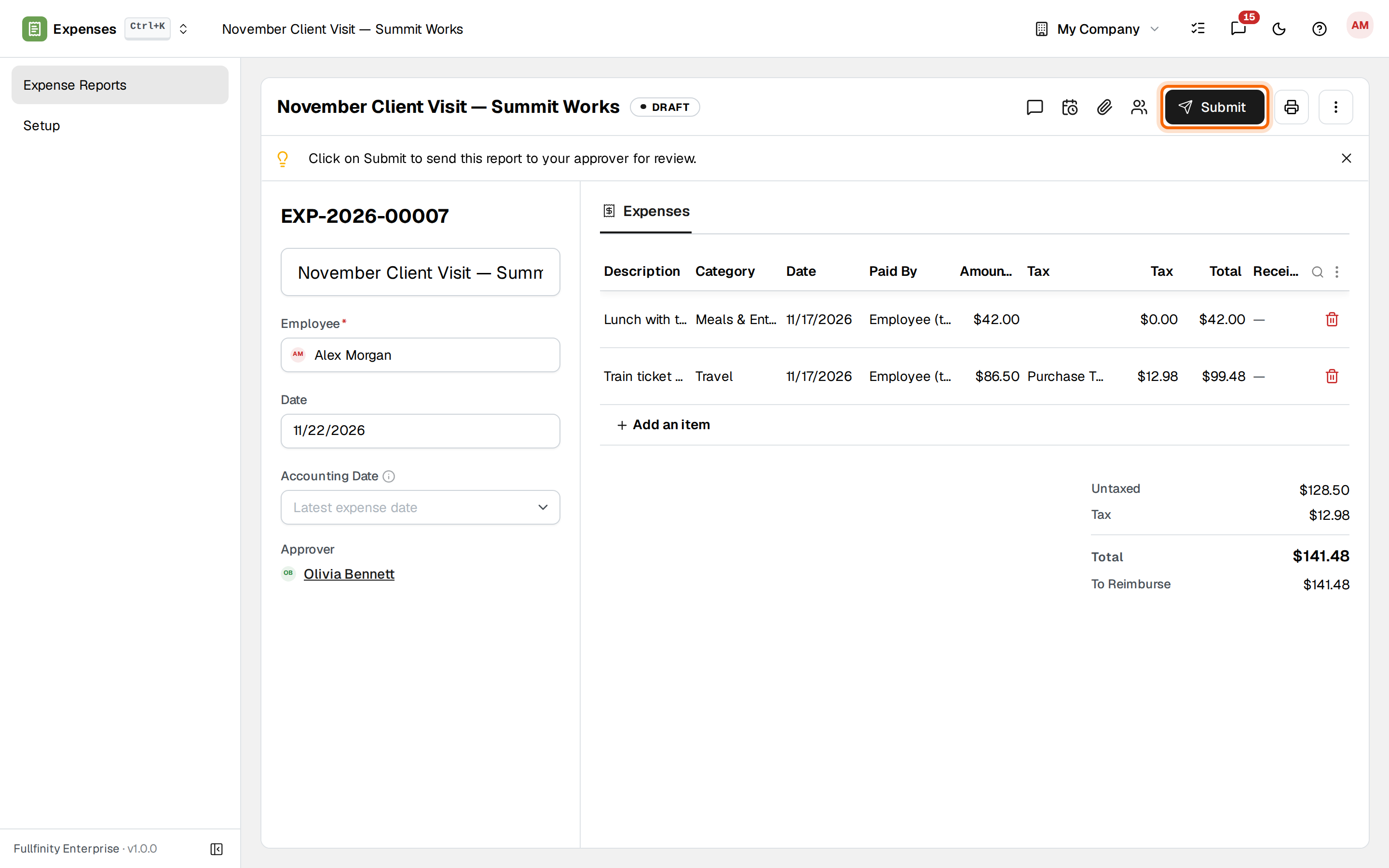
The status changes to Submitted and the report goes to your manager, shown as Approver. The report and its lines are now locked, so your manager approves exactly what you claimed. Foreign-currency expenses are converted at their exchange rate at this moment.
Spotted a mistake? Click Reset to Draft at the top to take it back while it waits for approval, fix it, and submit again.
Following your report
| Status | Meaning |
|---|---|
| Draft | Still yours to edit. |
| Submitted | Waiting for your manager. |
| Approved | Approved; waiting for accounting to book it. |
| Posted | Booked in the accounts. What you are owed is recorded. |
| Reimbursed | You have been paid back. |
| Cancelled | Taken back off the books, usually to be corrected. |
If Submit is refused, see Why can't I submit or post this expense report?
Was this article helpful?