How do I change the exchange rates a consolidation uses?
See the closing, average and historical rates used to translate each currency, and override one.
Companies in another currency are translated into the group's currency at three rates: assets and liabilities at the Closing Rate (the rate at the period end), income and expenses at the Average Rate for the period, and equity at the Historical Rate. Compute fills them in from the reference company's exchange rates; you can replace any of them — with your auditor's rate, for instance.
- Open the consolidation in Consolidation → Consolidations and click Compute once, so the rates are there.
- On the Translation Rates tab, click the rate to change and type the new one.
- Its Source changes from Auto to Manual.
- Click Compute again. The figures are recalculated with your rate.
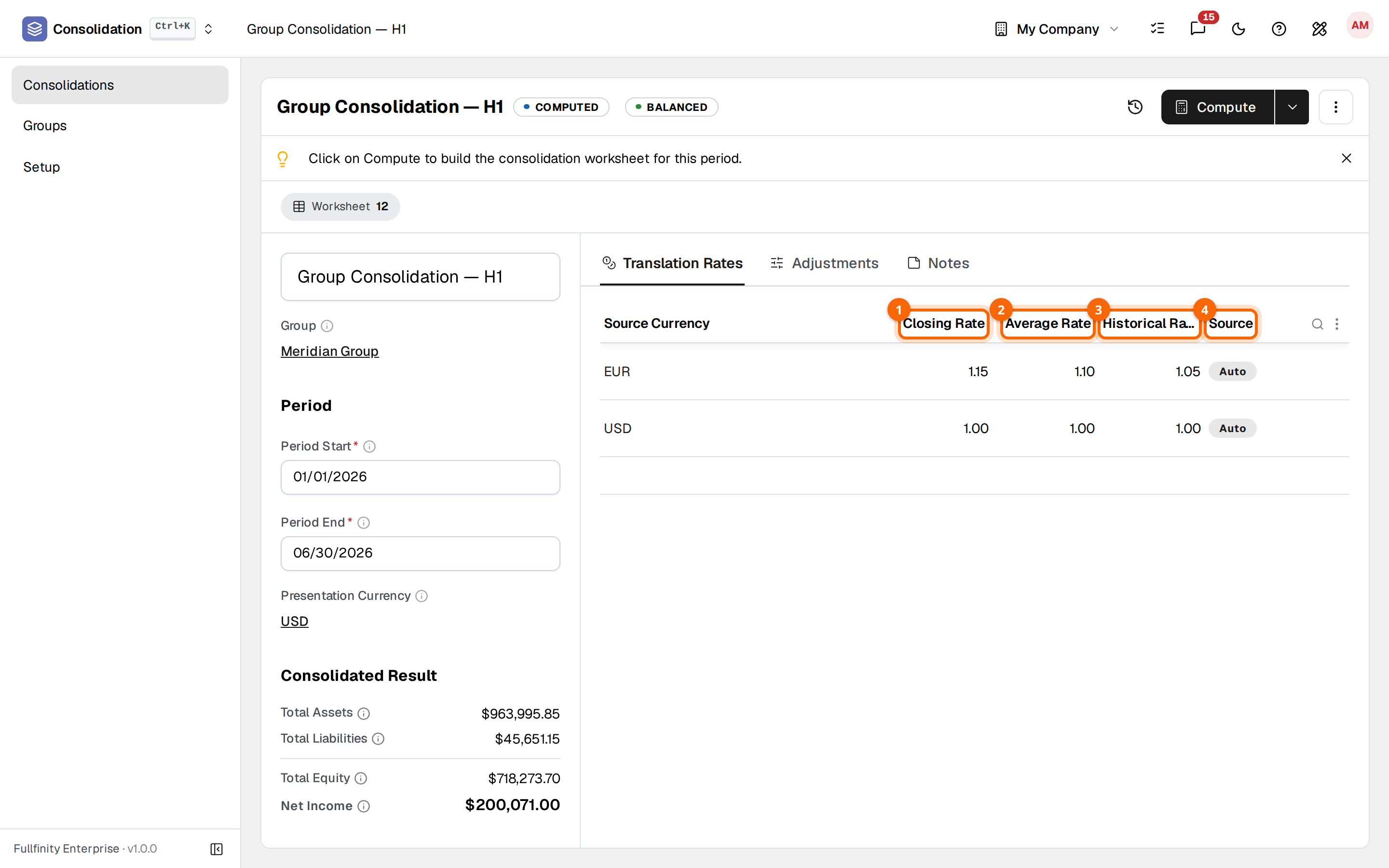
A Manual rate is kept every time you compute again; an Auto one is refreshed. Because the three rates differ, the balance sheet would not add up on its own: the difference is the Translation (CTA), recorded in equity.
➡️ Related: How do I consolidate several companies' accounts?