How do I consolidate several companies' accounts?
Define your group of companies once, then compute a consolidated balance sheet and income statement for a period, with currencies translated and intercompany balances eliminated.
If you run several companies in Fullfinity, a consolidation shows them as one group: their balances added together, translated into one currency, with what they owe each other taken out.
1. Define the group
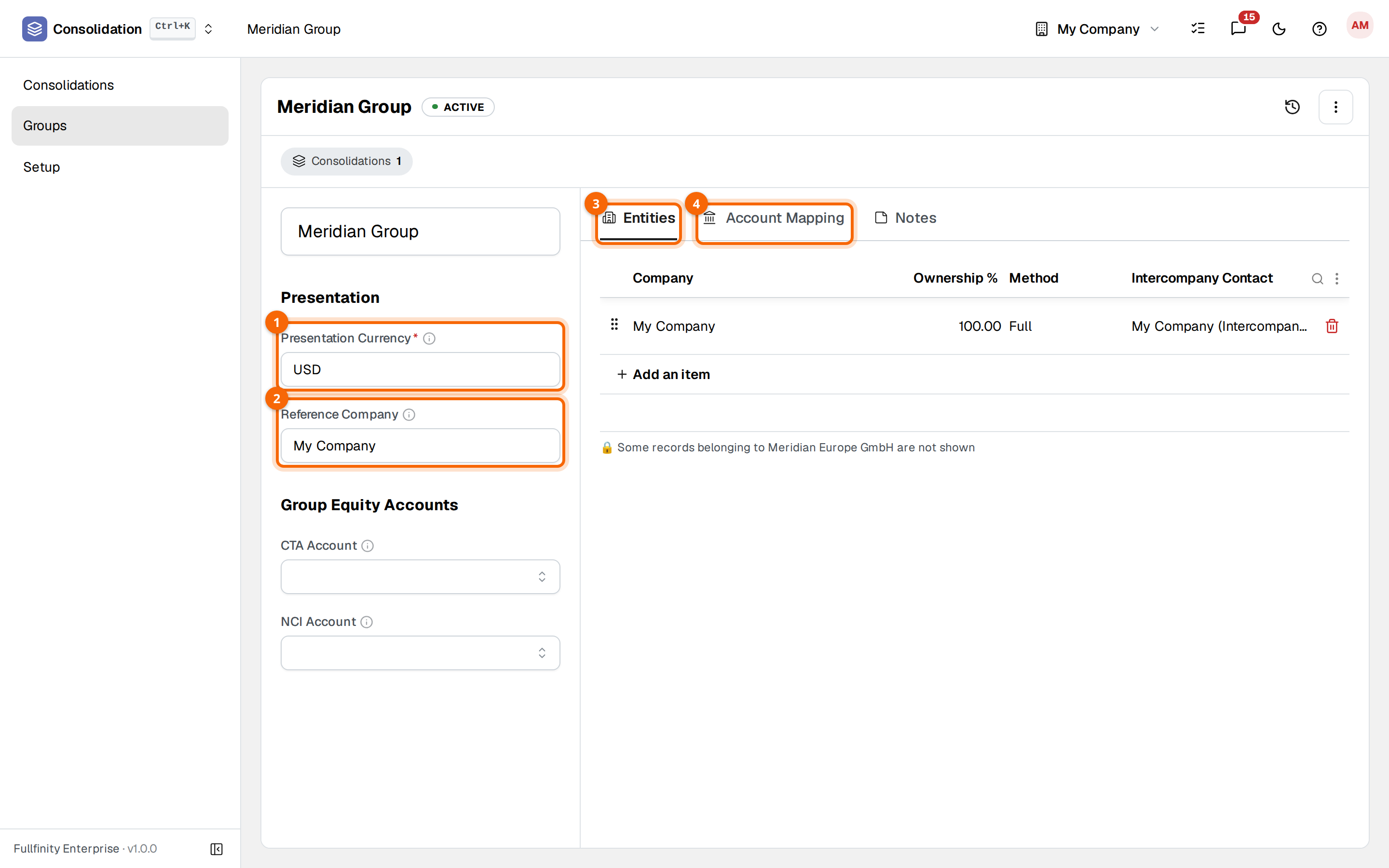
- In the Consolidation app, go to Groups and click New. Name the group.
- Presentation Currency — the currency the group reports in.
- Reference Company — the parent company. Its exchange rates are used to translate the others.
- On the Entities tab, add each company with its Ownership % and Method, and the Intercompany Contact that stands for it in the other companies' books.
- On the Account Mapping tab, map any subsidiary account that should roll up into a different group account.
| Method | Used for |
|---|---|
| Full | Subsidiaries you control: every balance is added in full, and the minority owners' share is shown as non-controlling interest. |
| Proportional | Joint arrangements: every balance is added in proportion to your ownership. |
| Equity | Associates: only your share of their profit is picked up, on one line. |
The CTA Account and NCI Account can be left blank to use the accounts your chart provides.
2. Compute a consolidation
- Go to Consolidations and click New. Choose the Group and the period: Period Start and Period End.
- Click Compute.
- Check the result: Total Assets, Total Liabilities, Total Equity, Net Income and, under Adjustments Recognised, the translation adjustment, non-controlling interest and Elimination Difference.
- Open the Balance Sheet, Income Statement or Worksheet to see the detail.
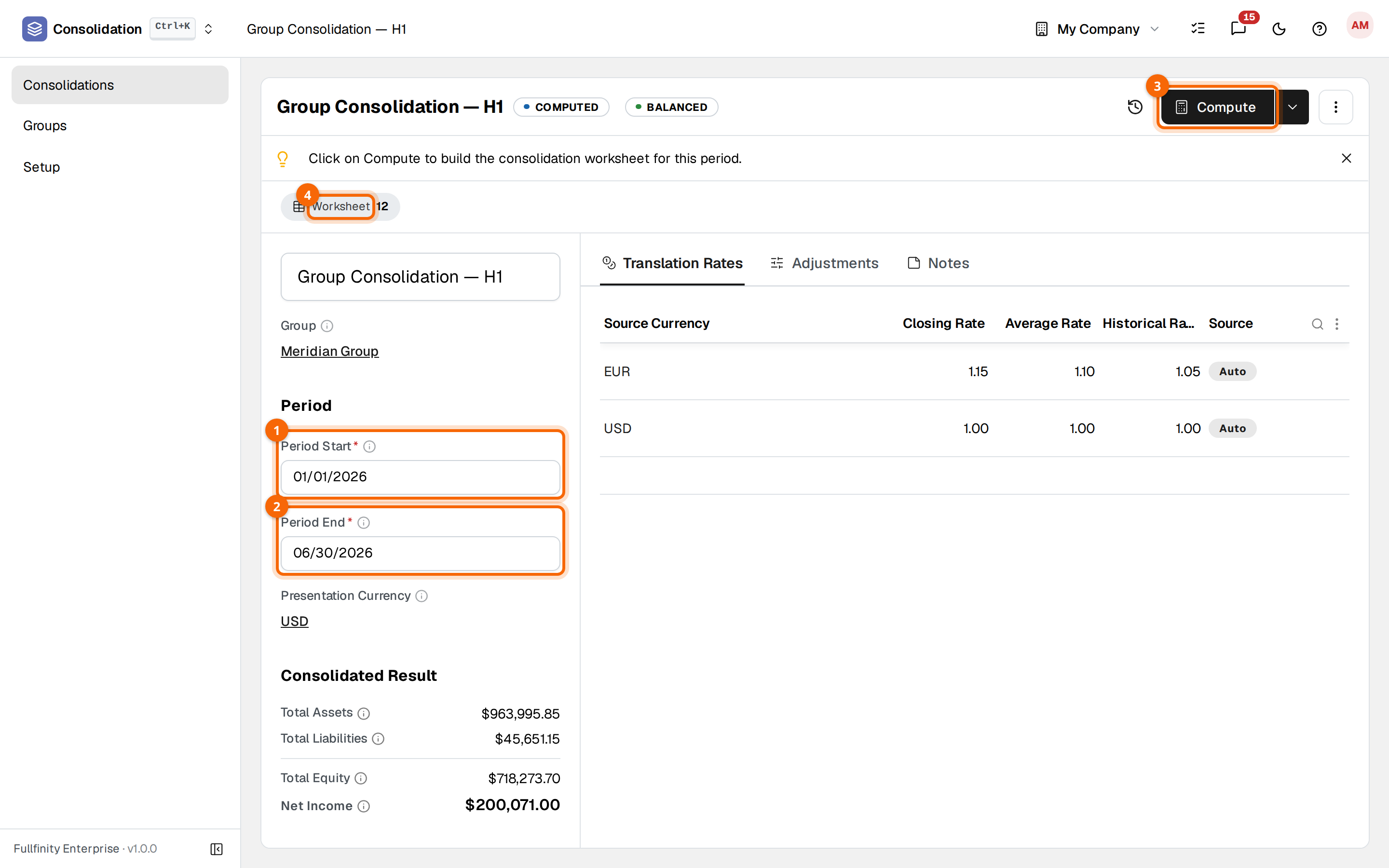
Asset and liability balances are translated at the closing rate, income and expenses at the period's average rate, equity at the historical rate. The rates used are on the Translation Rates tab, where you can override one. Intercompany balances between the members are eliminated; an Elimination Difference other than zero means two companies don't agree on what they owe each other. Add top-side corrections on the Adjustments tab and compute again.
When it's final, click Lock. Reset unlocks a locked consolidation; on an unlocked one it clears the result.