Why does my consolidation show an elimination difference or say Out of Balance?
Find intercompany balances that don't match between companies, and what to check when a consolidation doesn't balance.
Amounts the group's companies owe each other are taken out of a consolidation: to the group, they are money it owes itself. For that, each company must record the same amount on its side.
How intercompany balances are found
On the group's Entities tab, each company has an Intercompany Contact — the contact that stands for it in the other companies' books. Every posting a member company makes with that contact is treated as intercompany and eliminated. Use a contact with no company set, so every member's books can use it; leave the field empty and nothing is eliminated for that company.
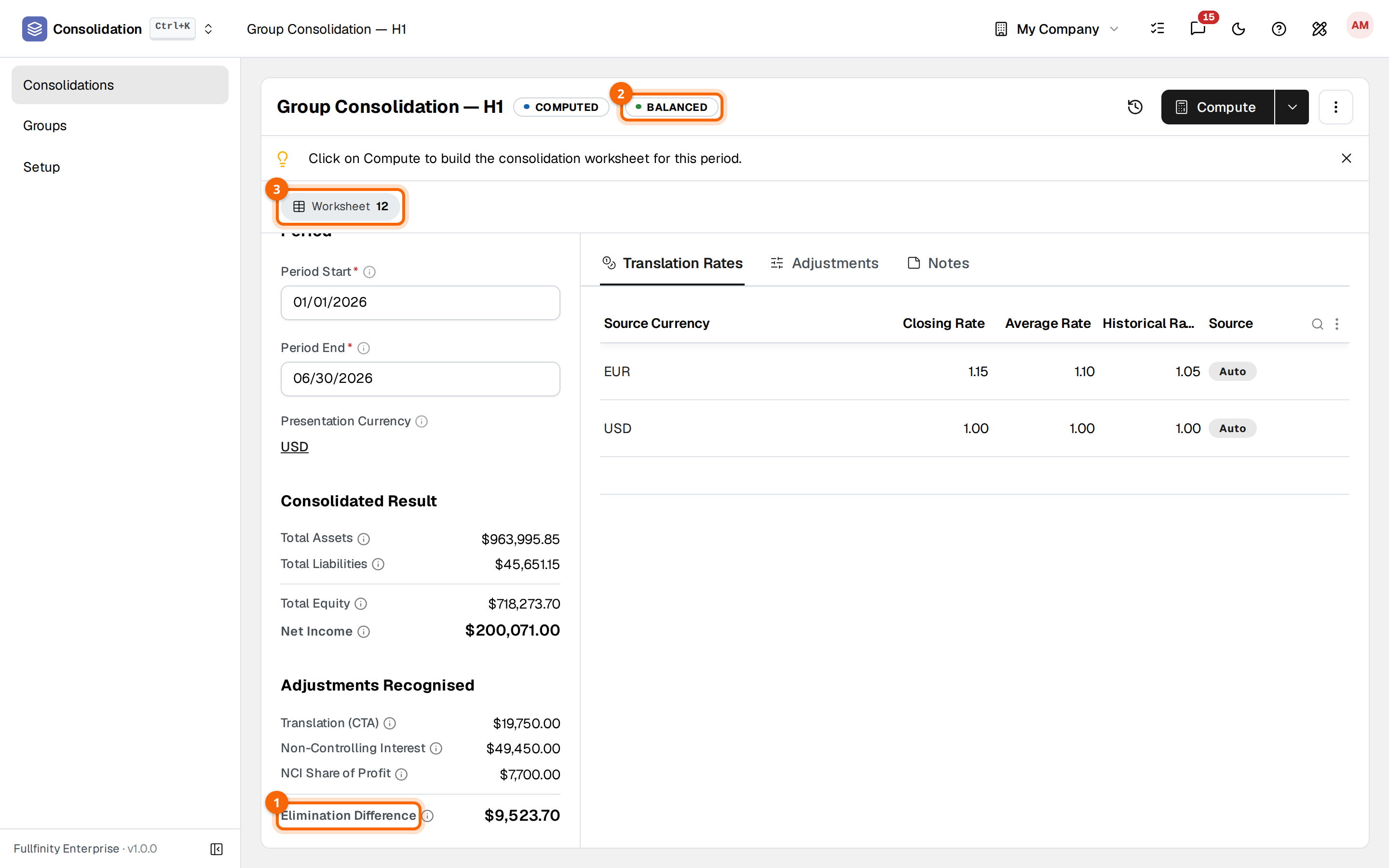
An Elimination Difference other than zero
The two sides don't agree: one company recorded more or less than the other, or one of them used a different contact.
- Click Worksheet on the consolidation and look at the elimination lines to see which companies and accounts are involved.
- In each company, compare what is owed to and by the other — usually an invoice or a payment entered on one side only, or entered with the wrong contact.
- Correct the books, then click Compute again.
Out of Balance
A consolidation is Balanced when total assets equal liabilities plus equity. Out of Balance usually means a company's own books don't balance for the period, or a subsidiary account is mapped on the group's Account Mapping tab to an account of a different kind (an asset rolled into a liability). Fix the books or the mapping and compute again.
If a difference is genuine and you accept it, record it as a top-side adjustment: see How do I adjust and lock a consolidation?