Why can't I edit this timesheet?
Time that is waiting for approval, approved or invoiced is locked. Here is how to unlock each one.
Time entries are locked once someone has relied on them — a manager signing them off, or a customer being invoiced for them. The message you see when saving tells you which.
| You see | Why | What to do |
|---|---|---|
| This time is waiting for approval. | It is Submitted. | Ask a timesheet manager to Send Back it; then correct it and submit it again. |
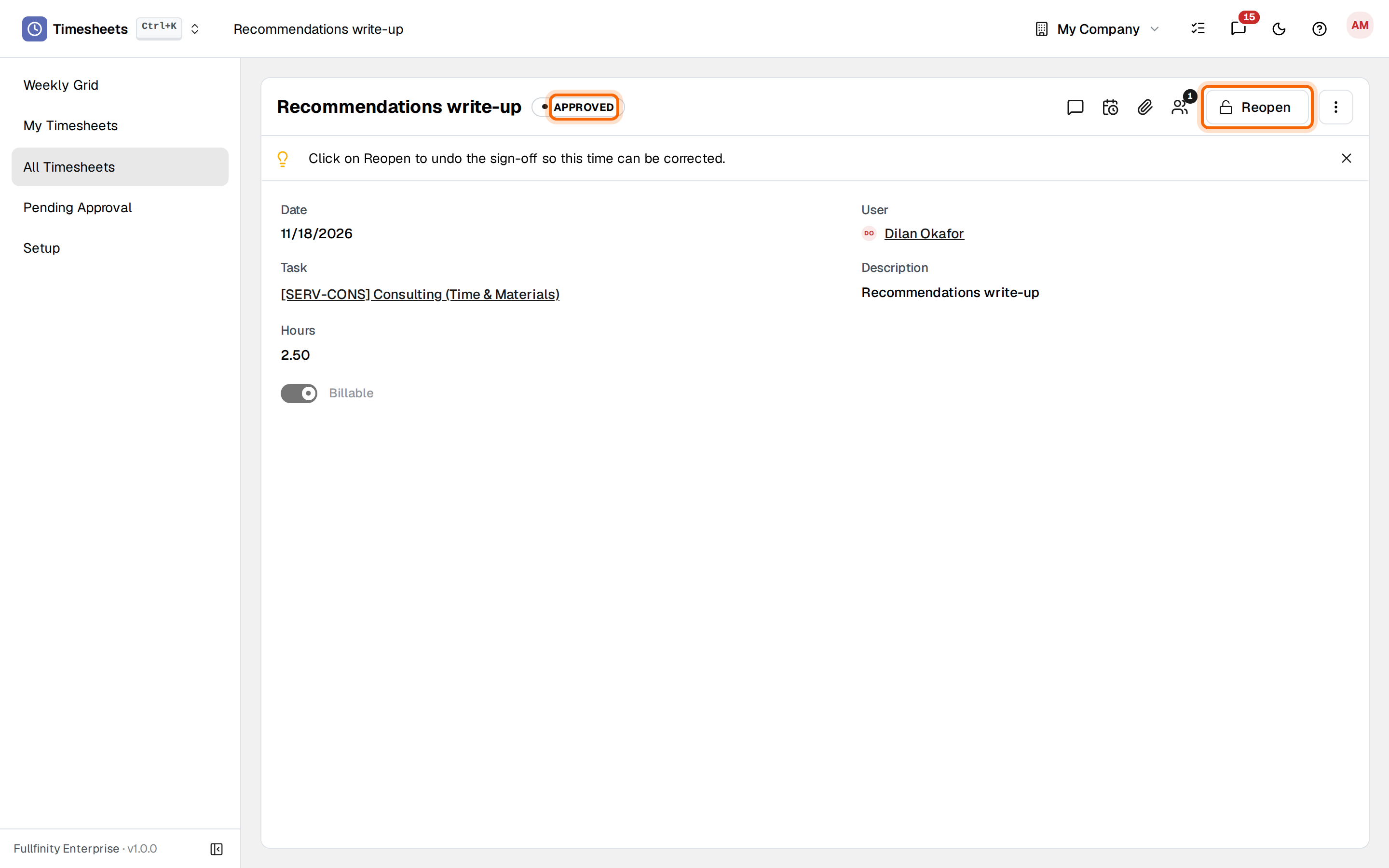
| This time has been approved. | It is Approved. | Ask a timesheet manager to click Reopen on it. It goes back to Draft. |
| This time has been invoiced. | It was billed to the customer. | Issue a credit note for the invoice — see How do I issue a credit note? The time unlocks; correct it and invoice again. |
Can't see someone's time at all?
Each person sees only their own time in Timesheets → My Timesheets. Timesheet managers see everyone's in Timesheets → All Timesheets.
Can't find the task?
You can only log time on tasks you can see: tasks assigned to you, and the tasks of projects you manage or are on the team of. Ask the project manager to add you to the Team — see Who can see a project?
Was this article helpful?