How do customers manage their subscription online?
What customers see under Subscriptions in their online account, and how they change plan, update their card, pause, resume or cancel on their own.
Customers who have an account on your website can see their subscriptions and look after them themselves, so changing a card or a plan doesn't need a phone call.
In their account the customer opens Subscriptions and clicks View on a subscription. The page shows its plan, the current period, its lines and the next invoice.
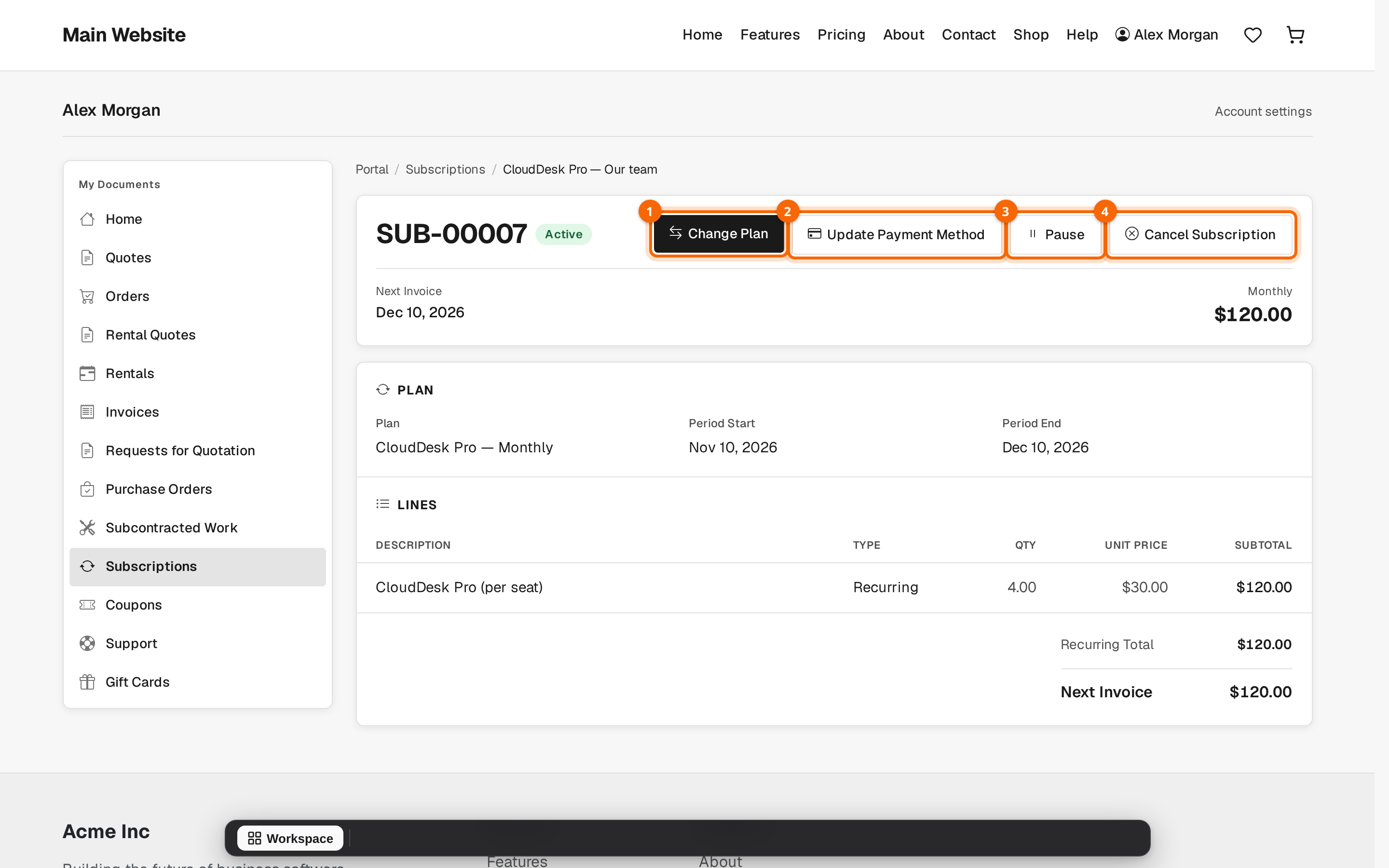
- Change Plan — pick another plan and a quantity. Before confirming, the customer sees what they will pay now for the rest of the period and what they will pay each period after. It is billed exactly as when you change the plan yourself — see How do I upgrade, downgrade or change the number of seats?
- Update Payment Method — save a new card with your payment provider. It becomes the subscription's Payment Method for every charge after that.
- Pause — stop billing for now. A paused subscription shows Resume instead.
- Cancel Subscription — end it. The reason recorded is Customer Cancellation, and the customer keeps access until the end of the period they have paid for.
Every change a customer makes shows on the subscription in Fullfinity straight away, exactly as if you had made it.
Was this article helpful?