What happens when a subscription payment fails?
How a failed or missing payment moves a subscription to Past Due, how the customer is told, how payments are retried, and when it is suspended and ended.
A subscription has two statuses side by side at the top of the screen: where it is in its life (Active, Paused…) and its Billing Status — whether the customer is up to date with paying.
| Billing Status | Meaning |
|---|---|
| Current | Paid up. |
| Past Due | A payment failed and is being retried, or an invoice is unpaid after its due date. |
| Suspended | The retries ran out. The subscription is ended for non-payment. |
When does a subscription become Past Due?
- With Auto-Charge on: the charge for a new invoice is declined, or there is no saved Payment Method to charge (a trial that ends with no card on file, for example).
- With Auto-Charge off: an invoice is still unpaid after its due date.
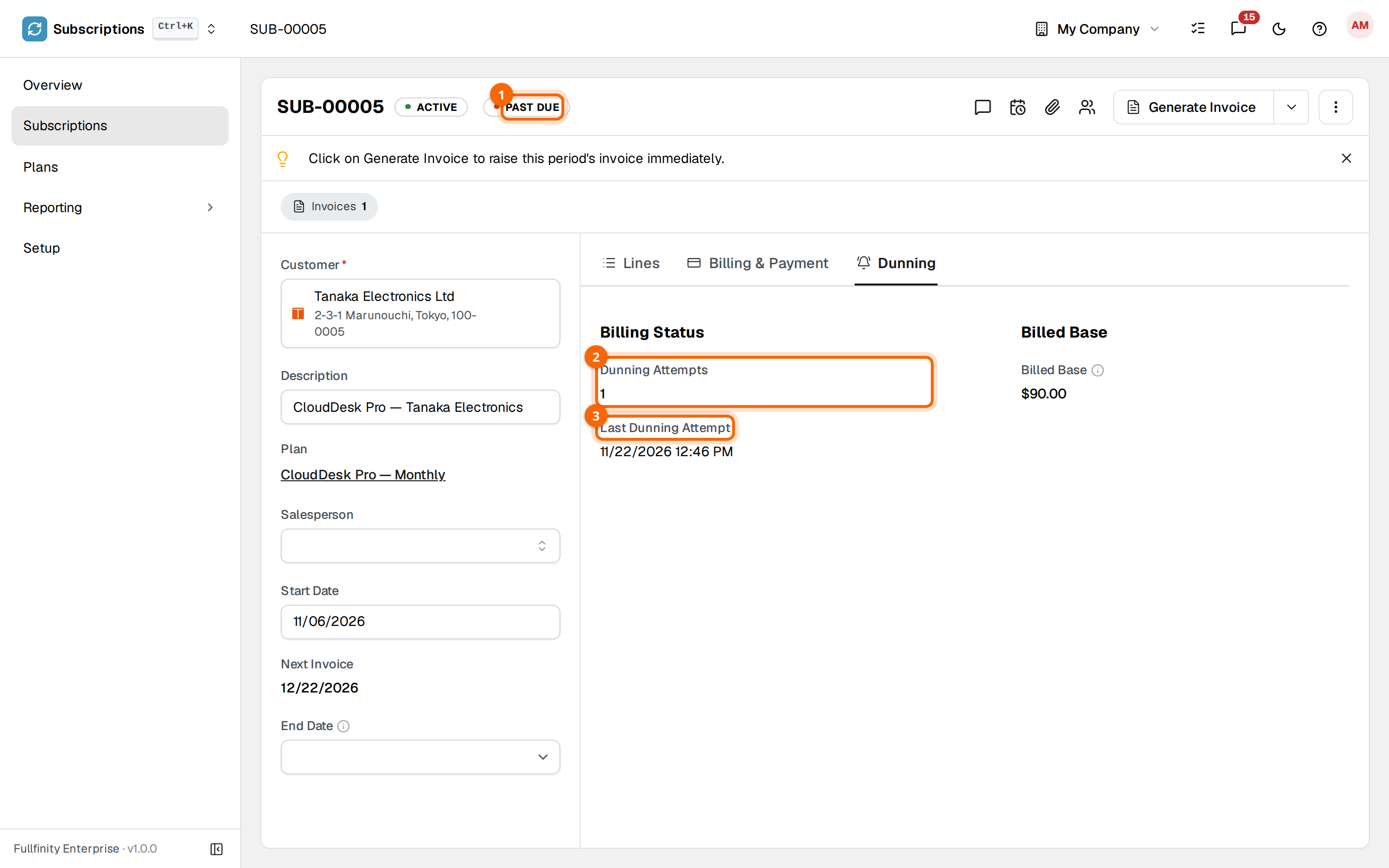
- The Past Due status at the top.
- Dunning Attempts — how many payments have failed so far.
- Last Dunning Attempt — when the last one failed.
What Fullfinity does about it
- The customer is emailed that their payment failed, with the amount and a link to pay the invoice online.
- Each failure is noted in the subscription's history, so your team can see it.
- Every Retry Every (Days) days, the saved payment method is charged again for the unpaid invoice.
- As soon as the invoice is paid — by a retry, or by the customer through the link — the subscription goes back to Current.
- When the number of failures reaches Retry Attempts, the subscription is Suspended and cancelled with the reason Non-Payment.
Set the two numbers in Subscriptions → Setup — see How do I set up Subscriptions?
Finding subscriptions at risk
On Subscriptions → Subscriptions, use the Past Due filter. The Overview also counts them under Past Due and lists them under At Risk (Past Due).
Was this article helpful?