How do I have people sign one after another?
Choose whether everyone signs at once or in a set order, and set that order.
By default every signer gets their link at the same moment. When the order matters — the candidate signs an offer only after the employer has — make the request sign in order.
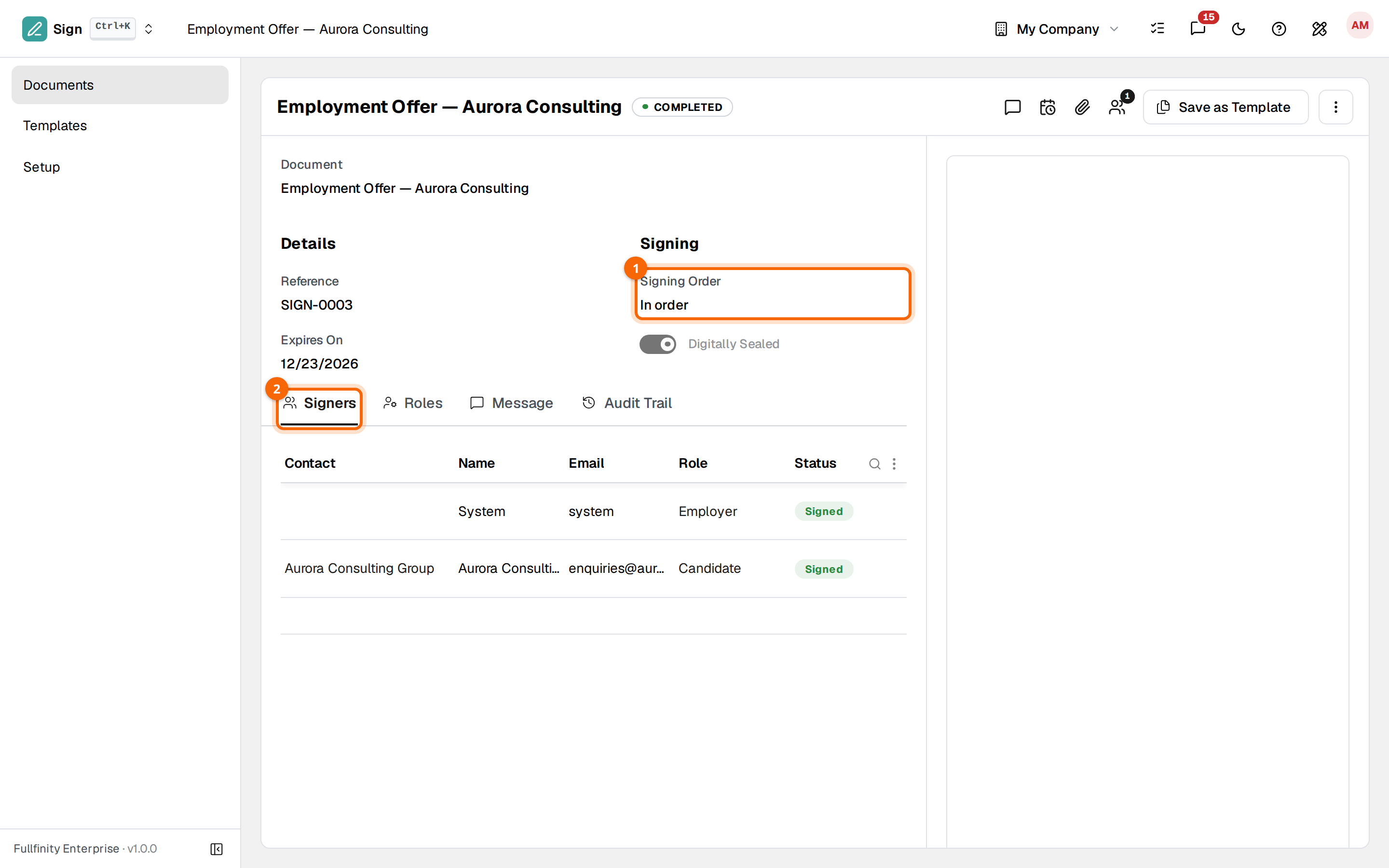
- In the draft request, set Signing Order to In order.
- On the Signers tab, drag the signers into the order they sign, top first.
- Click Send.
Only the first signer is emailed. When they sign, the next one gets their email, and so on. Until it is their turn, a signer who opens their link is told it is not their turn yet. Signers who share a place in the order sign together.
If the next signer's email cannot be sent, the signature already given still counts, and a note on the request tells you who did not get their invitation — click Send Reminder once your email works.
Was this article helpful?