How do I set up Sign?
Set how long requests stay open, how often signers are reminded, the consent wording and email verification.
Go to Sign → Setup (Sign managers).
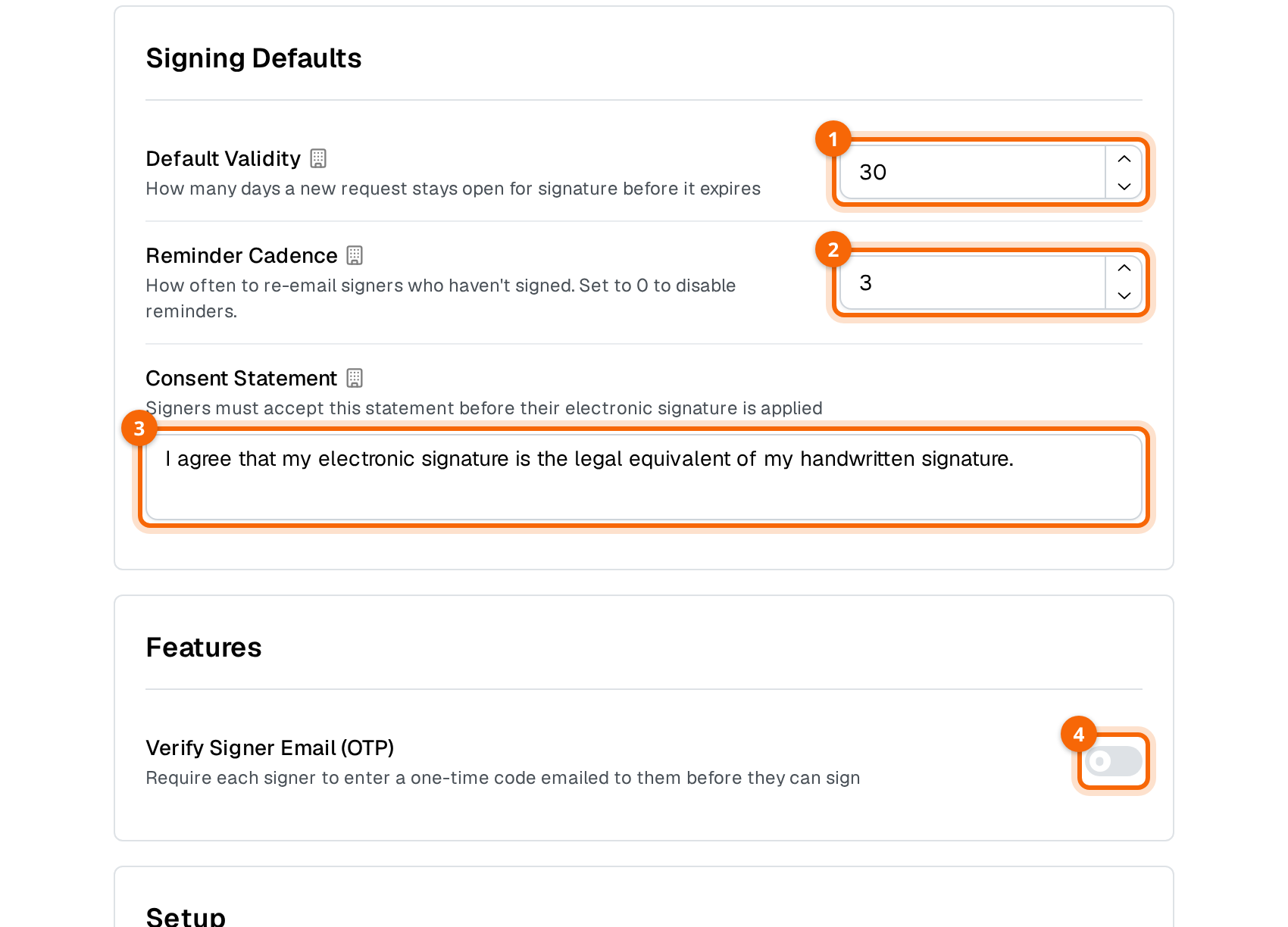
- Default Validity — how many days a new request stays open. It fills in Expires On on every new request (you can still change it there). Once the date passes the request becomes Expired. Set 0 for requests that never expire.
- Reminder Cadence — every how many days a signer who hasn't signed is emailed their link again, counted from the last email they got. Set 0 to send no automatic reminders.
- Consent Statement — what signers must accept before they sign.
- Verify Signer Email (OTP) — signers must also type a one-time code emailed to them. It proves the person signing reads that mailbox, and the certificate records it.
The first three are set per company.
Was this article helpful?