How do I run promotions and coupons in my online store?
Create a coupon code or an automatic discount and let shoppers use it in the cart.
Promotions work in your online store exactly as they do on sales orders. A shopper types a coupon code in their cart, or an automatic promotion discounts every qualifying cart on its own. Gift cards and loyalty points can be used in the cart too, and a confirmed online order earns the customer loyalty points like any other sale.
1. Open your promotions
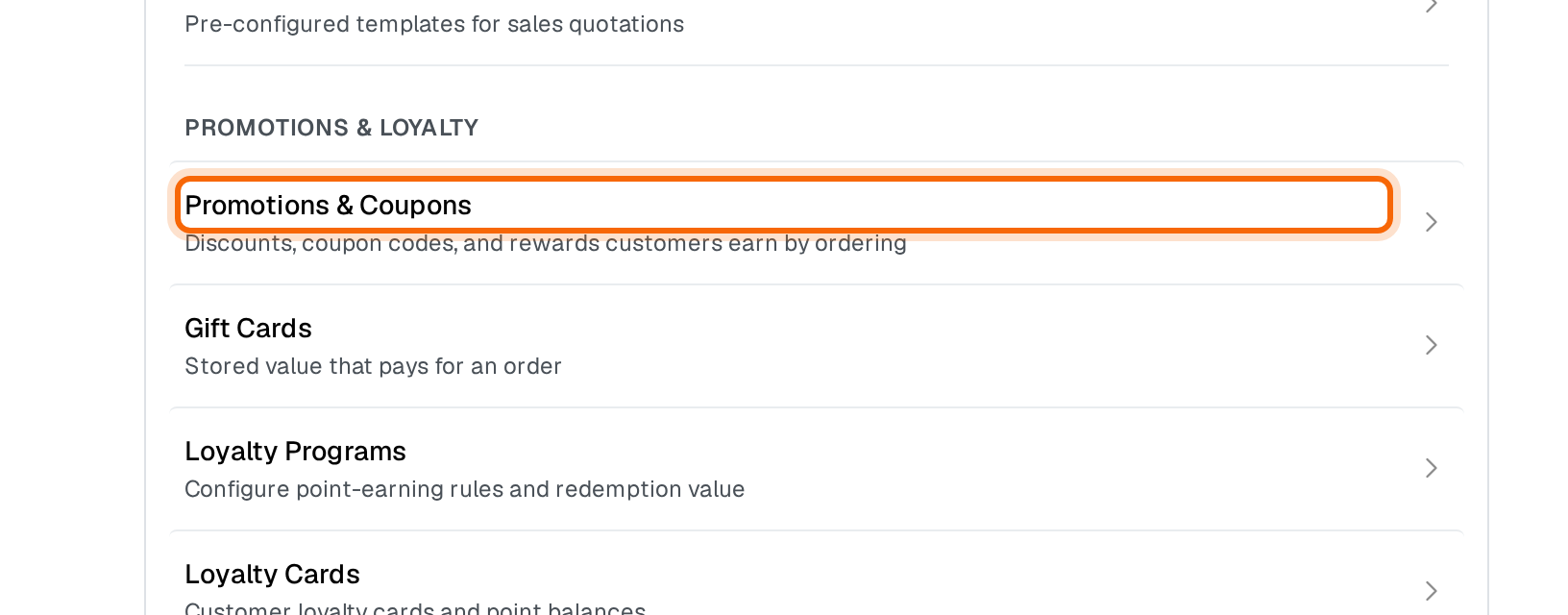
Go to Sales → Setup and click Promotions & Coupons. Open a promotion, or click New.
2. Set up the offer
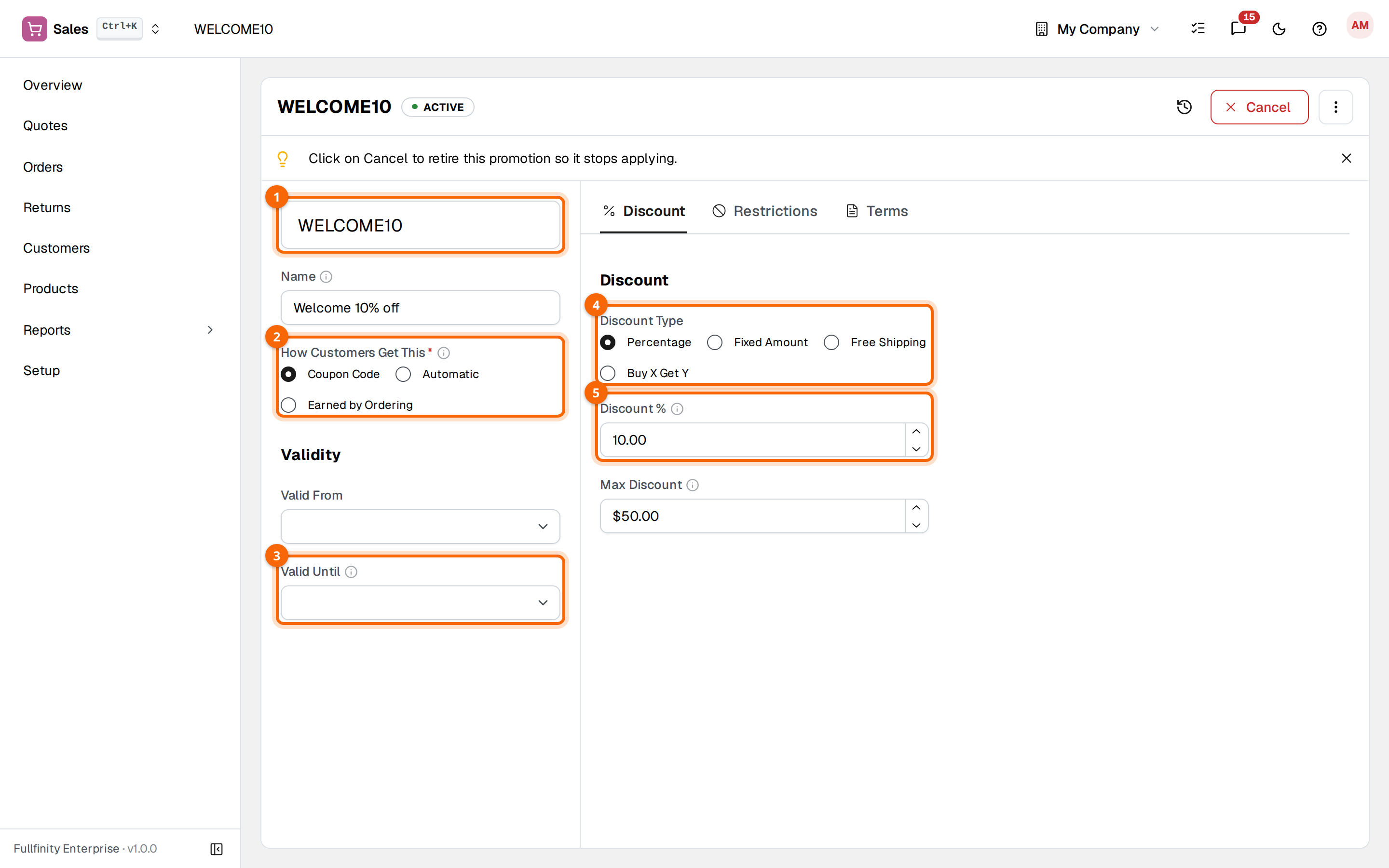
- The code shoppers type, for example SUMMER20, and a Name for your own reference.
- How Customers Get This:
- Coupon Code — the shopper enters the code in the cart.
- Automatic — applied to every qualifying cart, no code needed.
- Earned by Ordering — an order that qualifies earns the customer a coupon for their next order.
- Valid From and Valid Until — the dates it can be used.
- Discount Type — Percentage, Fixed Amount, Free Shipping or Buy X Get Y.
- The amount: Discount % (with an optional Max Discount ceiling) or Discount Amount.
3. Limit who can use it
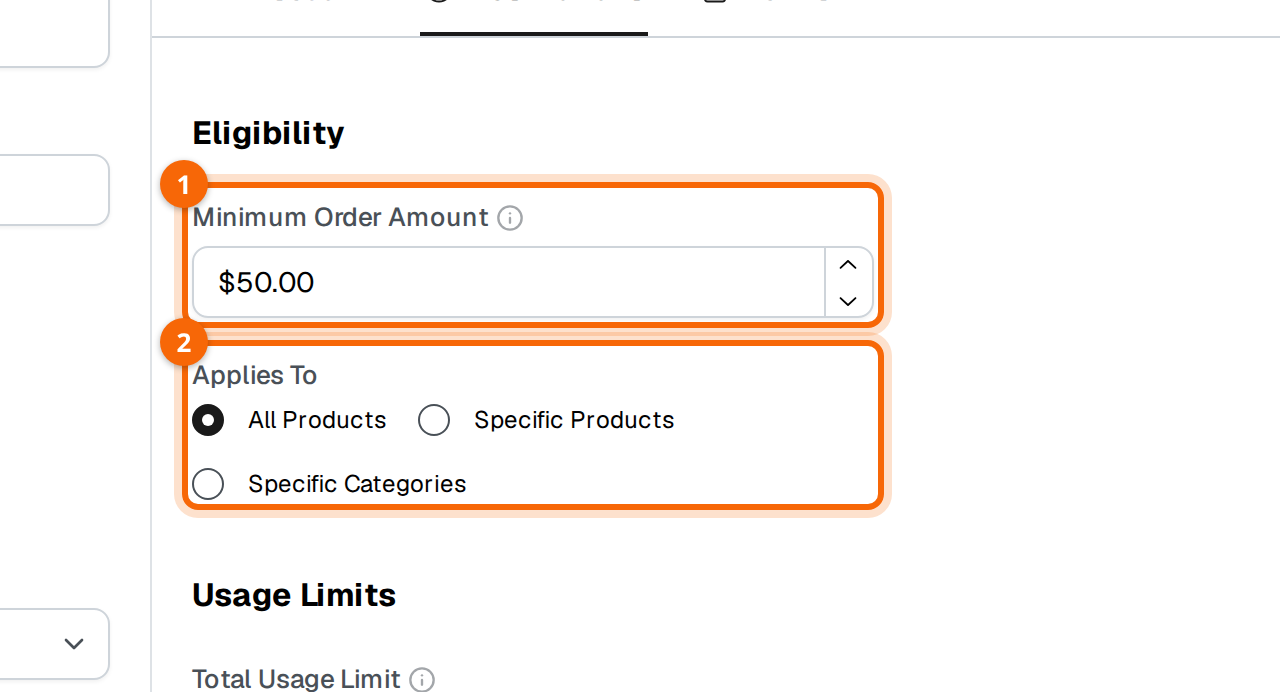
On the Restrictions tab, set a Minimum Order Amount and choose what it Applies To: All Products, Specific Products or Specific Categories. For a coupon code, Usage Limits caps how often it can be used: Total Usage Limit, Per Customer Limit (leave either blank for no limit) and First Order Only. Use the Terms tab for the conditions shown to the customer.
4. Activate it
A new promotion is a Draft. Click Activate to put it live; its status becomes Active. To stop it early, click Cancel. Once its end date passes it shows as Expired.
See how often each promotion is used, and what it cost you, under Sales → Reports → Promotions.