How do I require a reason when a deal is lost?
Make salespeople pick why a deal was lost, from a list you control, so you can see what is costing you business.
Knowing why deals are lost — price, a competitor, no budget — tells you what to fix. Switch on one setting and nobody can mark a deal lost without choosing a reason.
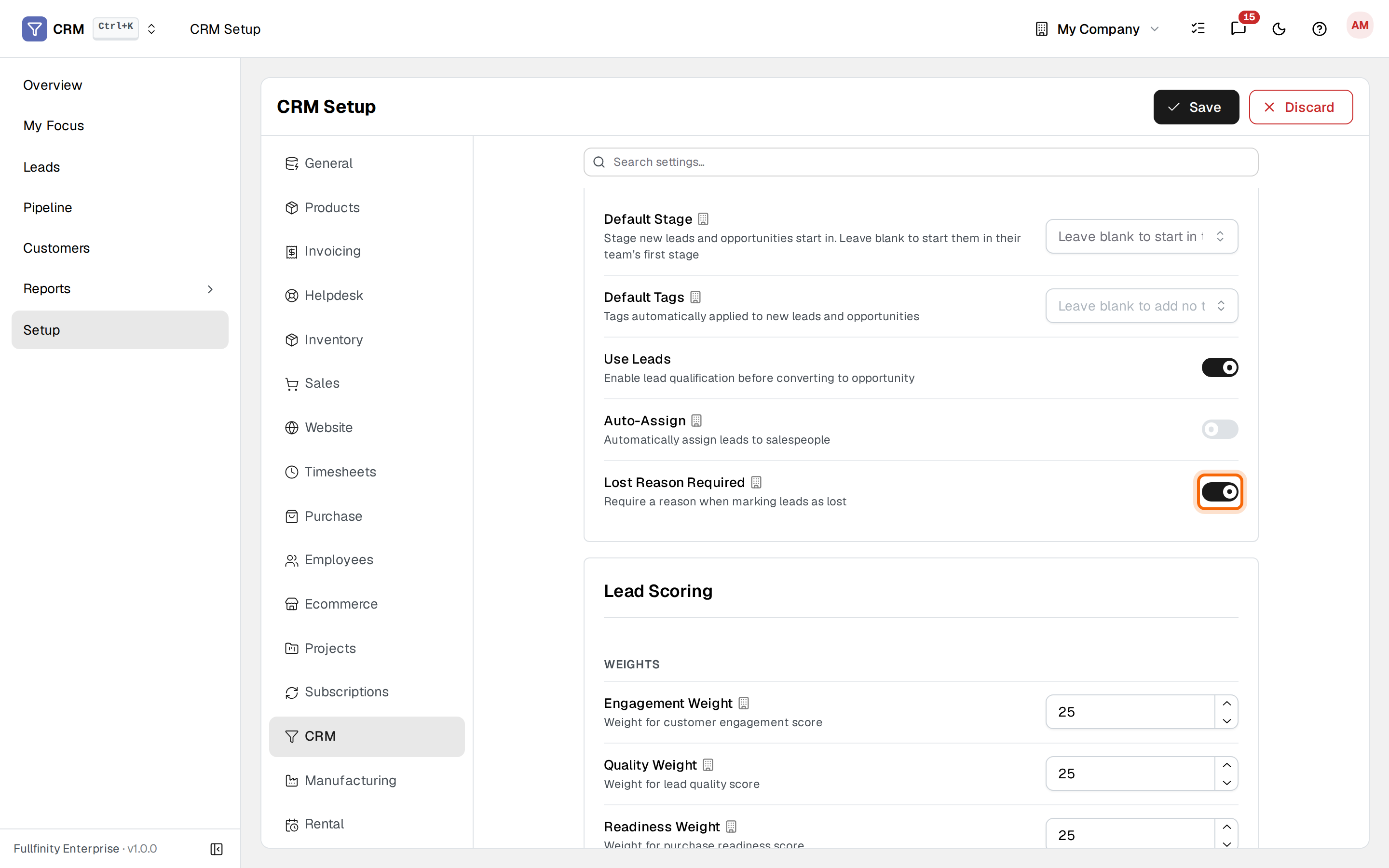
1. Switch the setting on
Open CRM → Setup, switch on Lost Reason Required under Lead Management, and click Save.
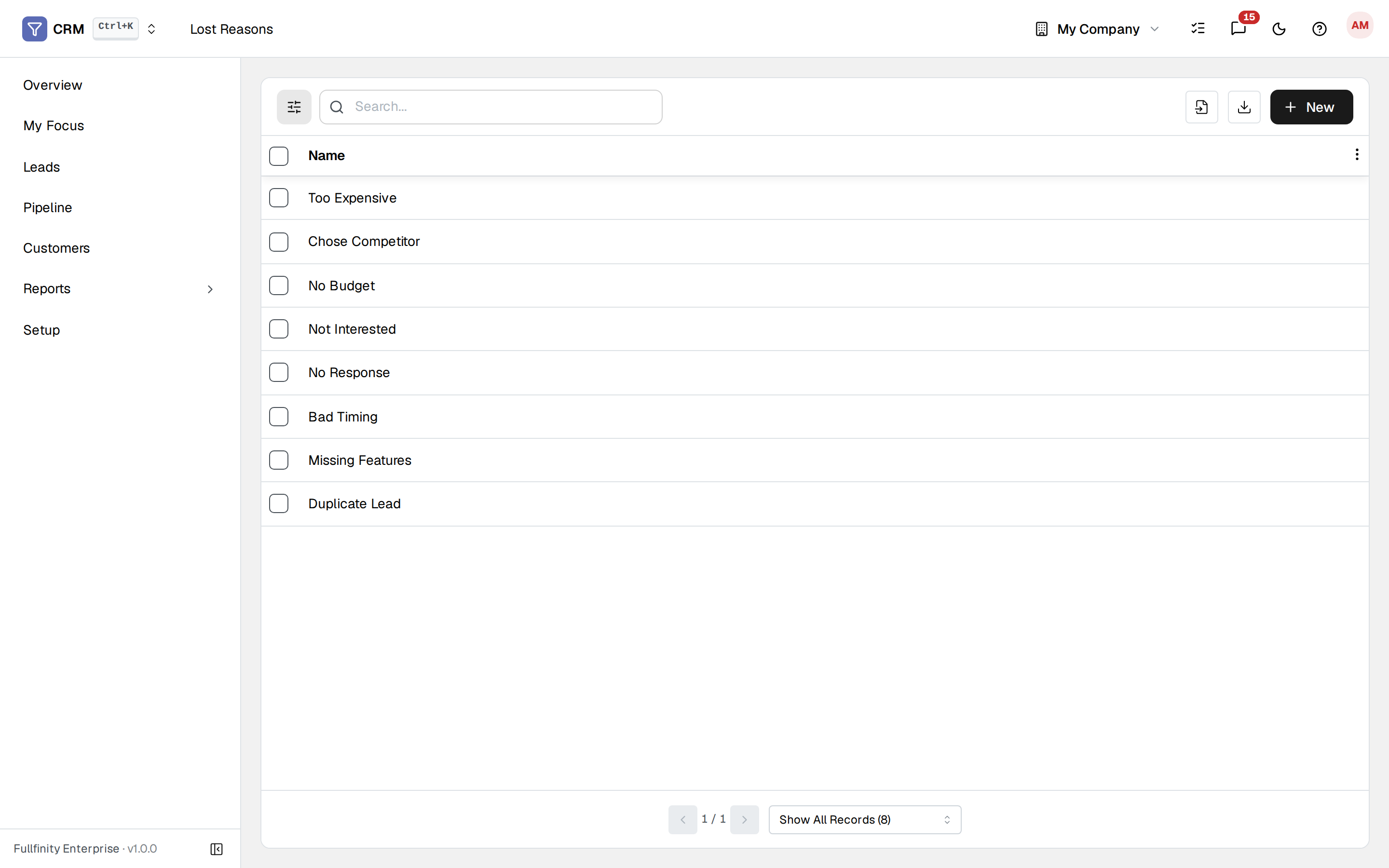
2. Check the list of reasons
In the Setup panel at the bottom of the same tab, click Lost Reasons. Fullfinity comes with a starter list; rename or delete reasons, and click New to add your own. Keep the list short and distinct — a reason everyone picks tells you nothing.
What salespeople see
From now on, clicking Mark Lost on an opportunity opens a Mark as Lost window:
- Pick the Lost Reason. It is required.
- Click Mark as Lost.
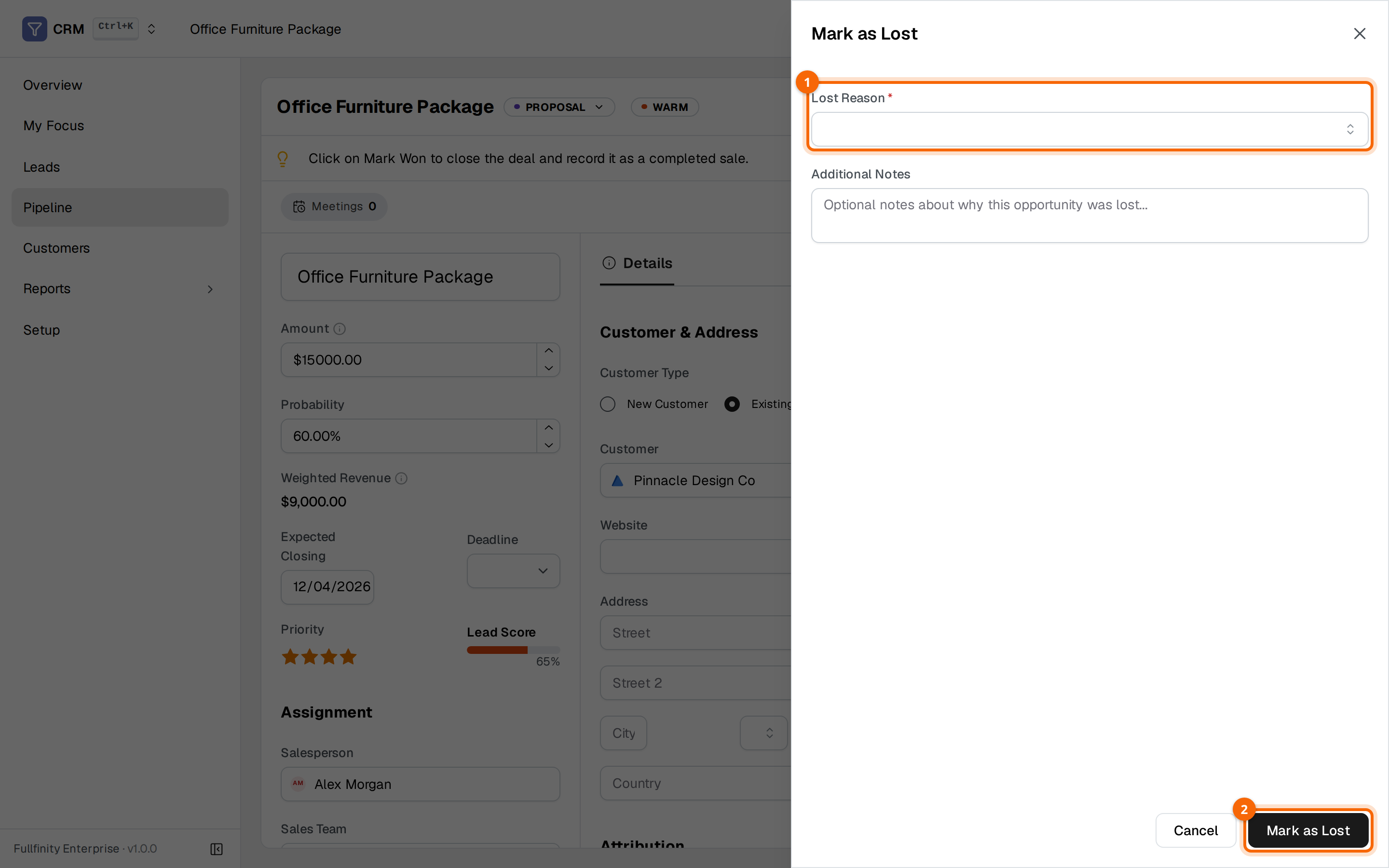
The deal moves to the lost stage with its reason recorded, and its Lost Reason shows on the opportunity.
Anything you type into Additional Notes in this window is posted as a note on the deal's history, headed with the reason you picked.
With the setting off, Mark Lost marks the deal lost straight away, without asking for a reason.
Related: How do I mark a deal won or lost?