How do I qualify a lead into an opportunity?
Check a new lead, fill in what you learn, and convert it into an opportunity in your pipeline.
A lead is an enquiry nobody has checked yet. Once you know it's a real chance of business, you convert it into an opportunity: it moves into the pipeline, gets a stage, and can be won or lost.
1. Open the lead
Go to CRM → Leads and click a lead. Leads arrive here from your website's contact form, from an import, or when someone clicks New on this list.
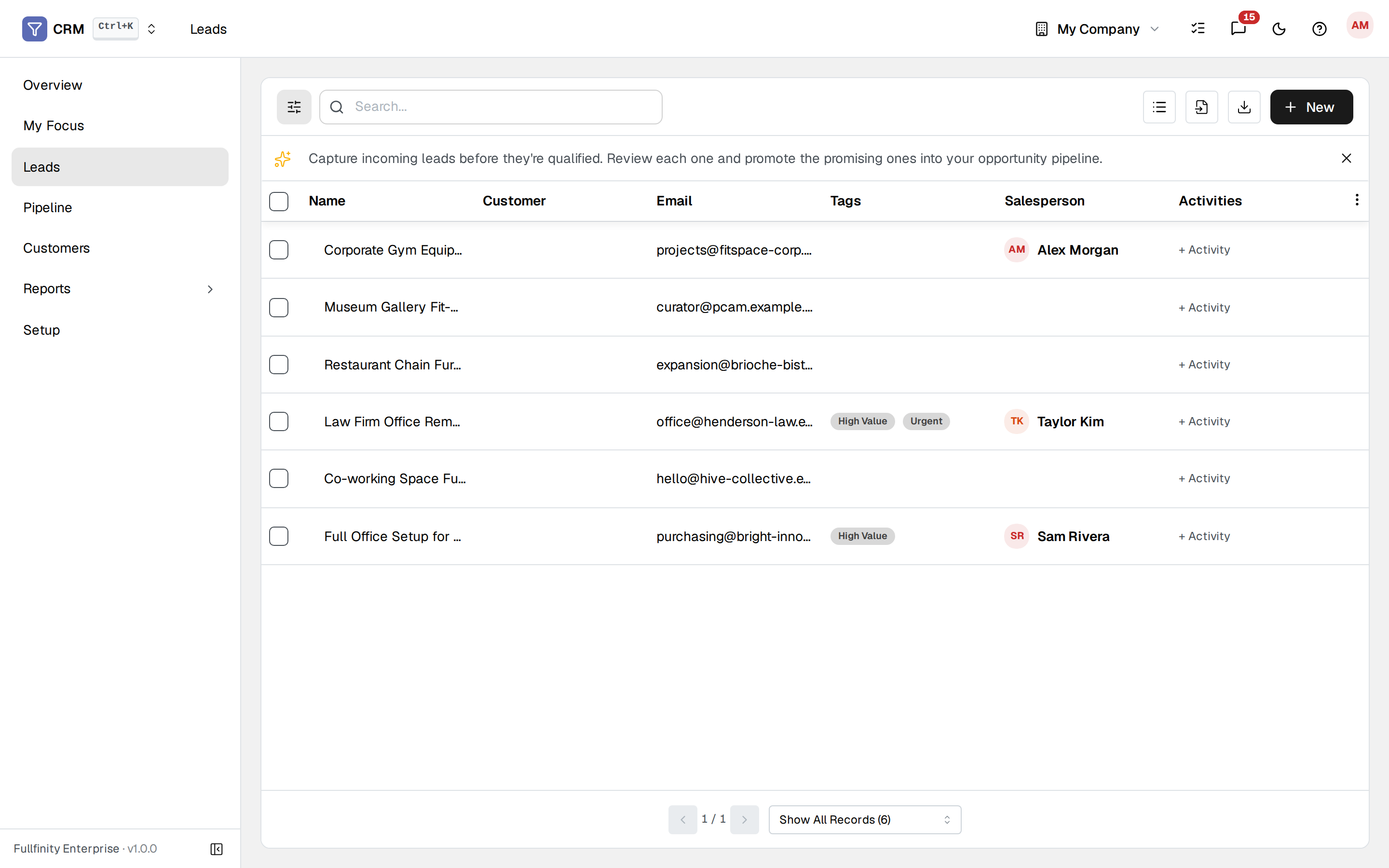
2. Fill in what you've learned
Call or email the contact, then record the answers:
- Amount and Expected Closing — what the deal is worth and when you expect it.
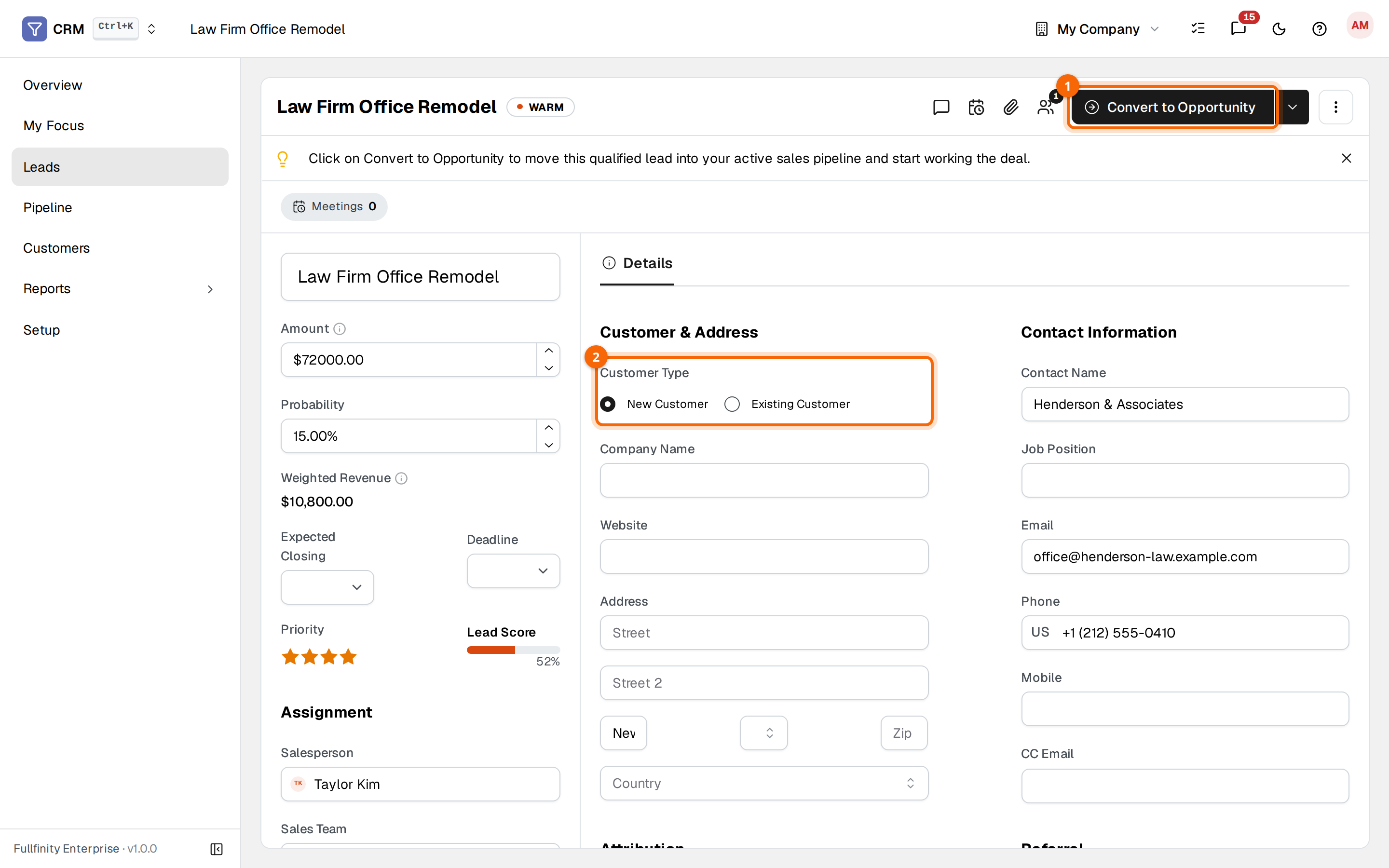
- Customer Type — choose Existing Customer and pick them under Customer if they already buy from you (their contact details fill in), or keep New Customer and type the Company Name, Contact Name and contact details.
- Priority — the stars, from one (very low) to four (high).
- Salesperson and Sales Team — who will work the deal.
- Source and Campaign under Attribution — where it came from.
Click Save.
3. Convert it
- Click Convert to Opportunity at the top.
- Check the Customer Type and customer details are right — they travel with the opportunity, and a quotation will need a customer later.
The lead leaves the Leads list and appears in CRM → Pipeline, in the first stage of its team's pipeline. From now on it shows its stage at the top and the Mark Won and Mark Lost buttons.
➡️ Next: How do I work my sales pipeline?
Was this article helpful?