How do I mark a deal won or lost?
Close an opportunity as won — by hand or by confirming its quotation — or as lost, with a reason.
Every deal ends won or lost. Closing it properly keeps your pipeline honest and your win rate accurate.
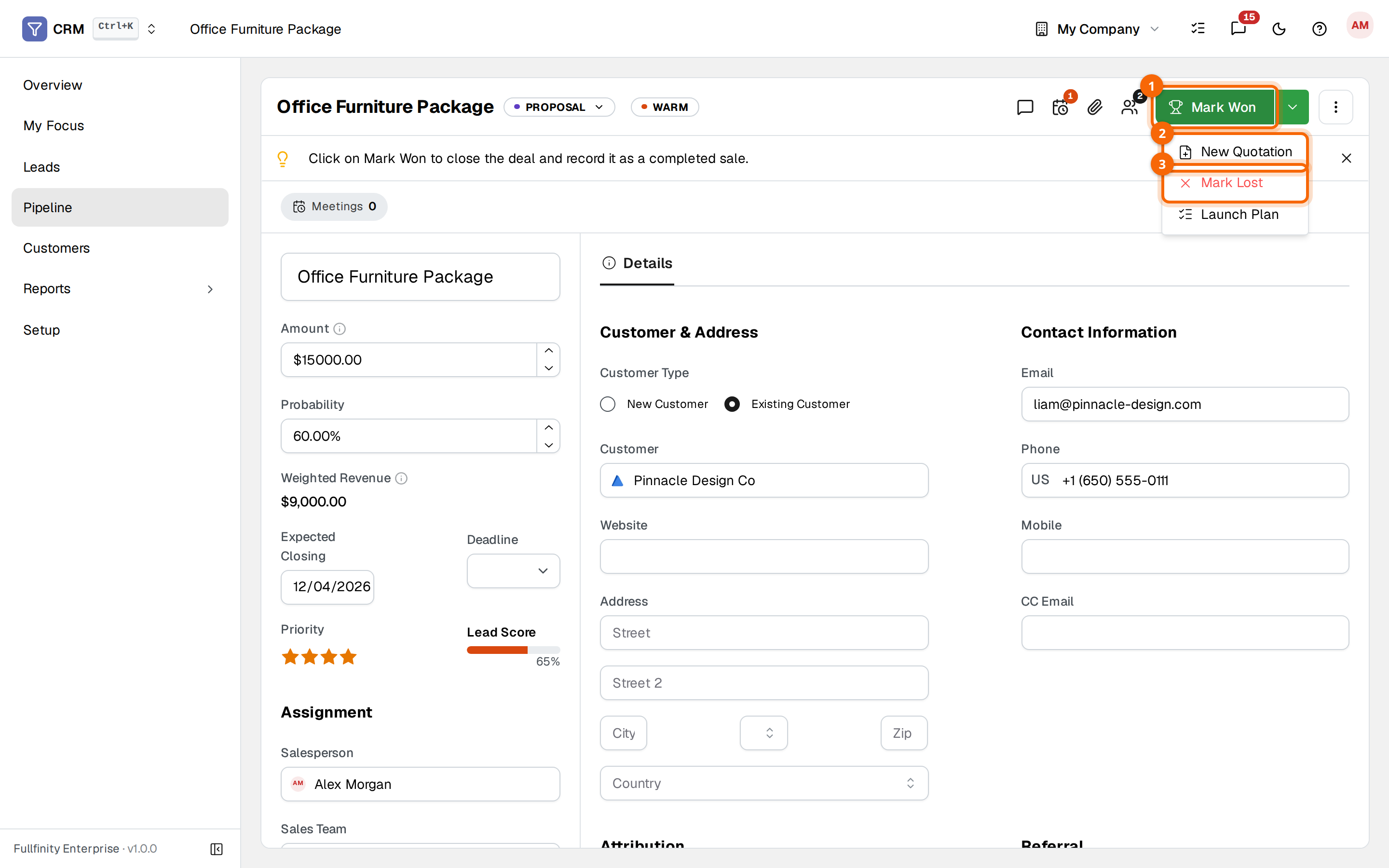
Open the opportunity. The buttons at the top close it:
- Mark Won — the deal is won.
- New Quotation (under the arrow beside it) — send the customer a quote; confirming it wins the deal for you.
- Mark Lost (under the same arrow) — the deal is lost.
Win it
Click Mark Won. The deal moves to your pipeline's won stage and its Probability becomes 100%. The button disappears once the deal is won.
Or win it with a quotation
Click the arrow beside Mark Won, then New Quotation.
- If the opportunity has a customer, a new quotation for them opens, carrying the opportunity's salesperson and team. Add the products and send it.
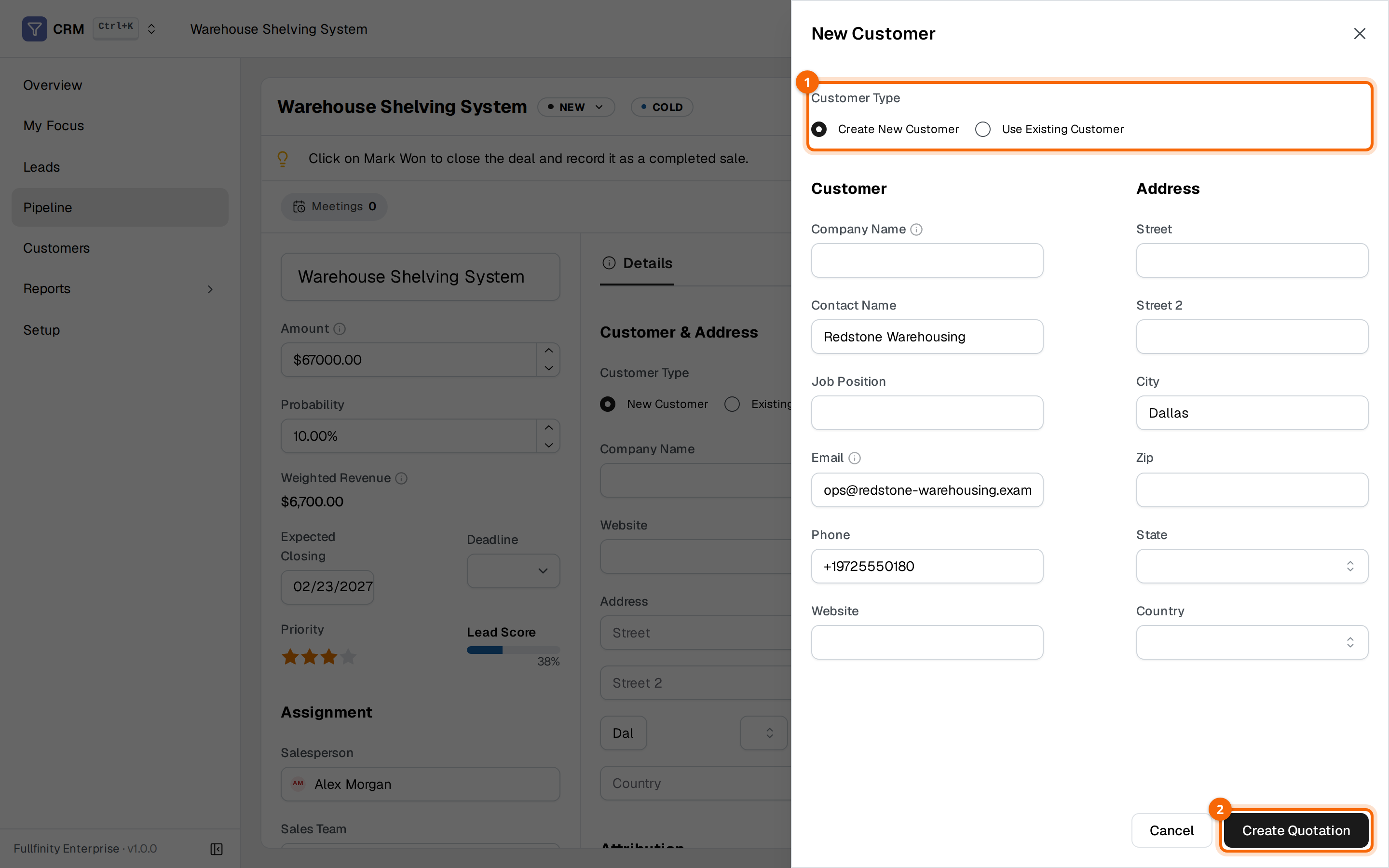
- If it only has a typed company or contact name, a New Customer window opens first. Choose Create New Customer (filled in from the opportunity — check it) or Use Existing Customer, then click Create Quotation.
When the customer accepts and the order is confirmed, the opportunity is marked won automatically. The opportunity's Quotations button lists its quotes and orders, and Total Sales shows the value of its confirmed orders.
Lose it
Click the arrow beside Mark Won, then Mark Lost.
- If your company requires a reason, a Mark as Lost window asks for the Lost Reason; pick one and click Mark as Lost. See How do I require a reason when a deal is lost?
- Otherwise it's marked lost straight away.
A lost deal moves to the lost stage, its Probability drops to 0%, and it is archived — it leaves the pipeline board but is kept, with its history, for reporting. To find lost deals again, pick the Lost filter on the pipeline or in the pipeline report; it includes archived deals.
Related: How do I analyse my pipeline?