How do I refund a sale at the register?
Find a past sale, choose which items come back, and pay the money back the way it was paid.
Refunds are made at the register, from the sale the customer bought on. Any register can refund a sale from any other register, as long as it is within your return window.
Click the ⋮ button at the top right of the register and choose History.
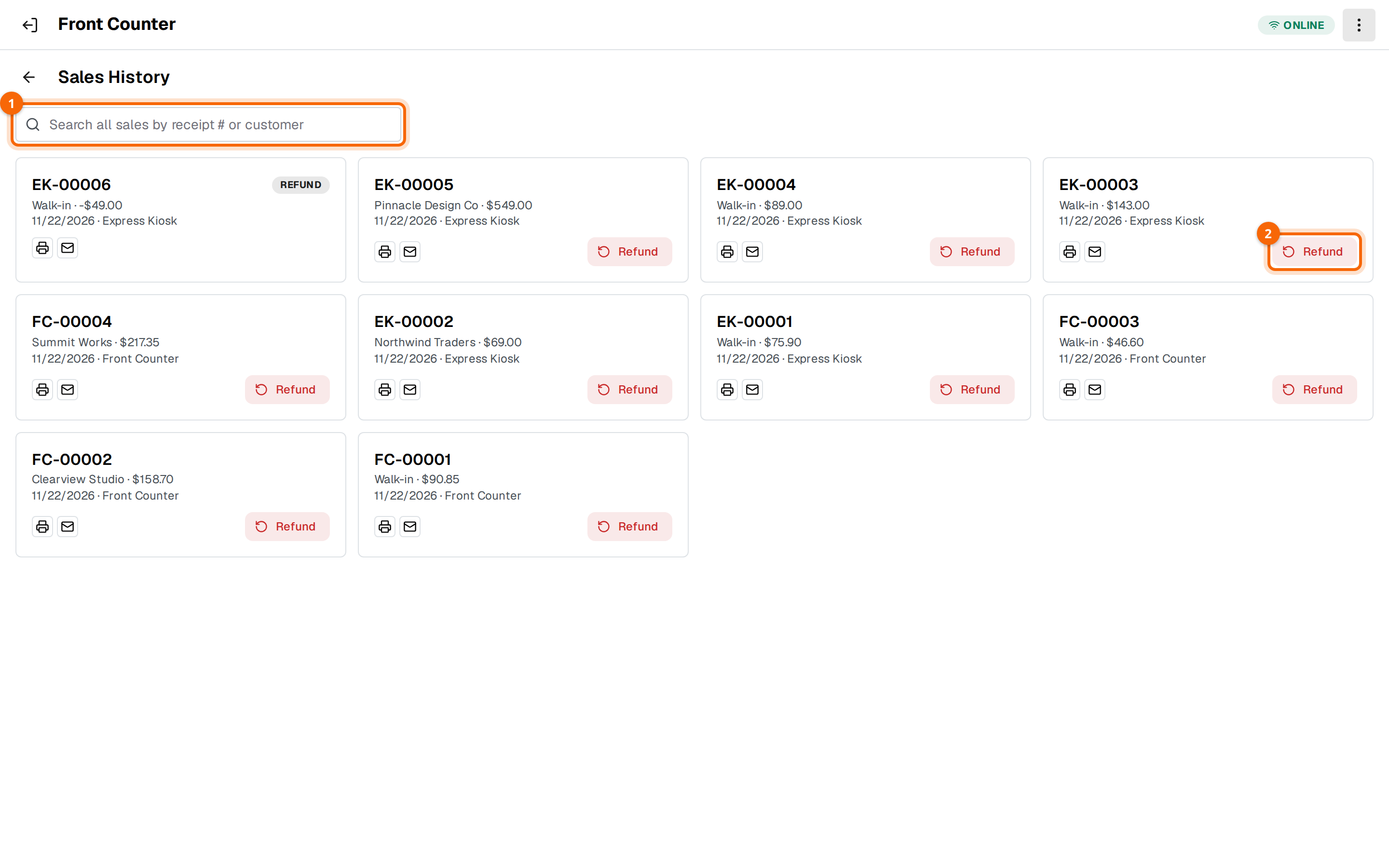
- The list shows recent sales from every register. Search by the receipt number or the customer's name to find an older one.
- Click Refund on the sale.
Each sale also has buttons to reprint and to email its receipt.
Choose what comes back
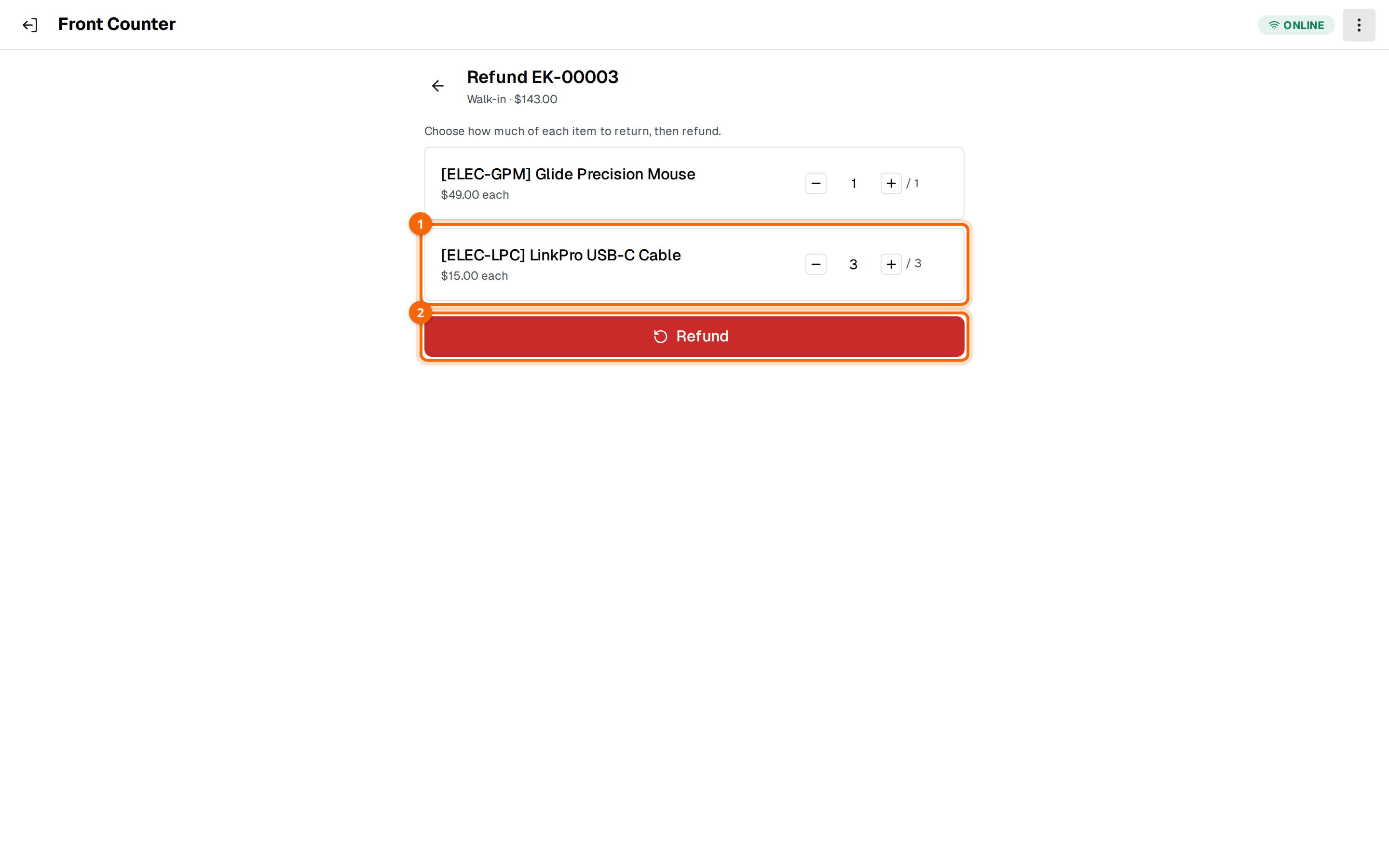
- Every item starts at the full quantity that can still be returned. Use − and + to bring back less.
- Click Refund.
The receipt shows Refund complete. The money goes back the way the sale was paid: a sale paid half by card and half in cash refunds half to the card and half from the drawer. Card payments taken on a connected reader are refunded on the card automatically. Returned items go back into stock, and any promotion the customer had is returned with them, so they get back what they actually paid.
Refund the rest later
A sale that has been partly refunded keeps its Refund button for what is left. Once everything is back it shows Refunded.