What do I do when a quality check fails?
Decide what happens to goods that failed — accept, rework, scrap, return them to the vendor — or have a Quality Manager release them.
A failed check is not the end of the story: the goods are still somewhere, waiting for a decision. Open the check from Quality → Quality Checks (the Failed filter lists them).
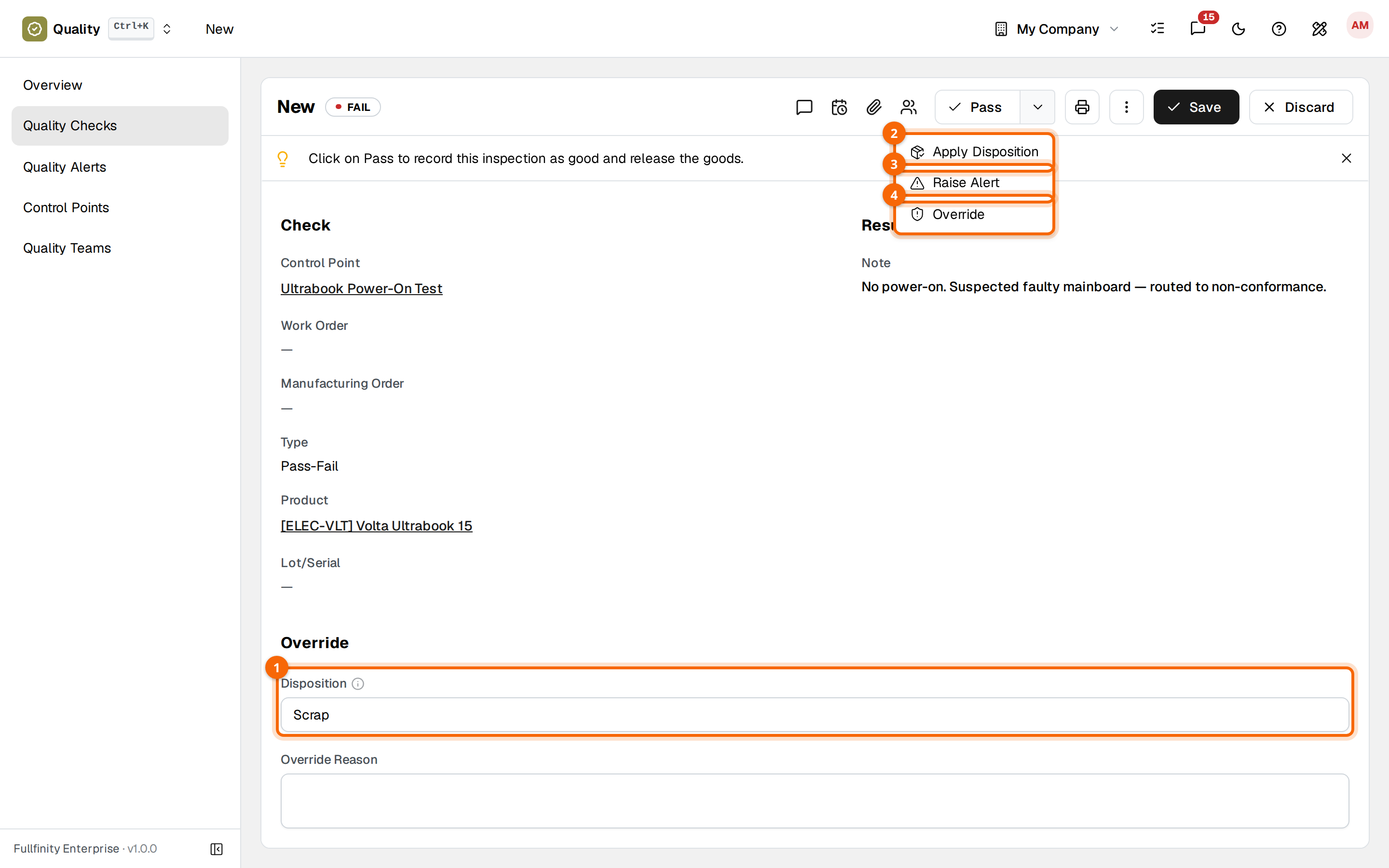
Decide what happens to the goods
Choose a Disposition (1) and click Apply Disposition (2):
| Disposition | What it does |
|---|---|
| Accept | On reflection the goods are fine: the check is marked passed and they can move. |
| Accept with Deviation | Use the goods as they are, knowingly. This is an override, so it needs a Quality Manager and an Override Reason. |
| Rework | Send them back to be corrected. The check reopens for a fresh inspection and Reworks counts how many times that has happened. |
| Scrap | Write the goods off. A scrap order takes them out of the control location. |
| Return to Vendor | Opens the purchase order's return screen, so you can send them back and get a debit note. Offered when Purchase is installed and the goods came in on a purchase order. |
| Unbuild | For something you manufactured: creates a draft unbuild order to take it apart and recover its components. Offered when Manufacturing is installed. |
Release it as it is (Quality Managers)
A Quality Manager can accept a failed check without changing anything: enter the Override Reason and click Override (4). The check is marked Overridden, the goods can move, and who did it and why stays on the check's history. Inspectors don't see the button — deciding a concession is a separate authority from recording a result.
Follow it up
A failed mandatory check with the Block rule opens a quality alert by itself, so the failure gets investigated. For any other failure worth looking into, click Raise Alert (3). See How do I track a quality problem through to a fix?