How do I track a quality problem through to a fix?
Use quality alerts to record what went wrong, why, and what was done about it — and see open problems at a glance.
A quality alert is the record of a problem: a non-conformance. Blocking failures open one by themselves; you can raise one from any failed check with Raise Alert, or create one in Quality → Quality Alerts with New for a problem nobody checked for.
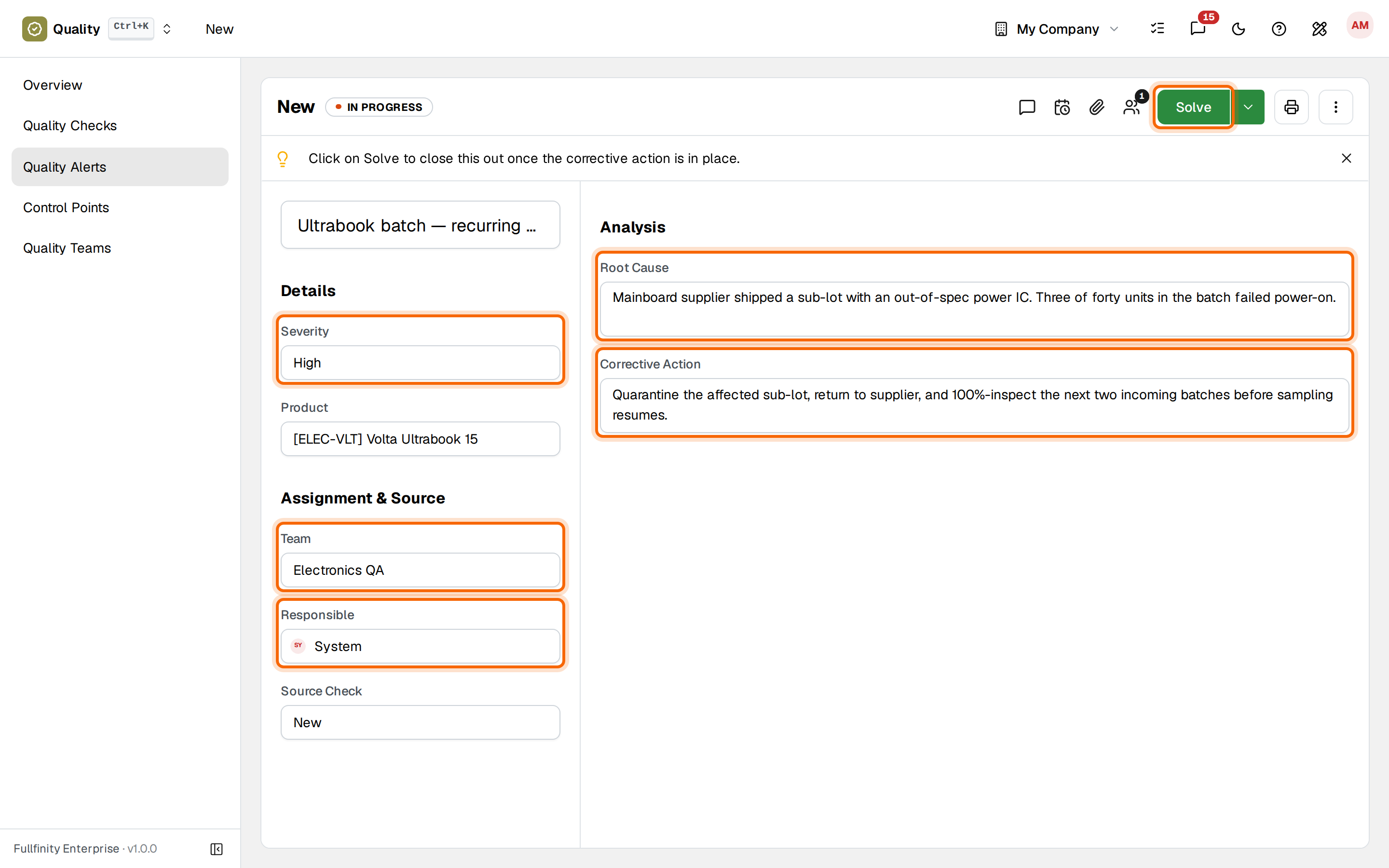
- Severity — Low, Medium, High or Critical. An alert opened by a blocking failure starts at High.
- Team and Responsible come from the control point. The responsible person follows the alert and is notified of its updates.
- Click Start when someone picks it up — it moves to In Progress.
- Under Analysis, write the Root Cause and the Corrective Action taken so it doesn't happen again.
- Click Solve once the fix is in place.
Scrap Goods writes off the goods of the check behind the alert in one step. Cancel closes an alert raised by mistake.
See where things stand
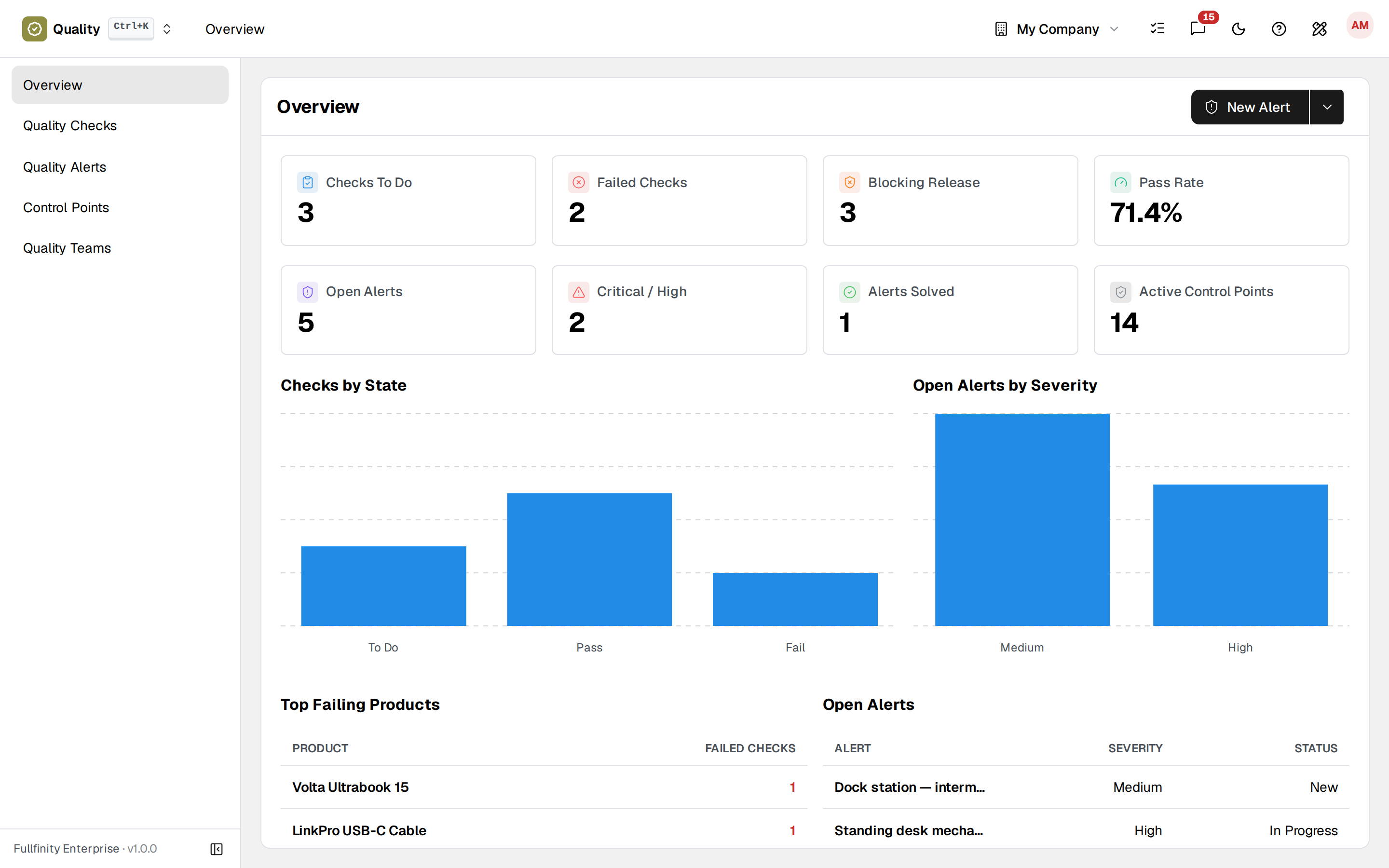
Quality → Overview shows checks to do, failed and blocking checks, open and critical alerts, your most-failed products and the latest open alerts. Click a figure to open the list behind it.
Was this article helpful?