How do I propose a change to a bill of materials?
Write an engineering change order with the components and operations to add, remove or change, the reason, and when it takes effect.
- Go to Engineering → Engineering Changes and click New.
- Choose the Bill of Materials to change — the revision in use today. Its Product fills in.
- Set the Effective Date if the change should only apply from a later date — a new part that arrives next month, say. Leave it blank to have it take effect the day it is applied.
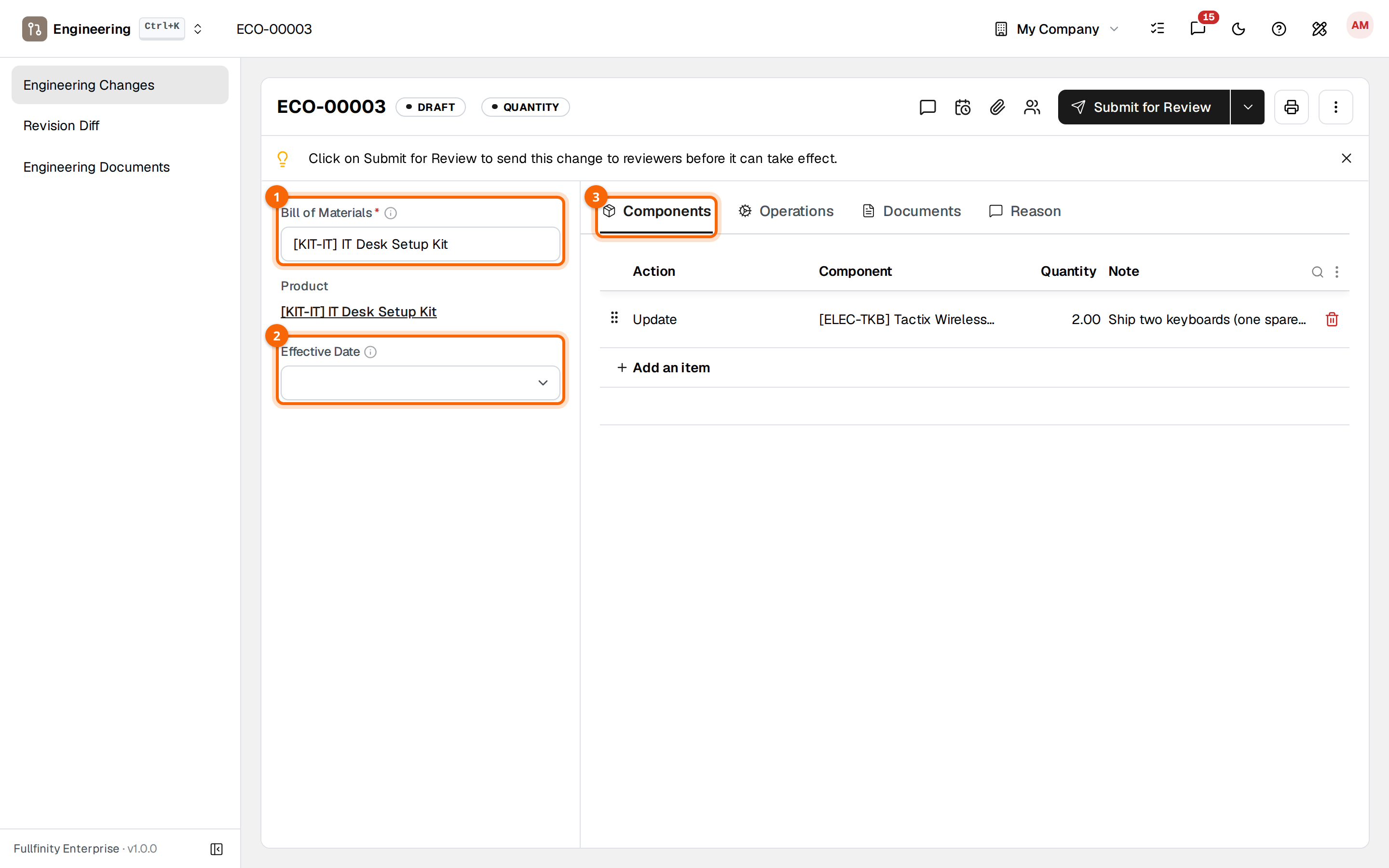
Components
On the Components tab, add a line for each change:
- Add — pick the New Component and its Quantity.
- Remove — pick the Component line to take off.
- Update — pick the Component line and enter its new Quantity.
Operations
The Operations tab works the same way for the routing: add an operation (its Operation Name, Work Center and Duration per Unit (min)), remove one, or update one's name, work center or duration.
Documents and the reason
On Documents, add the drawings or specifications that go with the new revision — they are released together with it. On Reason, say why the change is being made; it is what a reviewer reads first.
The Change Type at the top (Component, Operation, Quantity or Mixed) is worked out from your lines, so the list of changes shows at a glance what kind each one is.
Was this article helpful?