How do I see what a change does to a bill of materials?
Compare the bill of materials before and after a change, component by component and operation by operation.
Go to Engineering → Revision Diff and pick a change order from the list on the left.
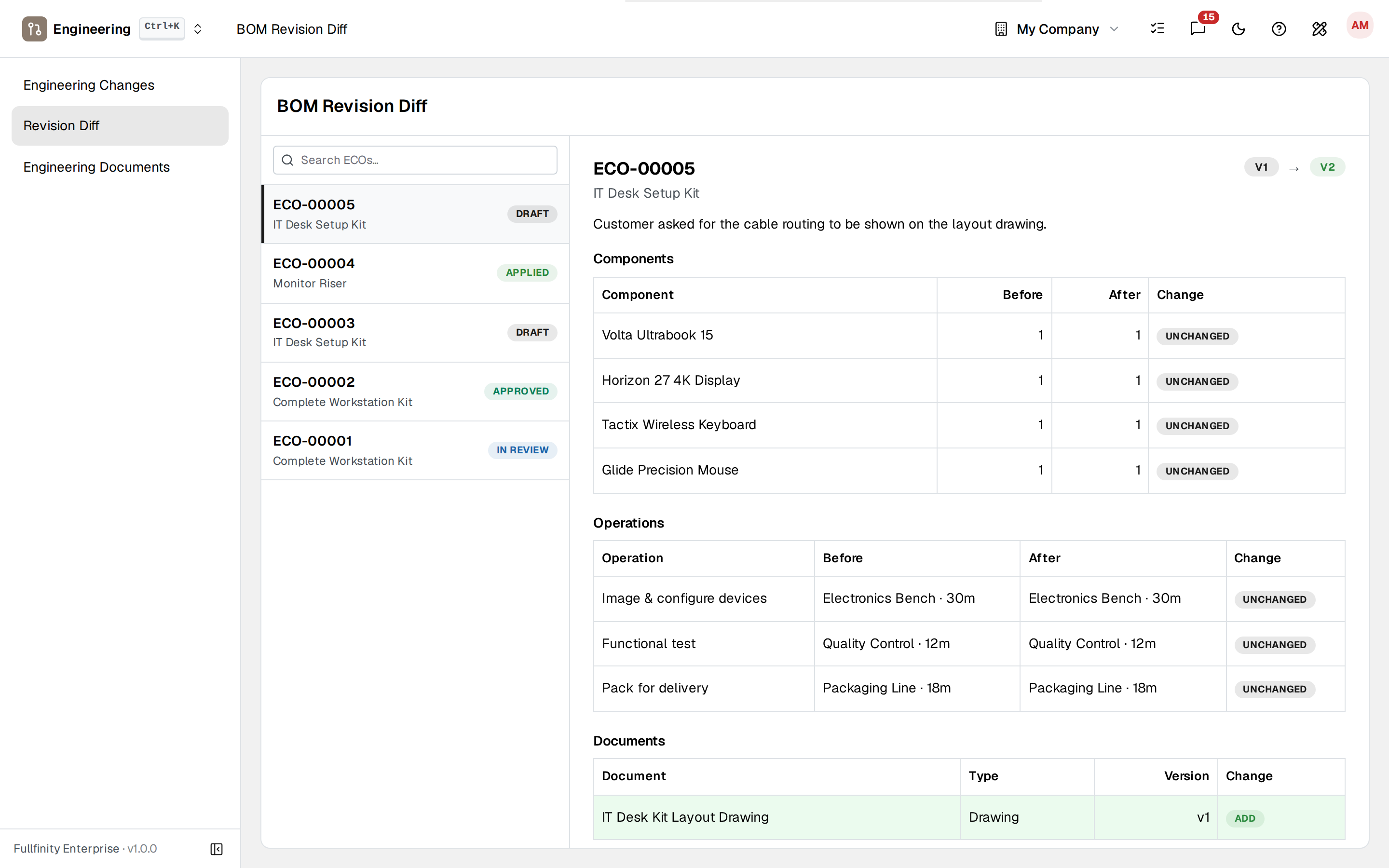
Three tables compare the bill of materials Before and After the change:
- Components — each component's quantity before and after, and whether it was added, removed or changed.
- Operations — the same for the routing.
- Documents — the drawings and specifications the change releases, with their type and version.
It works at every stage: before a change is applied it shows what would change, which is what a reviewer needs; afterwards it is the record of what did.
Was this article helpful?