How do I plan my day with My Focus?
See your own deals sorted by what needs doing — overdue first — and make sure every deal has a next step.
My Focus is your to-do list for selling. It shows your own opportunities grouped by their next step, so you start the day with what's overdue and never leave a deal without a plan.
Open it
Go to CRM → My Focus. It shows the opportunities where you are the Salesperson.
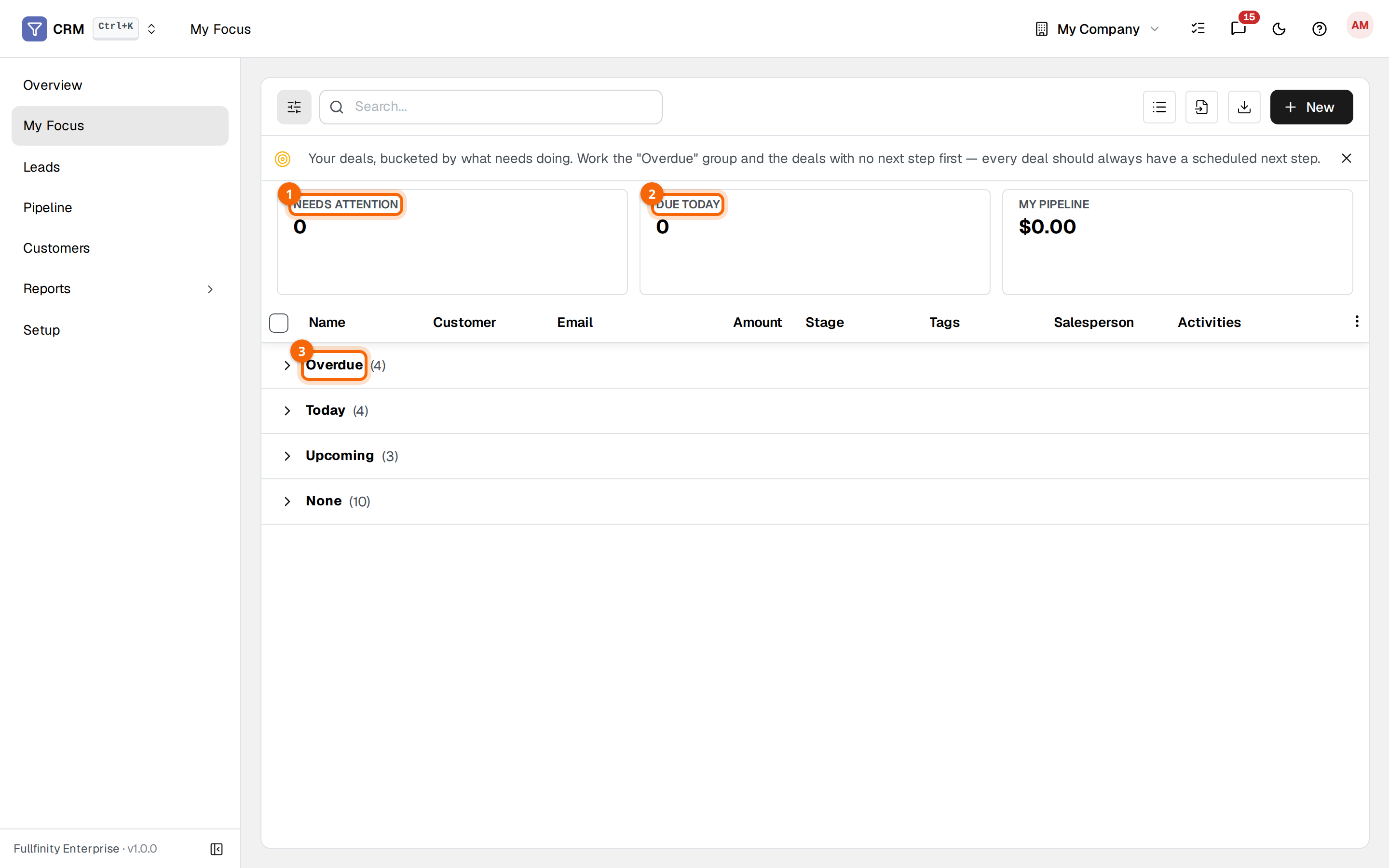
- Needs Attention counts your deals whose next step is overdue or that have no next step at all. Get this to zero.
- Due Today counts your deals with a step due today.
- The deals are grouped by when their next step falls: Overdue, Today, Upcoming, and finally the deals with nothing planned. Click a group to open it.
A third card, My Pipeline, adds up the amount of all your deals.
Work through it
- Open Overdue and deal with each one: do the activity and mark it done, or move it to a realistic date.
- Do the same with Today.
- Open the last group — deals with no next step — and schedule one for each, from the Activities column or inside the deal.
As you complete and schedule activities, deals move between the groups and the counts drop.
Related: How do I work my sales pipeline?
Was this article helpful?