How do I discuss a record with my team and the customer?
Send a message to everyone following a record, log an internal note, mention a colleague, attach files and choose who follows.
Every record keeps its own conversation: the messages sent about it, internal notes, and a history of what changed. Everyone involved sees the same thread, so nothing is lost in someone's inbox.
Open the conversation
Open the record and click Messages at its top right.
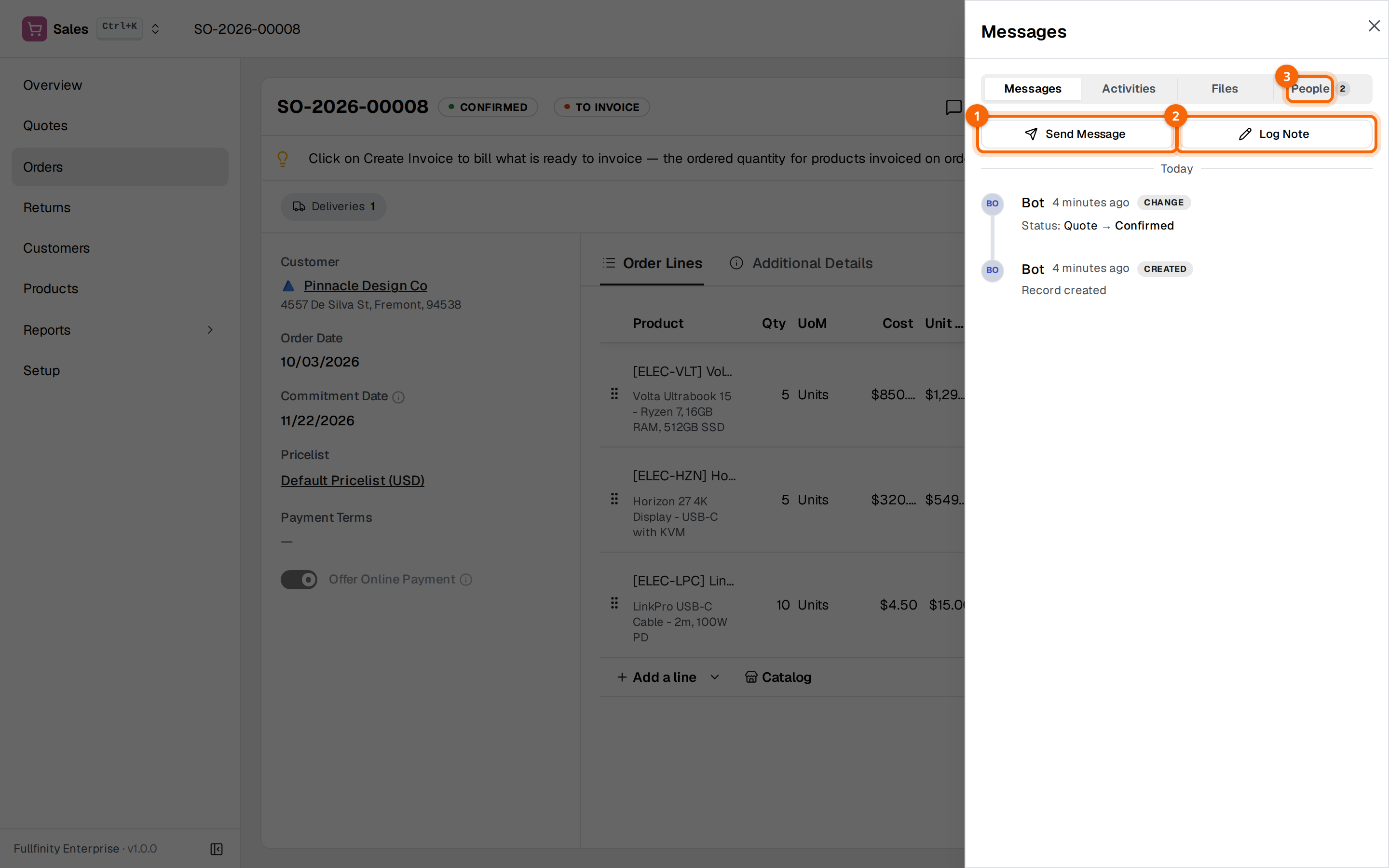
- Send Message — write to everyone following the record.
- Log Note — write an internal note.
- People — who follows the record.
Under the buttons, the thread shows every message and note, newest first, together with the record's history — when it was created and each change to it (Status: Quote → Confirmed).
Message or note?
| Who receives it | Use it for | |
|---|---|---|
| Send Message | Every follower of the record — including the customer or vendor it belongs to — by email or in the app, each as they prefer. | Talking to the customer, and telling everyone at once. |
| Log Note | Only colleagues you @mention in it are notified. Followers are not, and a customer or vendor never sees a note. | Internal remarks: customer asked for a discount, waiting on the manager. |
Write it
Click Send Message or Log Note and write your text.
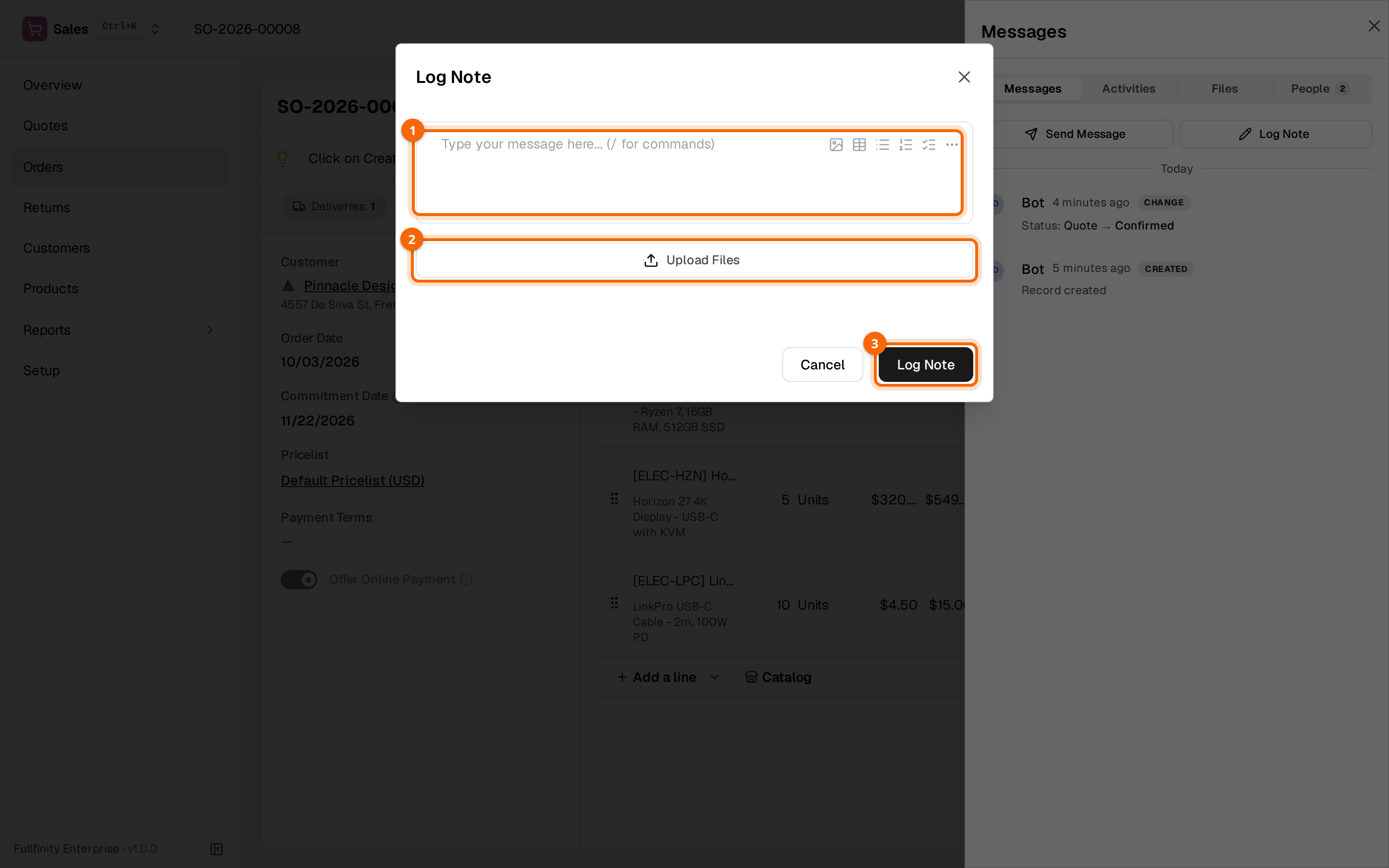
- Write in the box. Type / for formatting — headings, lists, tables, images.
- Upload Files attaches documents or pictures.
- Click Log Note to post a note, or Send to send a message.
In a message you can add a Subject, more Recipients, start from a Template, and attach files.
To bring a colleague into a message, type @ and start typing their name, then pick them from the list. They are added to the message's recipients and see it in their Messages inbox.
Mentioning works in a note too: a colleague you @mention in a Log Note is notified — in their Messages inbox, and by email if that is how they chose to hear about messages. Nobody else is told, and a note never reaches the customer or vendor, even if you mention them.
To keep an important note at the top of the thread, hover over it and click Pin to top.
Files and followers
- Files — every file attached to the record, including those sent in messages. Upload files adds more.
- People — Follow the record to receive its messages, Unfollow to stop, and Add followers to bring colleagues or contacts in.