How do I record that employees have been paid?
Mark locked payslips paid — a whole run at once, or one person, in full or in part — and see who is still owed.
Locking a payslip fixes the figures; it doesn't mean the money has left the bank. Once you have made the transfers, record it, so you always know who has been paid.
Pay a whole run
Open the locked run from Payroll → Pay Runs and click Mark Paid.
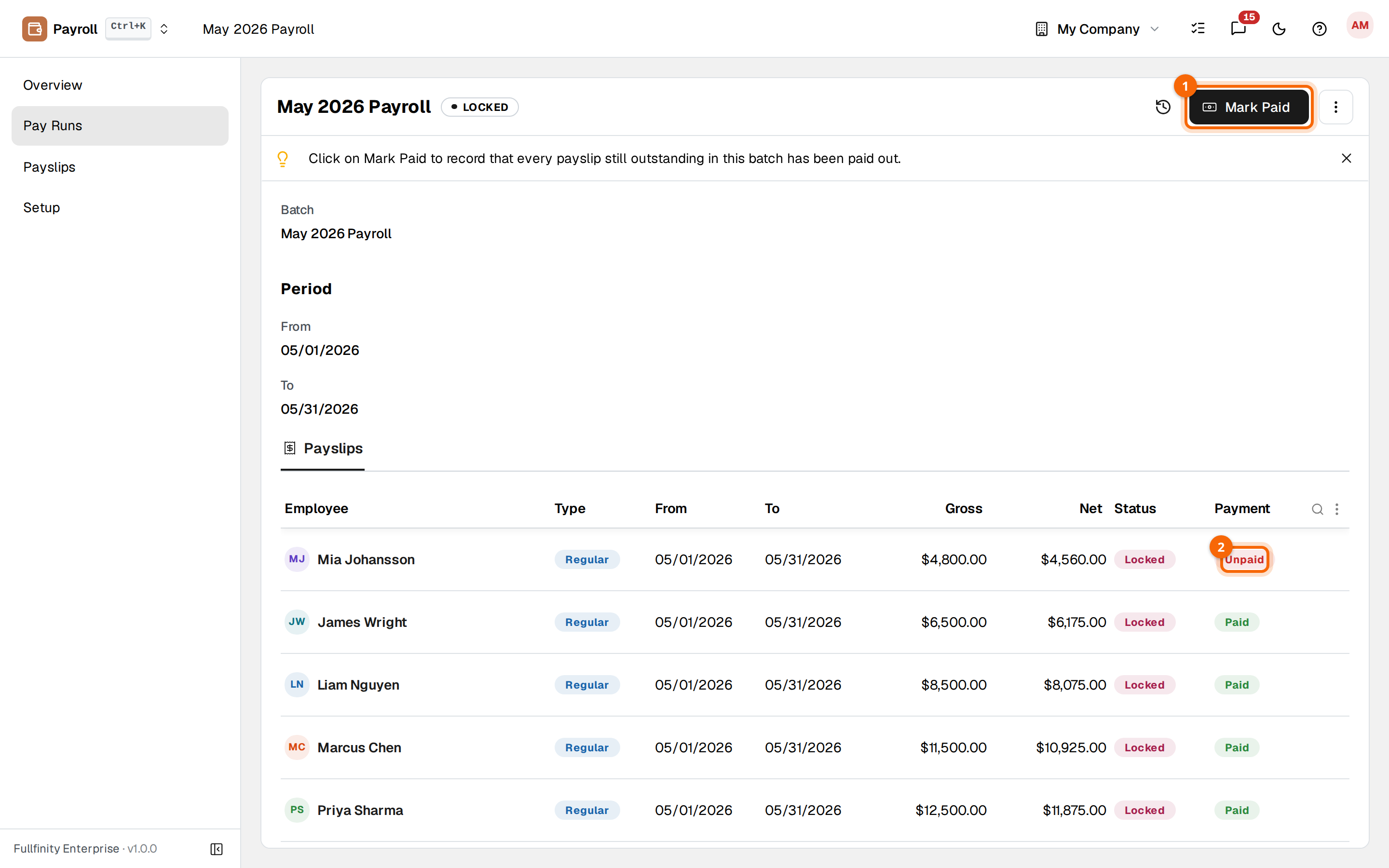
Every locked payslip that is still owed is marked paid, and a message says how many — and how many were already paid or not locked yet. Running it again later only pays what is still outstanding, so it is safe to use after a late correction. The Payment column shows each payslip's status: Unpaid, Partially Paid or Paid.
On Payroll → Payslips you can also select several locked payslips and click Mark Paid.
Record one payment by hand
A locked payslip has a Payment section:
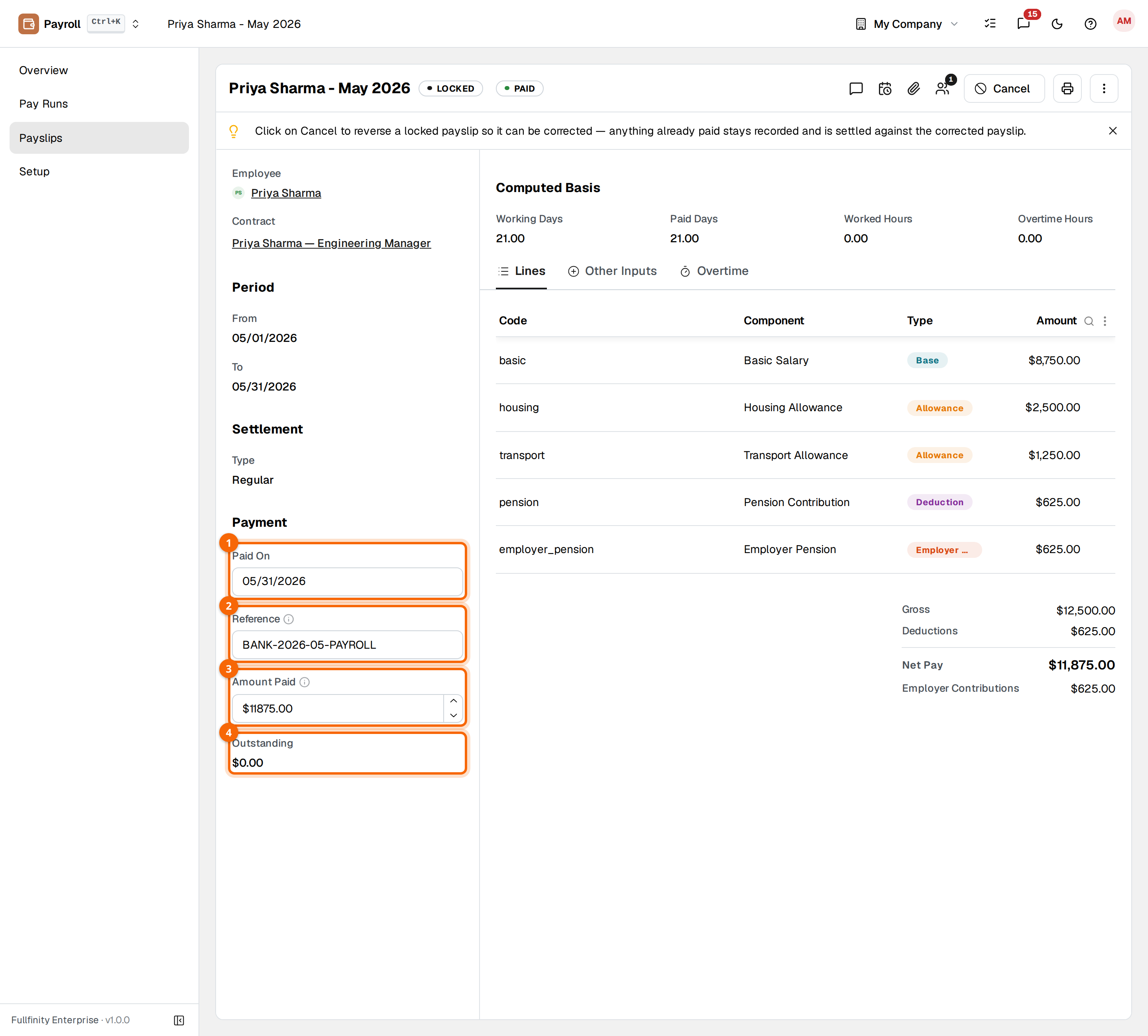
- Paid On — the date of the transfer.
- Reference — the transfer, salary file or cheque number.
- Amount Paid — how much of the net pay has been paid. Less than the net pay makes it Partially Paid.
- Outstanding — what is still owed.
Who is still owed?
Payroll → Overview shows it at a glance:
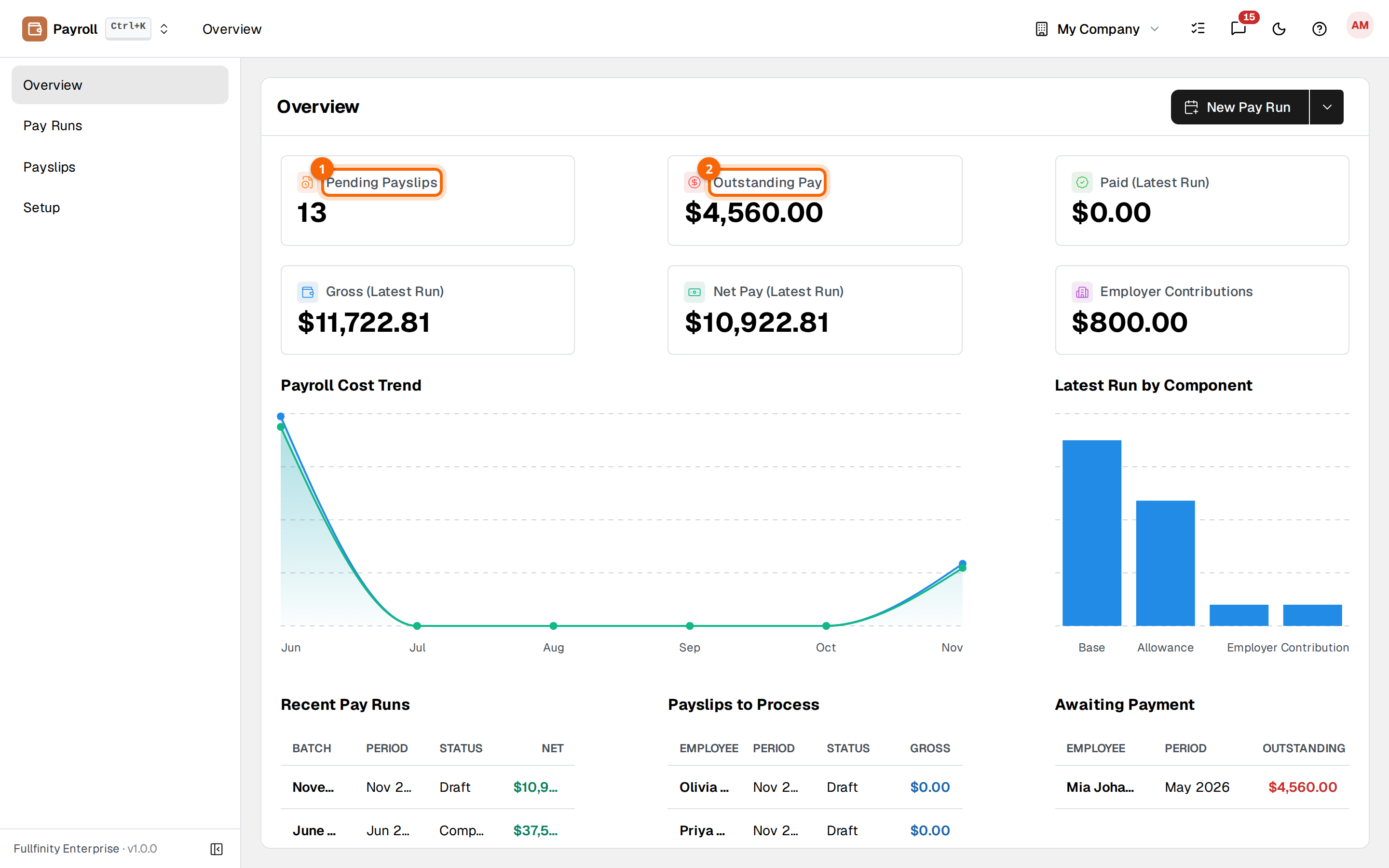
- Pending Payslips — payslips still in draft. Click the card to see them.
- Outstanding Pay — net pay locked but not yet paid. Click it for the payslips; the Awaiting Payment list names the people.