How do I use WhatsApp templates?
Bring your WhatsApp-approved templates into Fullfinity and see which you may use.
WhatsApp requires a template approved by Meta for any message a business starts — a campaign, a reminder, a message to someone who hasn't written in the last 24 hours. You write and submit templates in your Twilio account; Fullfinity reads them from there.
Bring them in
Open the Twilio integration in the Integrations app and click Sync WhatsApp Templates (administrators). Every template in your Twilio account is copied in with its current approval status. Sync again after Meta approves or rejects one.
See them
Go to Messaging → WhatsApp Templates.
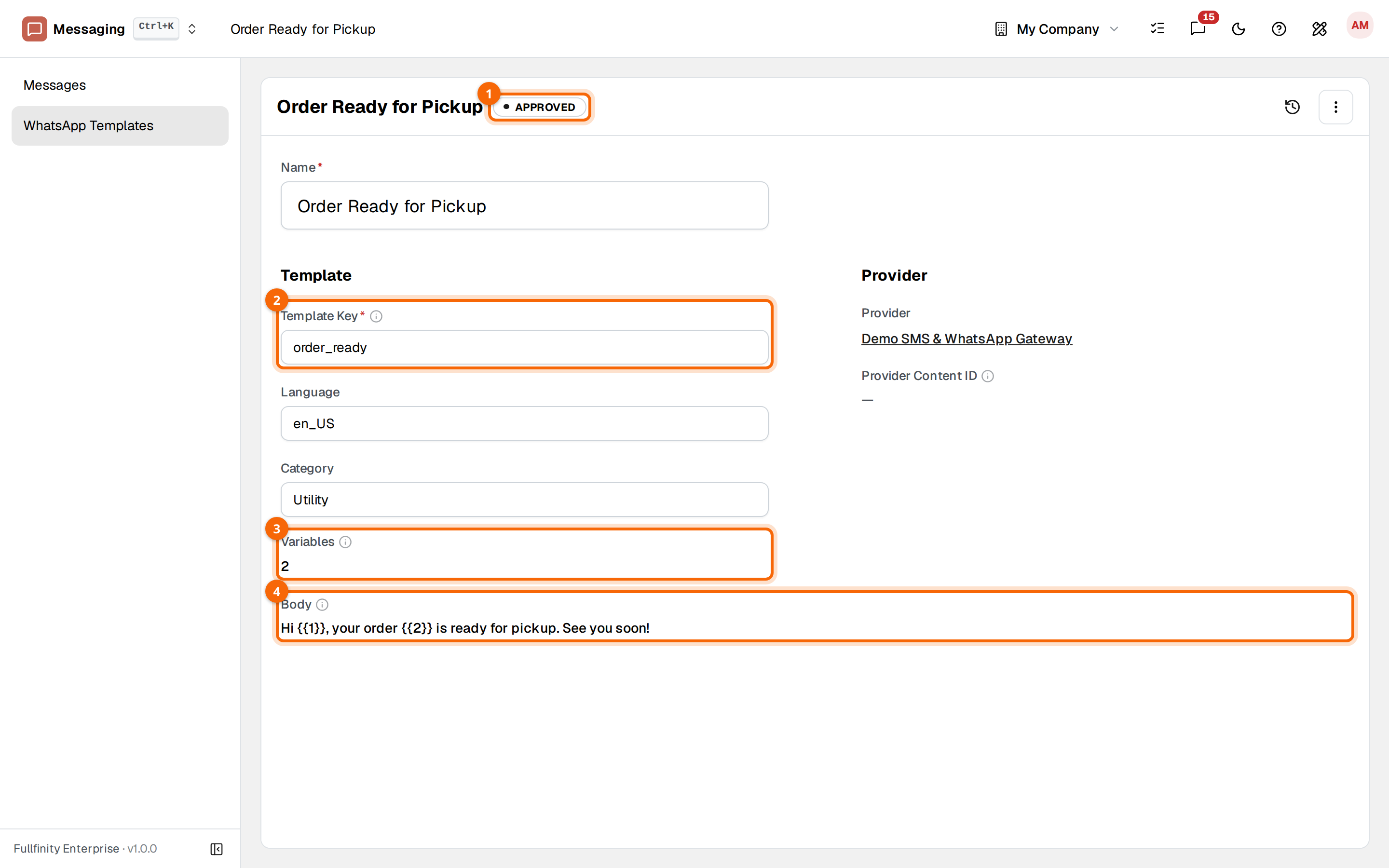
- Approval Status — only Approved templates can be sent. Pending is waiting for Meta; Rejected was refused.
- Template Key — the template's name at Meta.
- Variables — how many placeholders it has.
- Body — the text, with numbered placeholders such as {{1}} filled in per message.
You can rename a template for your team (its Name), set its Category, or archive one you no longer use. The text itself is changed in Twilio, then synced.