How do I schedule a meeting about a deal?
Book a meeting straight from an opportunity, so it sits in your calendar and counts towards the deal's score.
Book a meeting from the deal itself and it's linked to that deal: you see it on the deal's Meetings button, it's in your calendar, and it raises the deal's lead score.
1. Open the deal's meetings
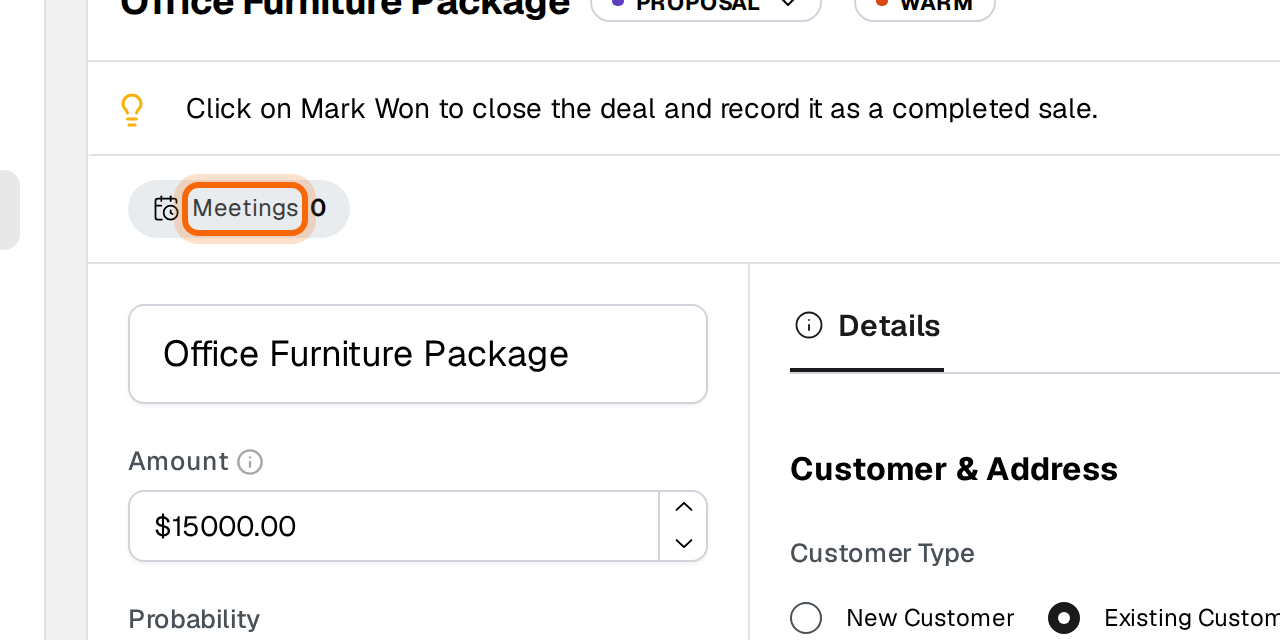
Open the lead or opportunity and click Meetings at the top. The number on it is how many meetings are booked on this deal.
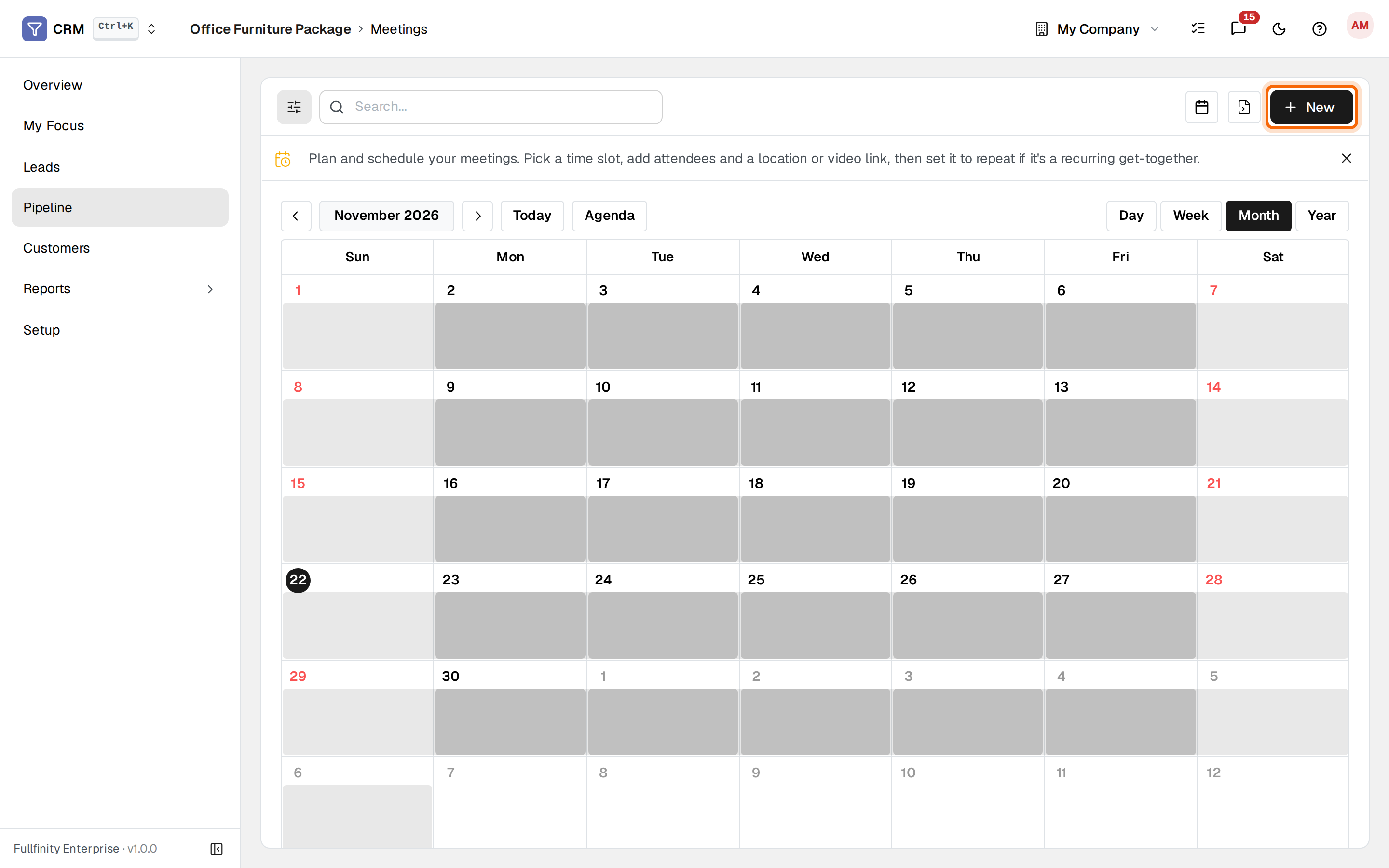
A calendar of this deal's meetings opens. Click New.
2. Fill in the meeting
- Give it a title, such as Product demo.
- Set the Start Time and End Time. Add a Meeting Link for a video call.
- Add your colleagues under Attendees.
- Enter the Meeting Location, or Online Meeting.
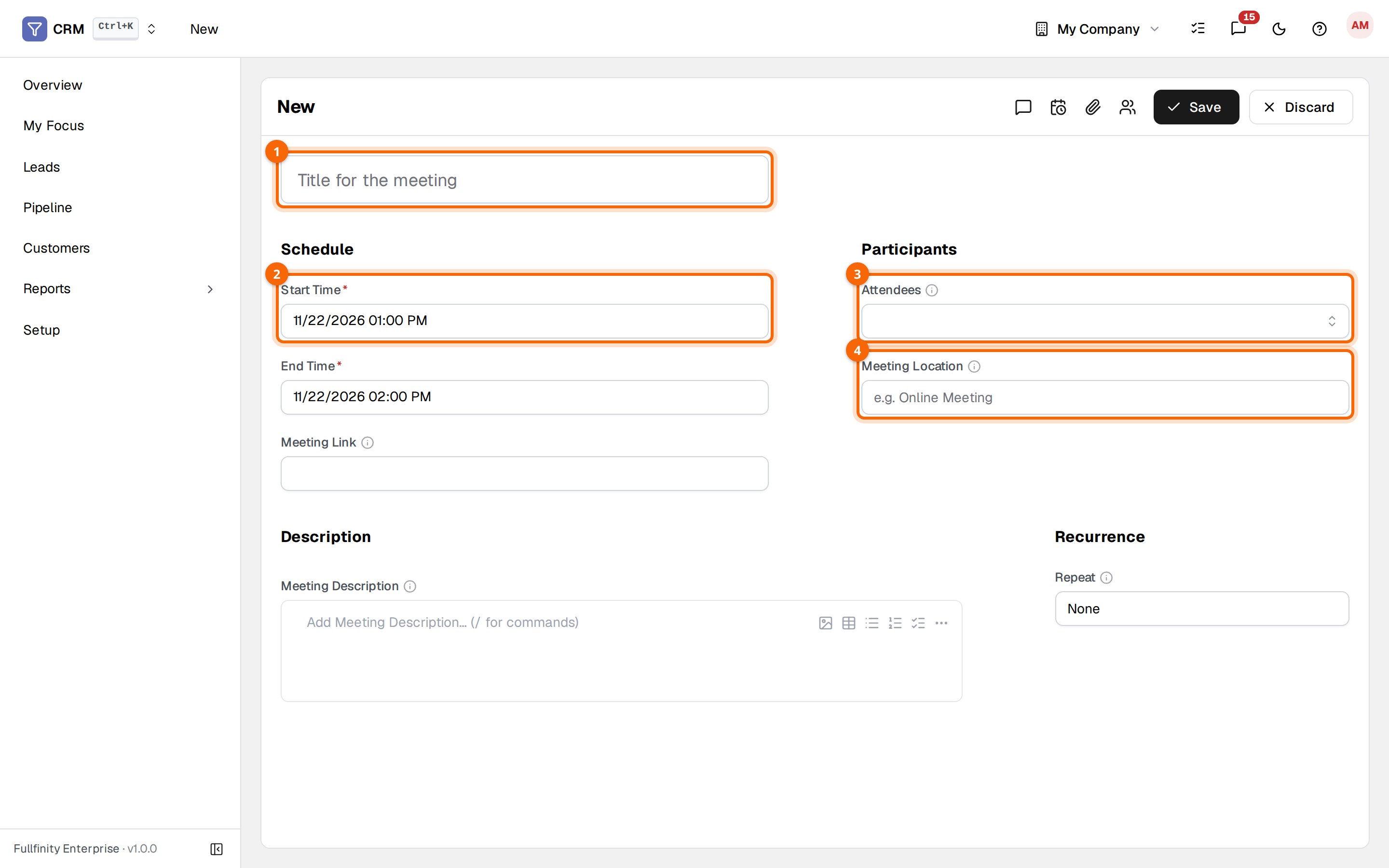
Write an agenda in Meeting Description if you like, and set Repeat for a regular meeting. Click Save.
What happens next
- The deal's Meetings count goes up, and the meeting appears in the attendees' calendars. A meeting booked from a Meeting activity on the deal is linked to it the same way.
- Each meeting booked on the deal adds to its lead score — see How does lead scoring work?
Was this article helpful?