How do I unbuild a finished product?
Take a finished product apart and put its components back in stock.
An unbuild order reverses production: the finished product leaves stock and the components its bill of materials lists come back.
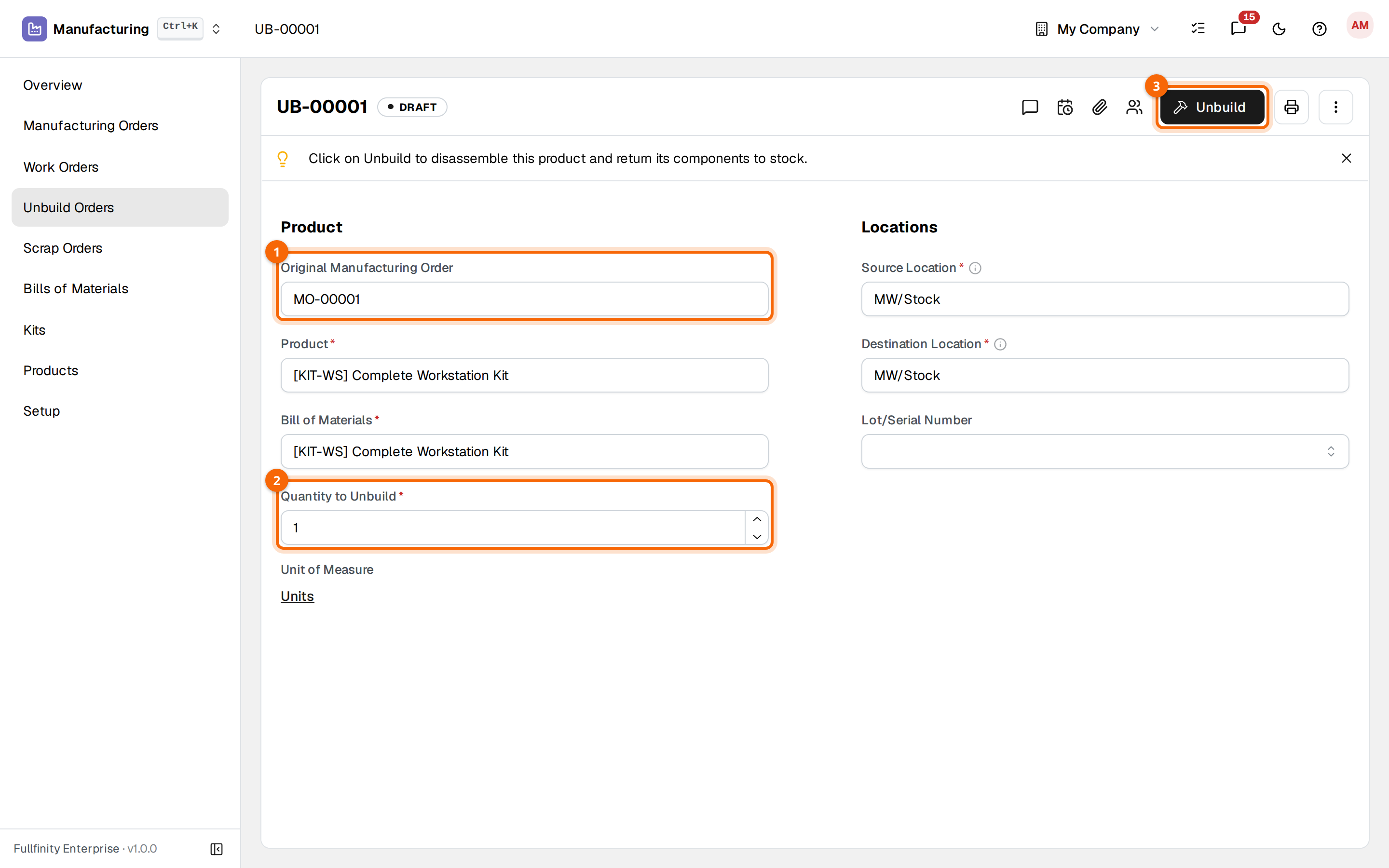
- Go to Manufacturing → Unbuild Orders and click New.
- Choose the Original Manufacturing Order (1) that built it. Its Product, Bill of Materials and lot are filled in for you. If you don't know the order, choose the Product instead.
- Enter the Quantity to Unbuild (2).
- Check the Source Location the product is taken from and the Destination Location the components go to.
- Click Save, then Unbuild (3).
What comes back
- Each component comes back in the quantity the bill uses for the quantity you unbuild.
- By-products are not recovered — they were made alongside the product, never part of it.
- A component tracked by lot or serial number goes back under the lot the original order used. That is why such a product can only be unbuilt with its Original Manufacturing Order chosen.
The order then shows Done and its Unbuild Date. A kit can't be unbuilt: it was never assembled, so its components are already in stock separately.
Was this article helpful?