How do I keep track of maintenance?
See equipment under repair, open and overdue requests, what needs attention and what is coming up — and analyse requests over time.
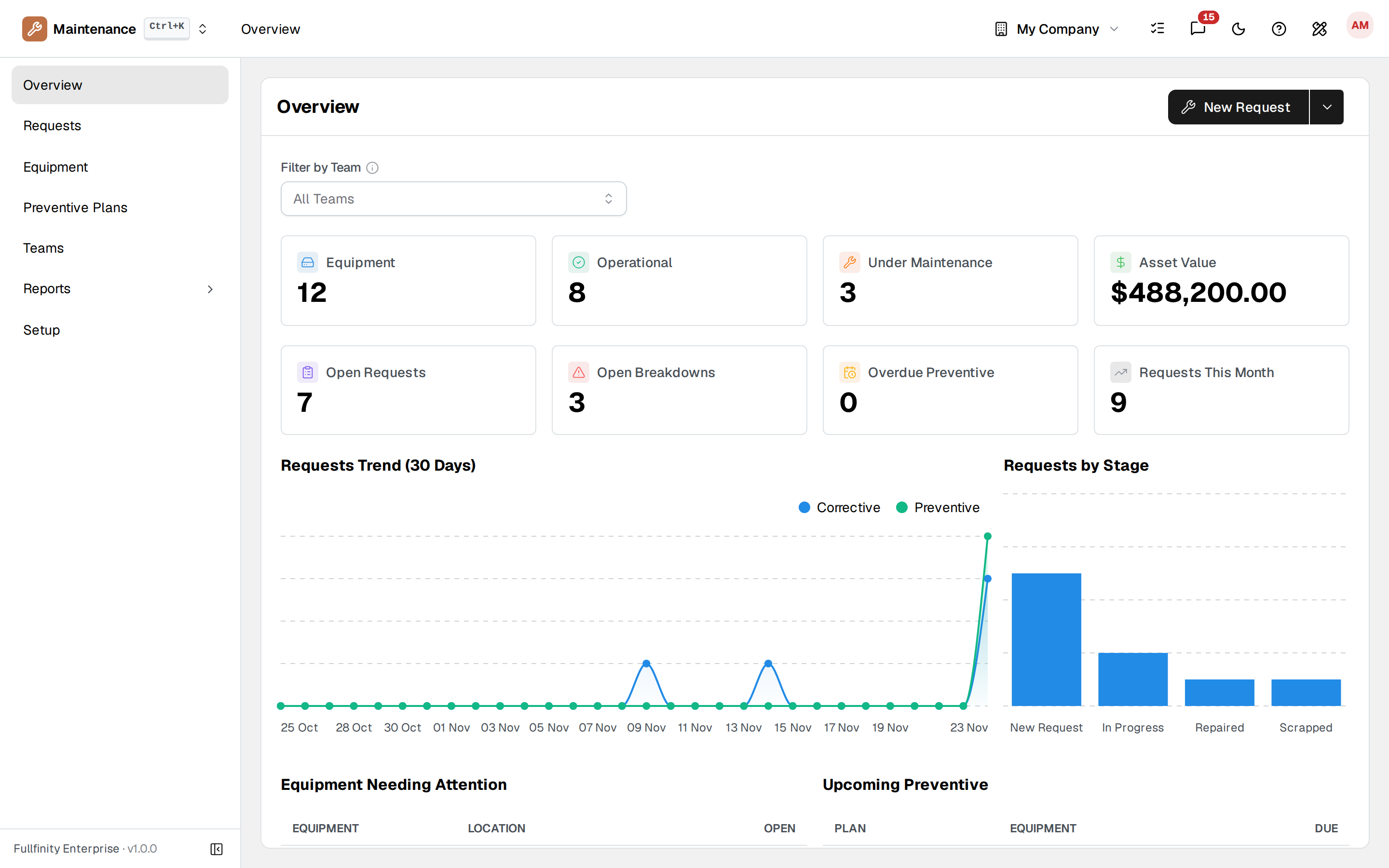
Maintenance → Overview is the day's picture: equipment under maintenance, open requests, overdue services, the requests trend for the last 30 days and requests by stage. Equipment Needing Attention lists the units with the most open work, and Upcoming Preventive the services due next. Use Filter by Team to see one team's figures; click a figure or a row to open what is behind it.
For analysis over time, go to Maintenance → Reports → Request Analysis: a pivot table and chart of requests, which you can narrow to corrective or preventive work, this month or this year, or one team, type, stage or technician.
Was this article helpful?