How do public holidays and working schedules affect time off?
Working schedules decide which days and hours a request counts; holidays are days nobody has to take off.
A time off request only counts the time the employee would otherwise have worked. Two things decide that: their working schedule and your holidays. Get them right once, and a week off over a bank holiday takes four days, not five.
Working schedules
Go to Settings → Setup, open the General tab and click Work Schedules. Open a schedule, or click New:
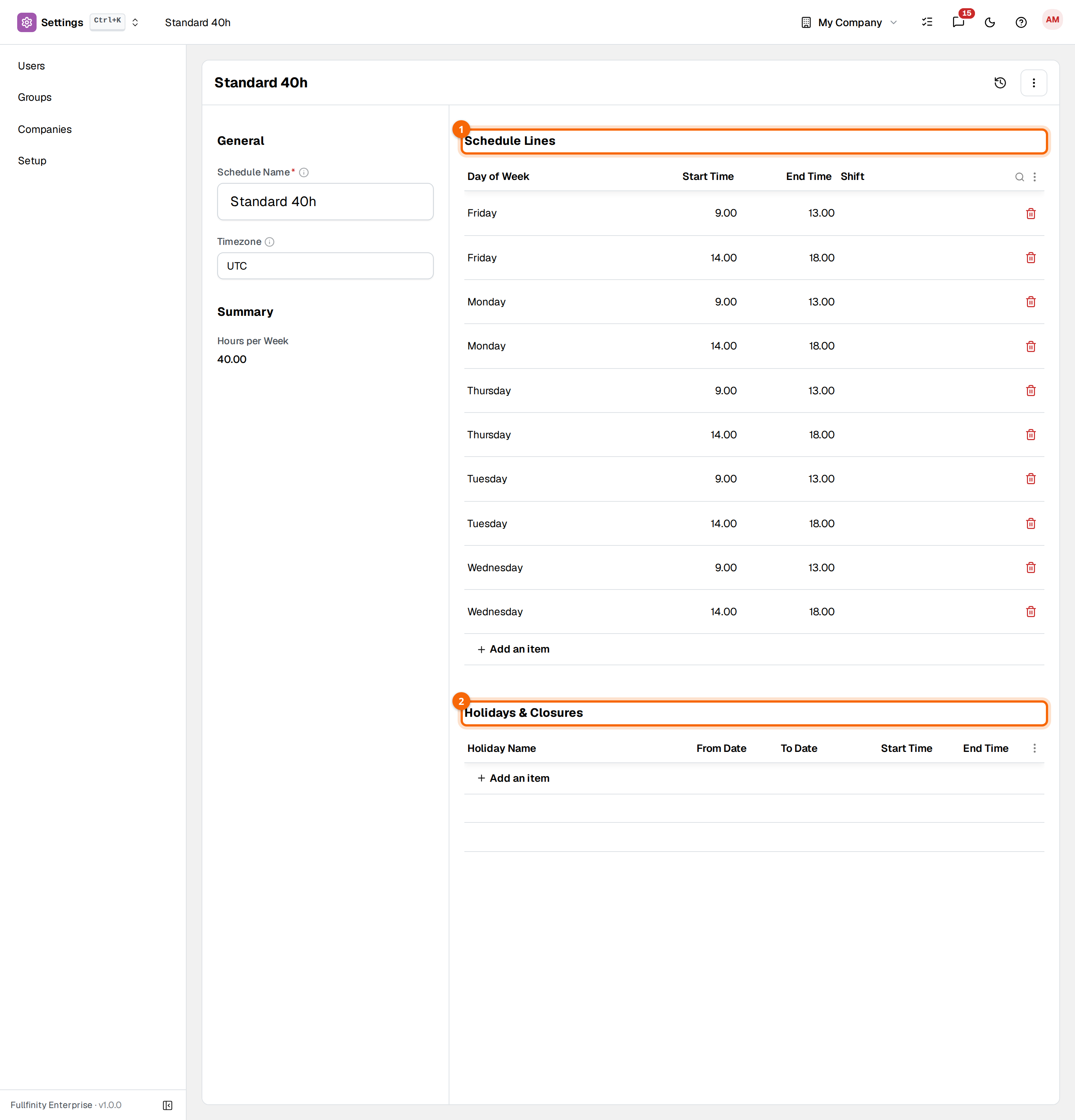
- Schedule Lines — one line per working period: the Day of Week, Start Time and End Time (in 24-hour decimals, so 13.5 is 1:30 PM). A day with no line is a day off. Hours per Week adds them up.
- Holidays & Closures — days only this schedule is closed.
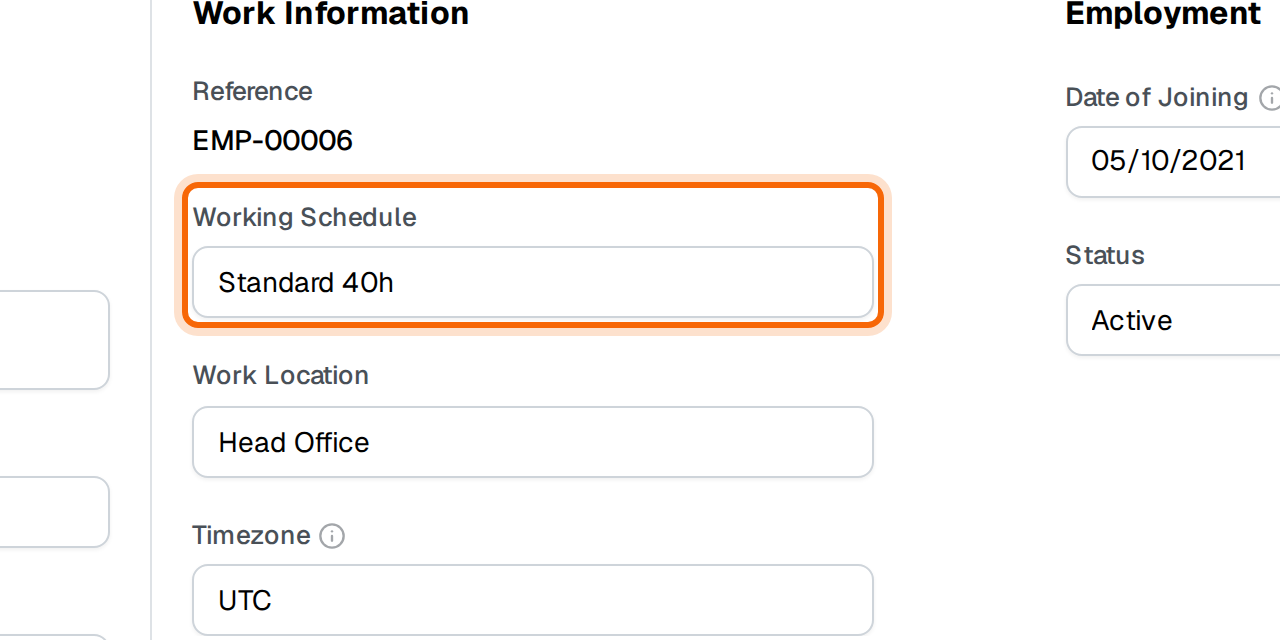
Each employee follows the Working Schedule on their record:
Public holidays
In the same General tab, click Holidays, then New:
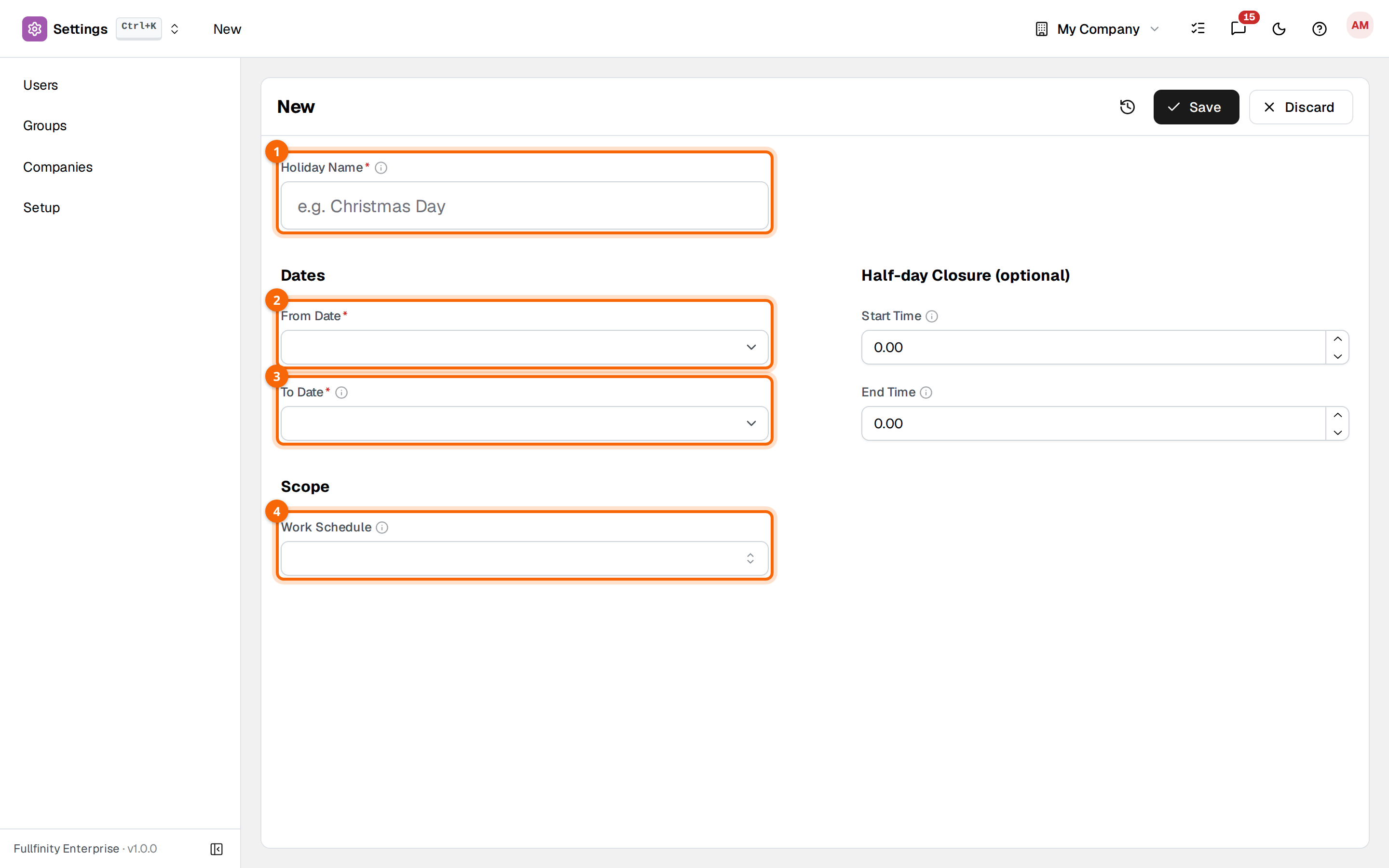
- Holiday Name — such as Christmas Day.
- From Date — the first day.
- To Date — the last day; the same as From Date for a single day.
- Work Schedule — leave it empty for a holiday that applies to everyone; choose a schedule for one that only some staff get.
For a half-day closure, also set Start Time and End Time. Click Save.
What it changes
- A request's Duration skips holidays and days off on the schedule.
- The Worked Day accrual method only earns time off on working days, so holidays don't earn it either. See How do employees earn time off automatically?
- A request that falls entirely on days off can't be submitted — there's nothing to take.
Was this article helpful?