How do I give a discount on a whole order?
Take a percentage or a fixed amount off the whole quote, instead of discounting line by line.
To discount a single product, type a percentage in its Disc % column. To take something off the whole order — 5% off everything, or $100 off — use a global discount.
Add the discount
- Open the quote. It must still have the status Quote or Sent.
- Click the arrow next to Confirm and choose Add Global Discount.
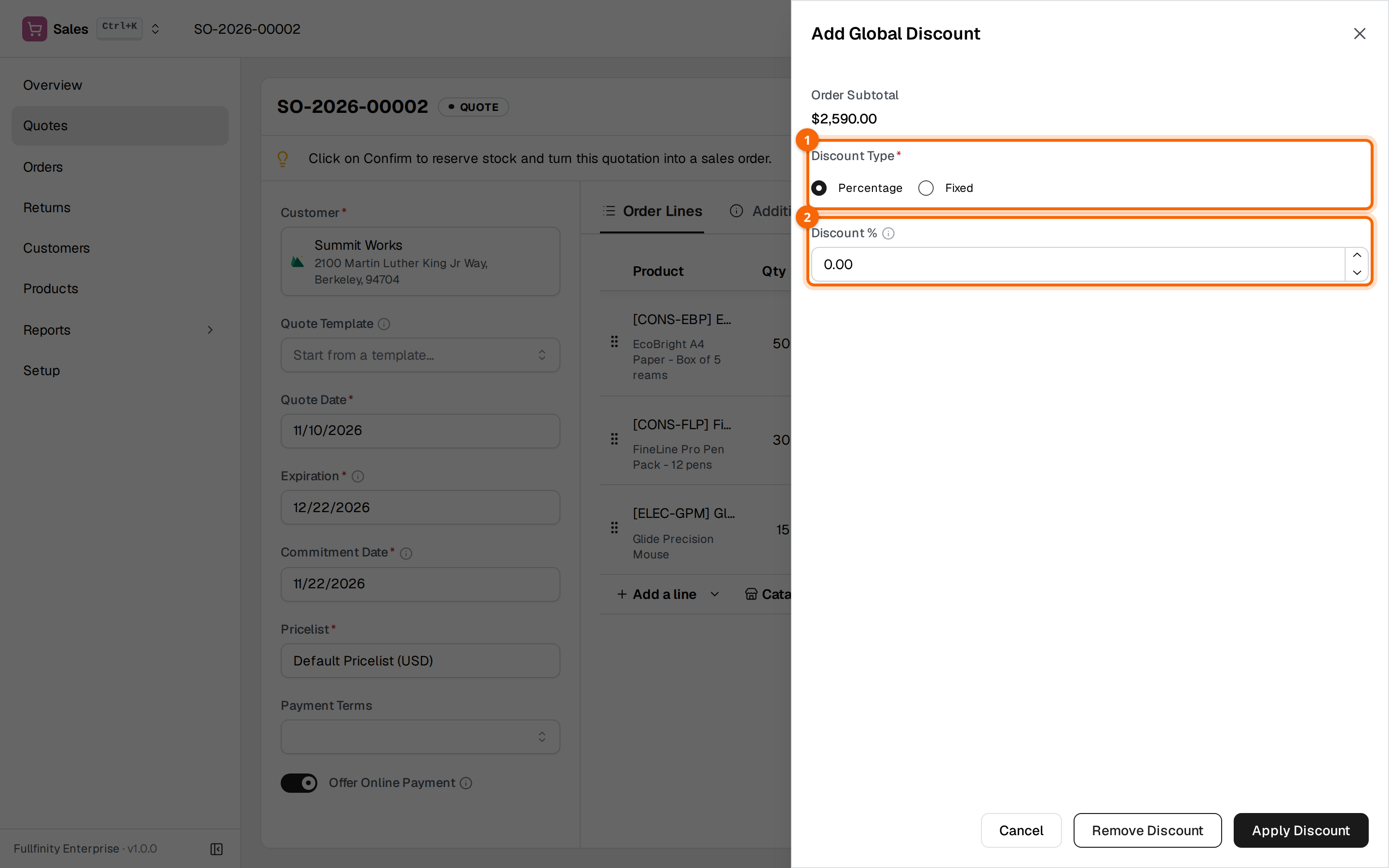
- The window shows the Order Subtotal. Choose the Discount Type:
- Percentage — enter the Discount %.
- Fixed — enter the Discount Amount.
- Click Apply Discount.
The discount appears under the order lines as Discount, and the tax and Total are worked out on the discounted amount. When you invoice the order, the invoice carries the same discount — including on partial invoices.
Change or remove it
Open Add Global Discount again to change it, or click Remove Discount to take it off. Once the order is confirmed the discount can no longer be changed.
Was this article helpful?