How do I create price lists?
Give customers their own prices — fixed prices, percentage discounts, quantity breaks, date-limited offers or price formulas — and assign a price list to a customer.
A pricelist decides the unit price a quote line gets. Without any rules, a pricelist simply uses each product's sales price. Add rules to give a customer group its own prices, a discount from a quantity upwards, or a price that only applies between two dates.
Open your pricelists
Go to Sales → Setup and, in the Setup section of the Sales tab, click Pricelists.
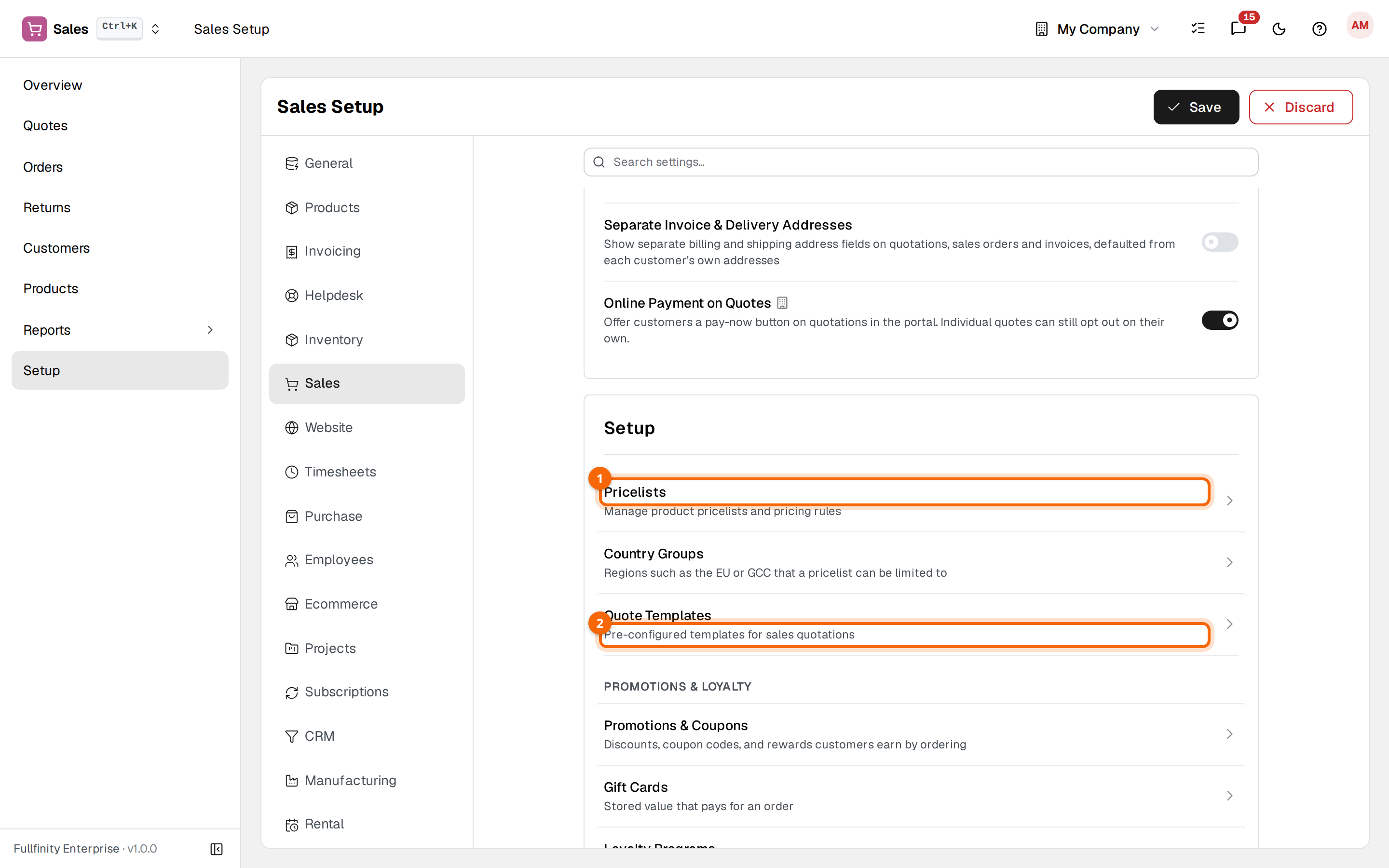
Every company starts with a Default Pricelist. Open it to add rules, or click New to create another.
Fill in the pricelist
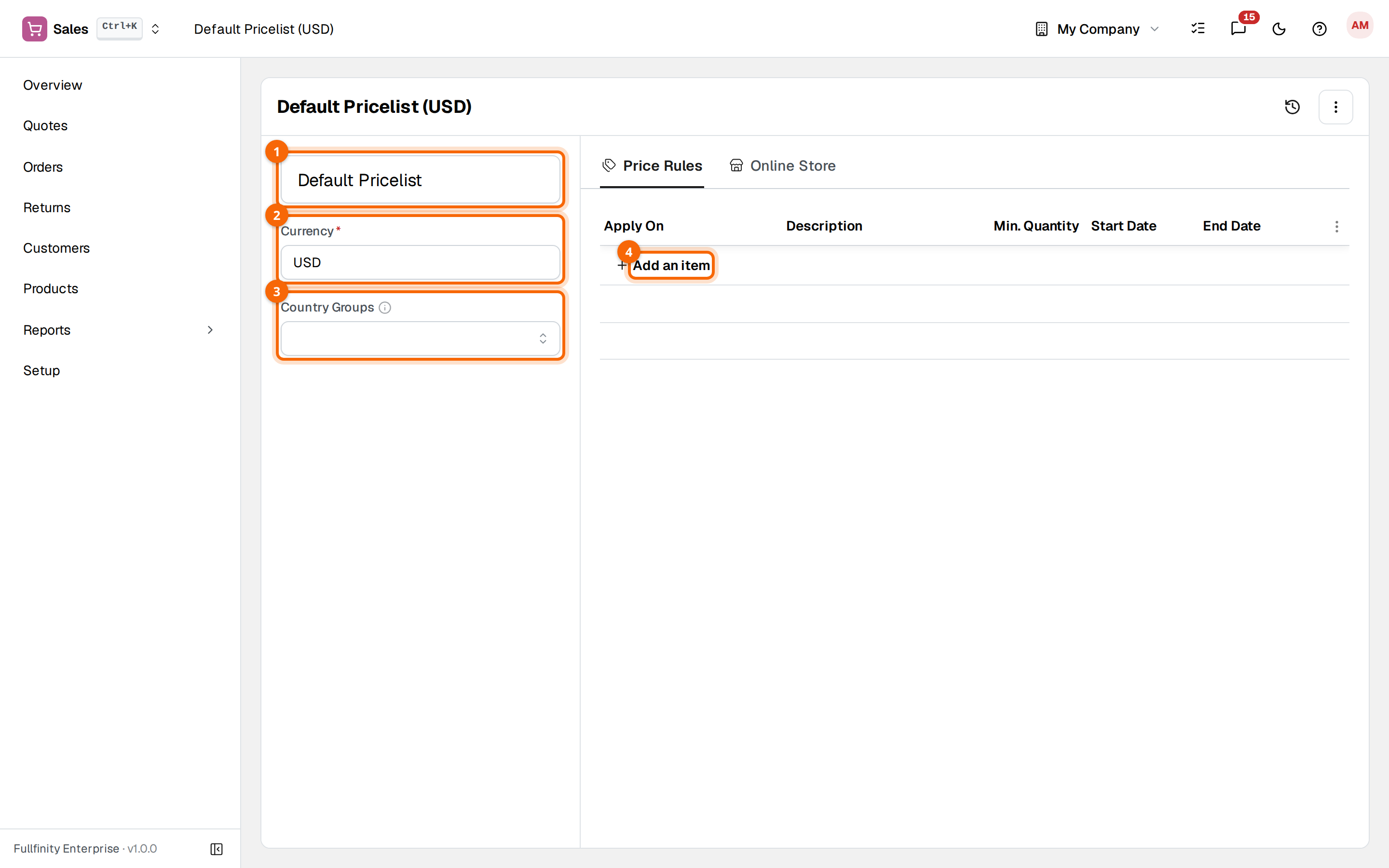
- Pricelist Name — what salespeople pick on a quote, for example Wholesale.
- Currency — the currency of the prices. A quote takes its currency from its pricelist, so create one pricelist per currency you sell in.
- Country Groups — optional. A pricelist limited to country groups is only given automatically — as the default on a new quote, or as a choice in your online store — to customers whose country is in one of them. A pricelist you set on a customer, or pick on a quote yourself, still applies.
- On the Price Rules tab, click Add an item to add a rule.
Add a price rule
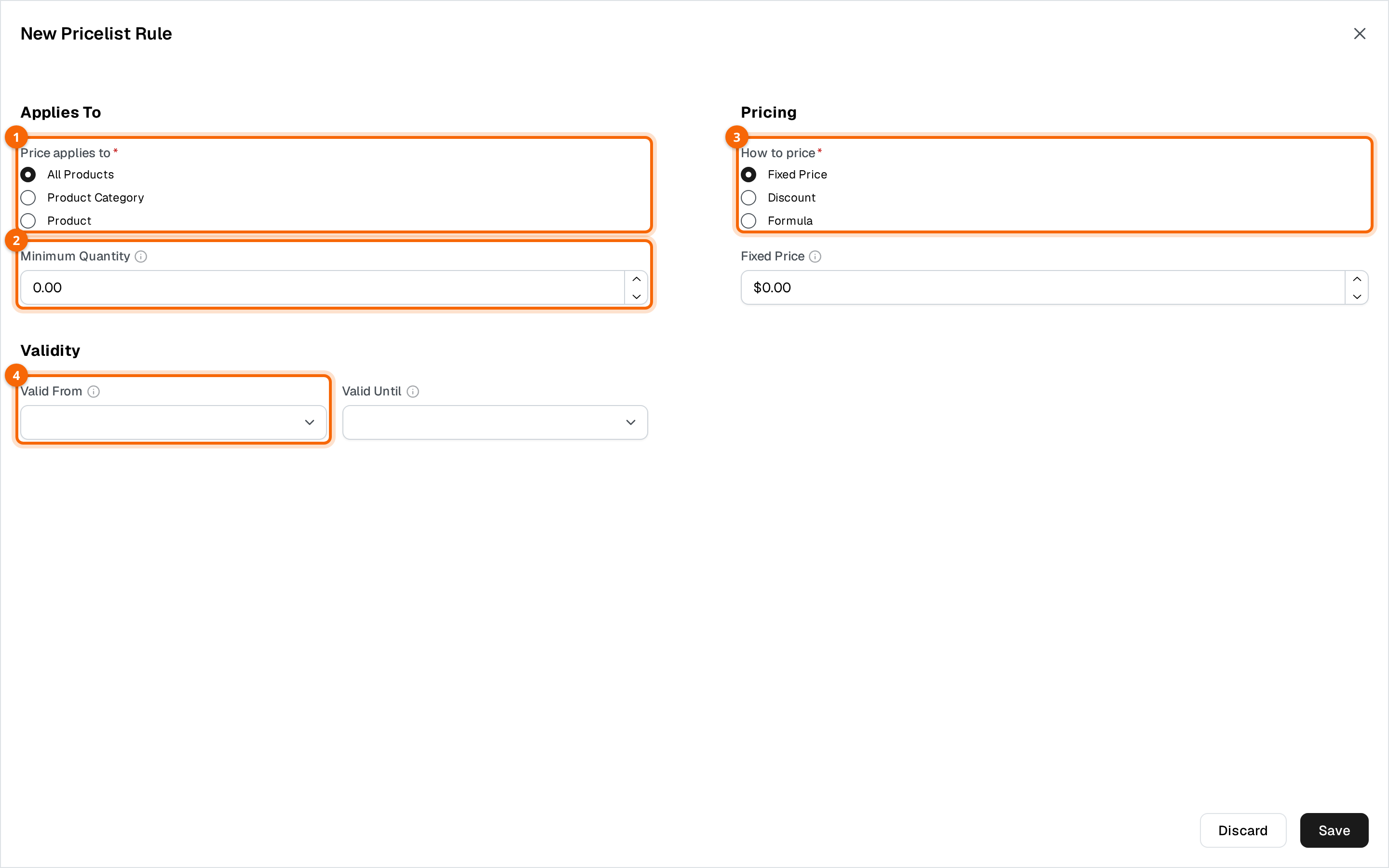
- Price applies to — All Products, one Product Category, or one Product. Pick the category or product in the field that appears.
- Minimum Quantity — the rule only applies from this quantity upwards. Use it for quantity breaks: one rule from 1, another from 50.
- How to price:
- Fixed Price — the exact price to charge.
- Discount — a Discount % off the product's sales price.
- Formula — a calculation such as max(cost * 1.3, list_price * 0.8), with an optional Base Price From pricelist and Round To (for example 0.99 for prices ending in .99).
- Valid From and Valid Until — optional dates for a time-limited offer. Leave them blank for a rule that always applies.
Click Save in the rule window, then save the pricelist.
Give a customer their pricelist
Open the customer (Sales → Customers), go to the Sales tab and choose their Pricelist. A person at that company gets the company's pricelist.
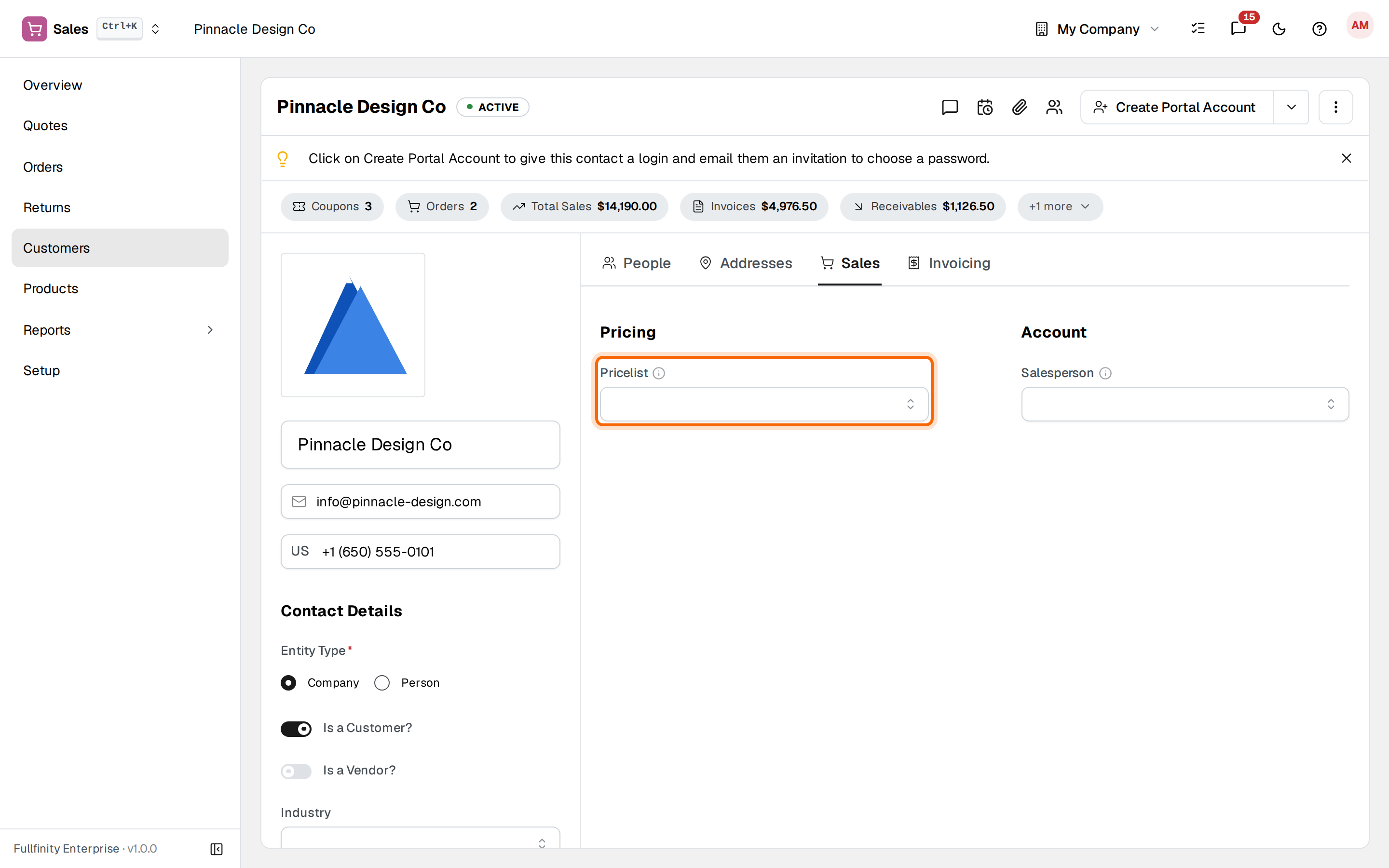
New quotes for that customer start with their pricelist. Customers without one get the first pricelist in your Pricelists list that their country allows — drag the rows by their handle to change that order. The salesperson can still pick a different Pricelist on the quote.
➡️ Next: How do I create and send a quote?