How do I correct an expense report that is already posted?
Cancel the report to take it off the books, reset it to draft, fix it, and take it through approval again.
A posted report is locked, because its figures are in your accounts. To change it, cancel it first — that reverses its effect on the books — then correct it like a draft.
1. Cancel the report
Open the report, open the arrow menu beside the main button (or click Cancel directly on a reimbursed report) and choose Cancel.
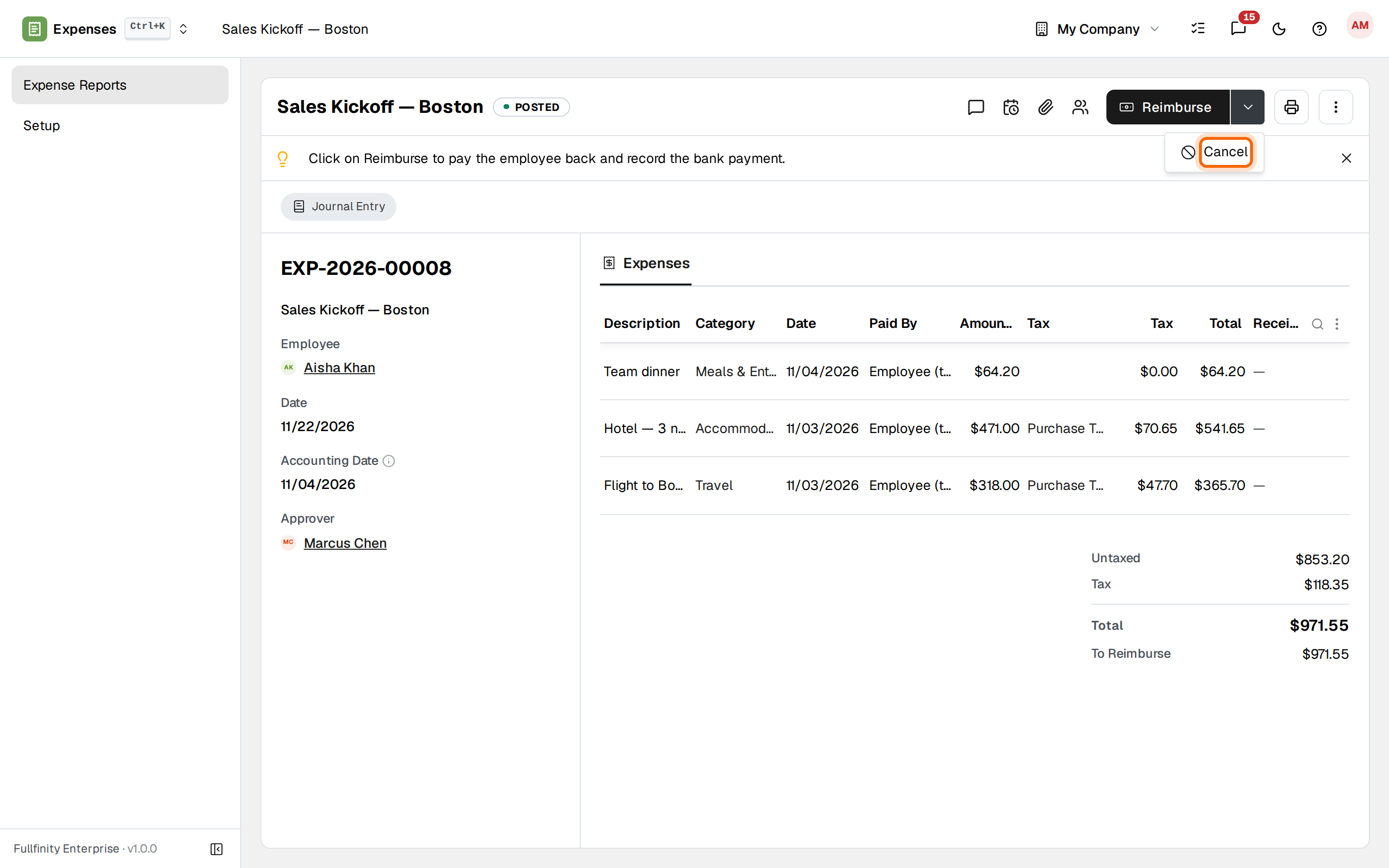
Its journal entry is cancelled, so the expenses, the reclaimed tax and the amount owed to the employee leave every report. The status becomes Cancelled. Cancelling needs the accounting role — see How do I post expenses and pay employees back?
2. Correct and resubmit
- Click Reset to Draft. The report is editable again.
- Fix the lines, then Submit it, have it approved and post it as before.
A report that has been posted can't be deleted — it is the record behind its journal entry. Cancel it instead.