How do I check how much time off I have?
Your available balance of each type shows on every time off request; HR can see every movement behind it in Allocations.
Your balance for a time off type is what you have earned and been allocated, less the time off already approved. It shows on your requests, where you need it.
On a request
Open any of your requests from Time Off → Requests (or start a new one with New and pick the Time Off Type):
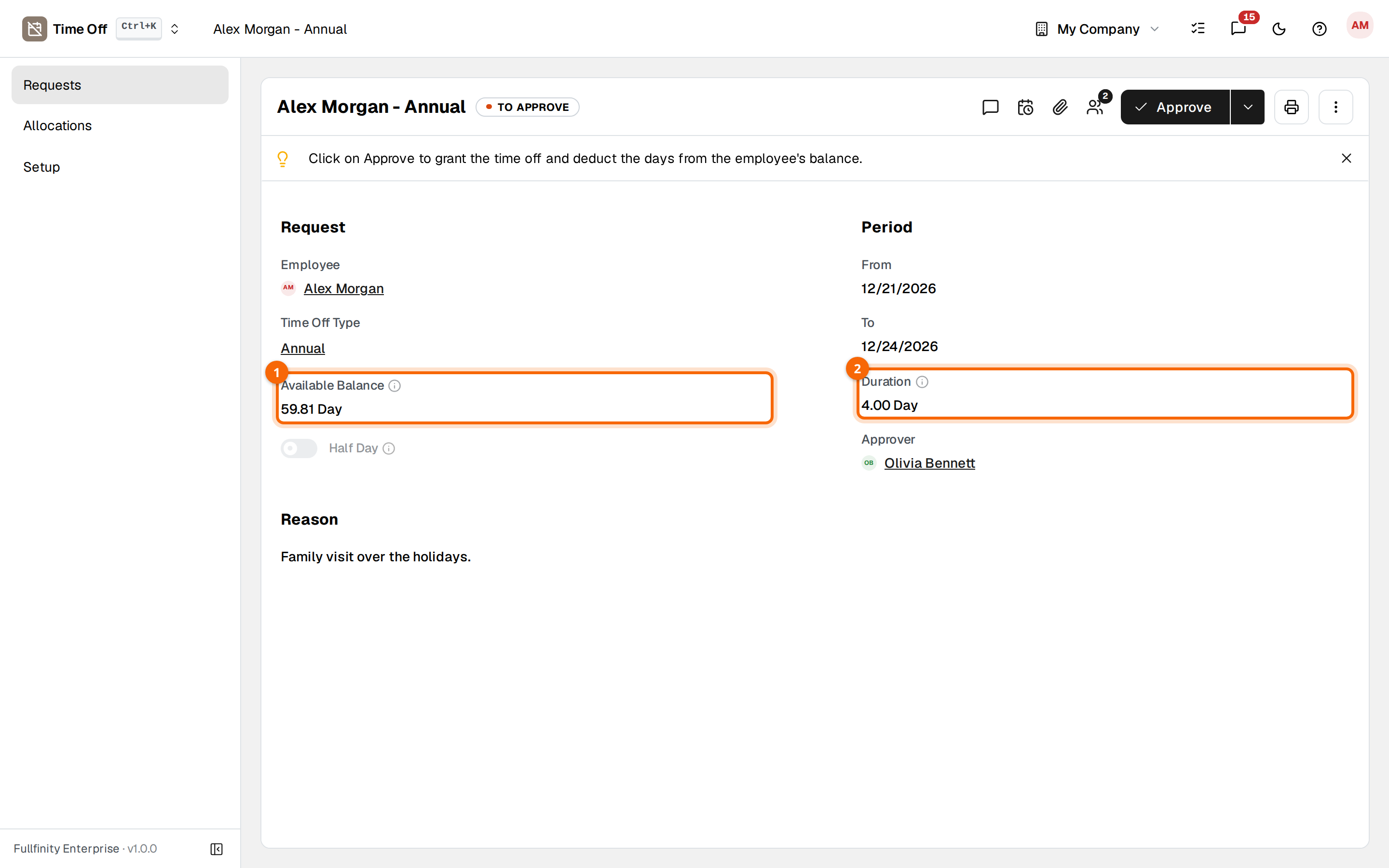
- Available Balance — your balance of this type on the first day of the request. It includes what you will have earned by then, if the type has an accrual plan, and it has already taken off every request that is approved.
- Duration — what this request takes, in the same unit (days or hours).
A request waiting for approval is not yet deducted: once it is approved, your balance drops by its Duration. If it is refused, nothing changes.
For HR: every movement
Time Off → Allocations lists every allocation, adjustment and approved request for every employee. Group it by Employee and Time Off Type to see what makes up a balance. Time earned through an accrual plan is calculated rather than listed — it is counted in the Available Balance. See How do I give employees time off to take?