How do I check my margins?
See the cost and profit of each quote and order, line by line and in total, and across all your sales.
Margins show what a sale earns you: the price after discounts, minus what the products cost you. Use them to check a discount still leaves a profit before you send a quote.
On a quote or order
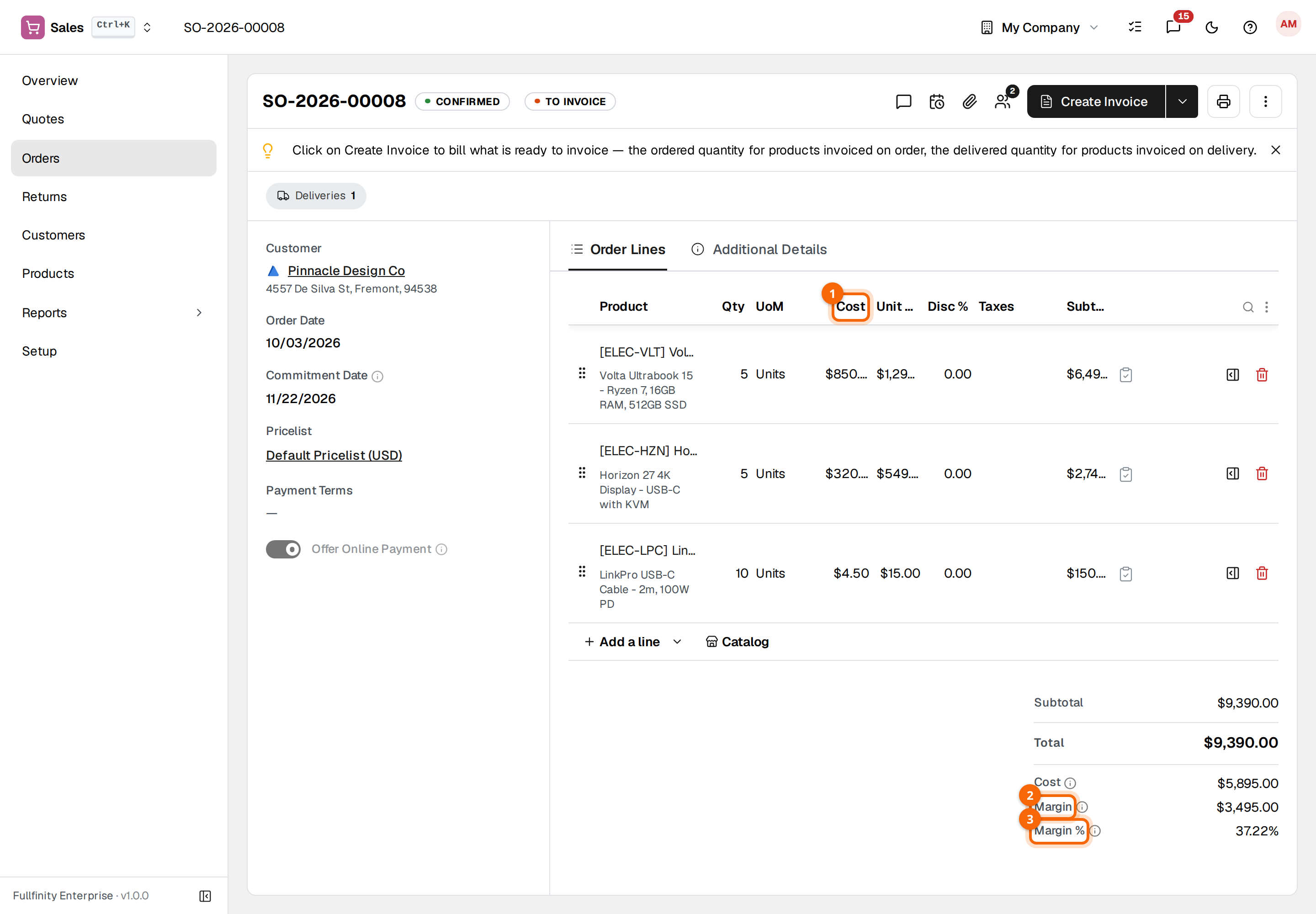
- Cost — each line's unit cost, taken from the product when the line is added. You can correct it on the line until the line has been invoiced.
- Margin — the order's price before tax, after all discounts, minus the total Cost.
- Margin % — the margin as a share of that price.
The line's cost is kept as it was on the day you added it, so a margin doesn't change later when the product's cost does. To see a single line's margin, open the line with the icon at the end of its row.
Across all your sales
Go to Sales → Reports → Sales. The Sum of Margin column shows the margin of the selected order lines, grouped by product by default. See How do I analyse my sales?
Was this article helpful?