What can I do with the Builder?
Open the Builder, and pick what to change — a screen, a printed document, an automation, menus or actions.
The Builder changes Fullfinity itself without code: add a field to a screen, move things around, create a whole new kind of record with its own menu, redesign a printed invoice, or automate a task. Your changes sit on top of the standard screens, so they survive updates.
Open it
Click the ruler-and-pencil Builder icon at the top right of any screen:
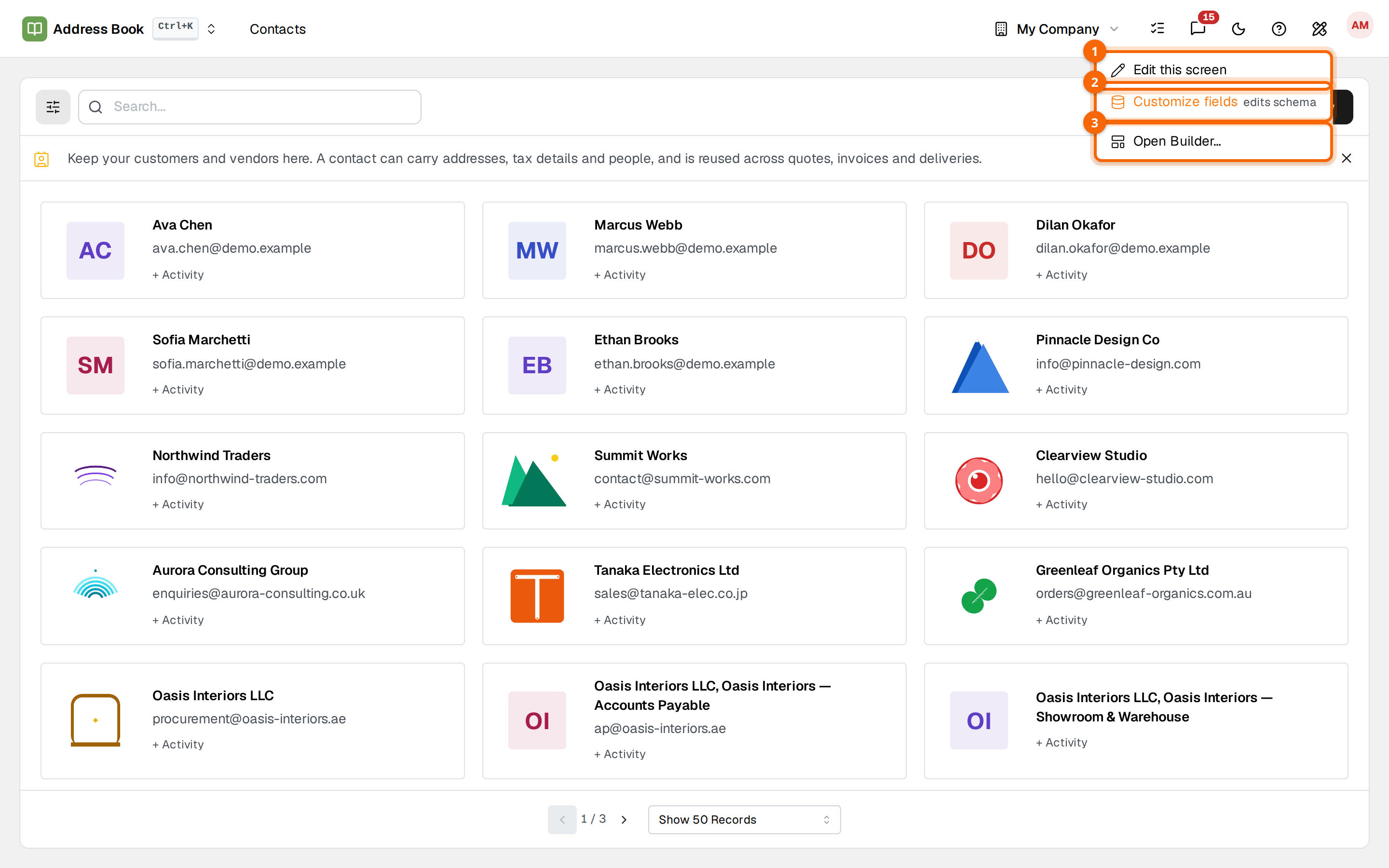
- Edit this screen — change the screen you are on. See How do I change a screen?
- Customize fields — add fields to this kind of record. See How do I add a field?
- Open Builder… — the Builder's start page.
The start page
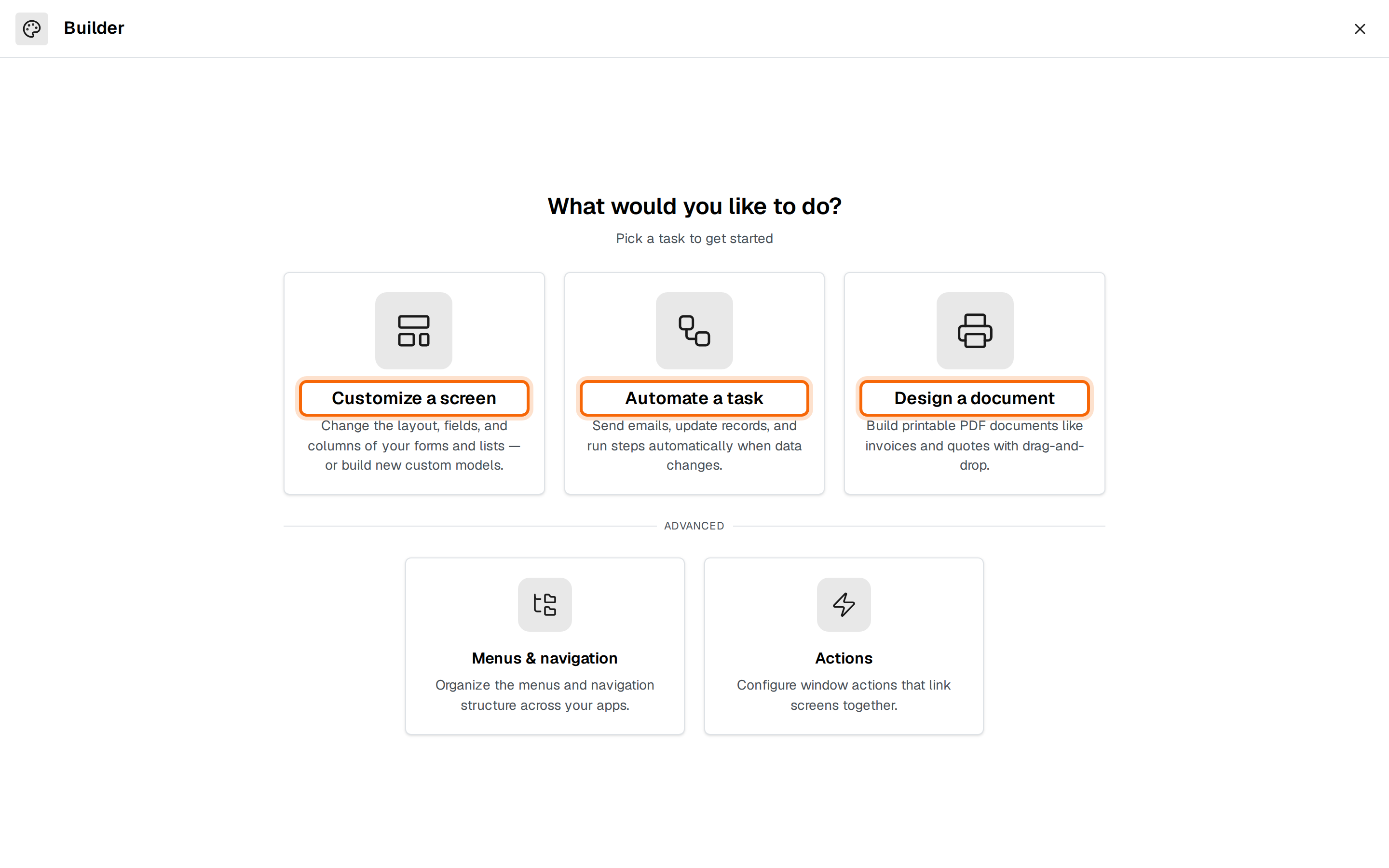
- Customize a screen — edit a screen, create a new one, or create a new kind of record.
- Automate a task — How do I automate a task?
- Design a document — How do I change a printed document?
- Under Advanced: Menus & navigation and Actions — How do I add menus and actions?
The ✕ at the top takes you back to where you were. The Builder needs a wide screen; on a phone it says so.
Was this article helpful?