How do I add menus and actions?
Create menus and the actions they open, choose which screens an action shows and who sees it.
A menu item opens an action, and an action decides which records and which screens you see. Both can be made in the Builder.
Actions
On the Builder's start page, click Actions, then New Action:
- General — Action Name, the Model it shows, the View Modes offered (List, Form, Kanban, Calendar …), and the Empty State Message people see when there are no records yet.
- Views — the Search View and which screens to use for each mode.
- Access — Access Groups that may open it.
Click Create Action.
Menus
On the start page, click Menus & navigation, then New Menu:
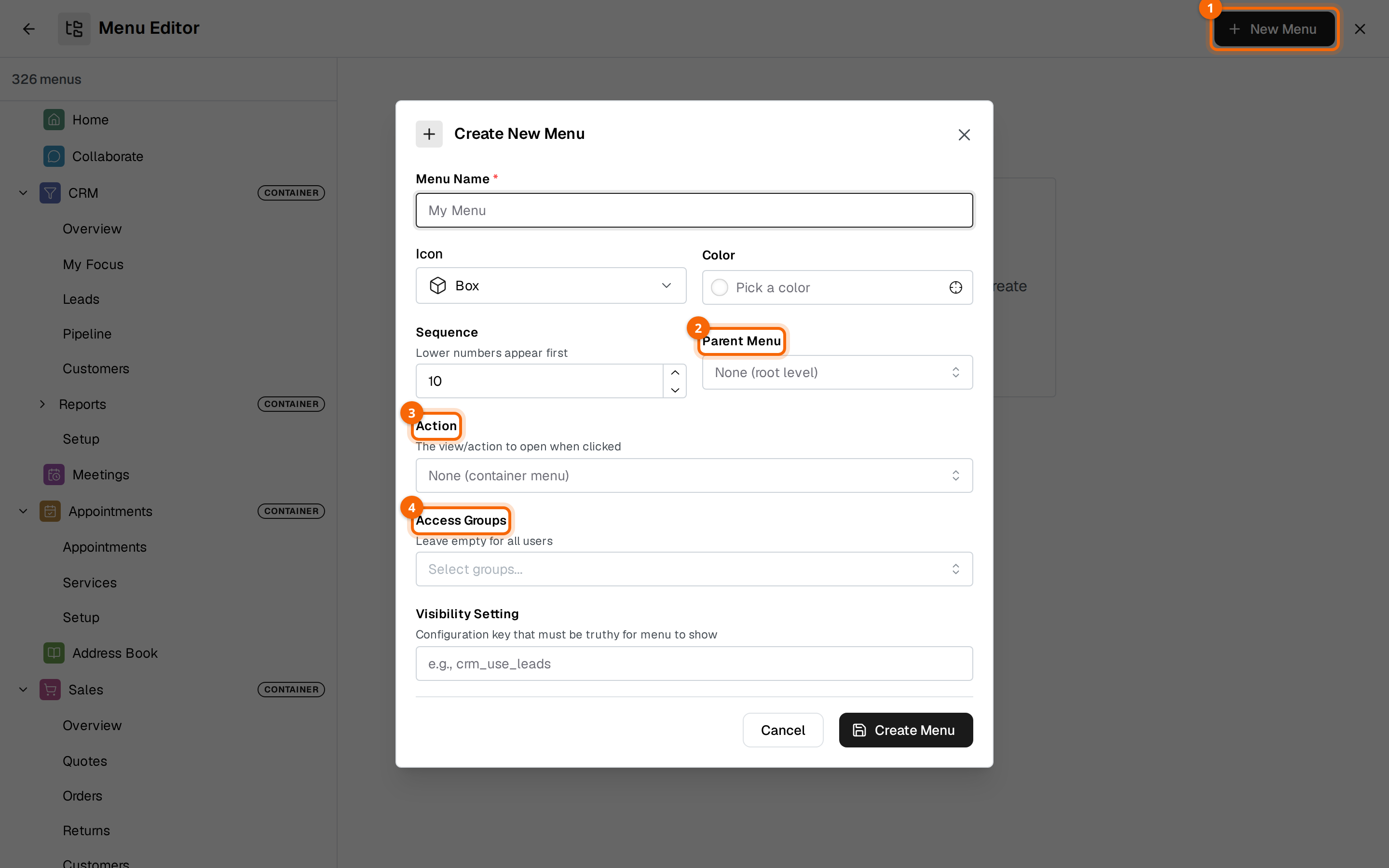
- Menu Name, Icon and Color.
- Parent Menu — the menu it goes under. None (root level) makes it an app on the home screen.
- Action — what it opens. None (container menu) makes it a heading for other menus.
- Access Groups — who sees it. Leave it empty for all users.
- Sequence — its position among its neighbours.
Click Create Menu. Menus and actions that come with the product are shown but can't be edited here — only ones made in the Builder.
Was this article helpful?