How do I approve expense reports?
Find the reports waiting for you, check them, and approve them or send them back.
A submitted report goes to the employee's manager. HR Managers can approve any report.
1. Find the reports waiting
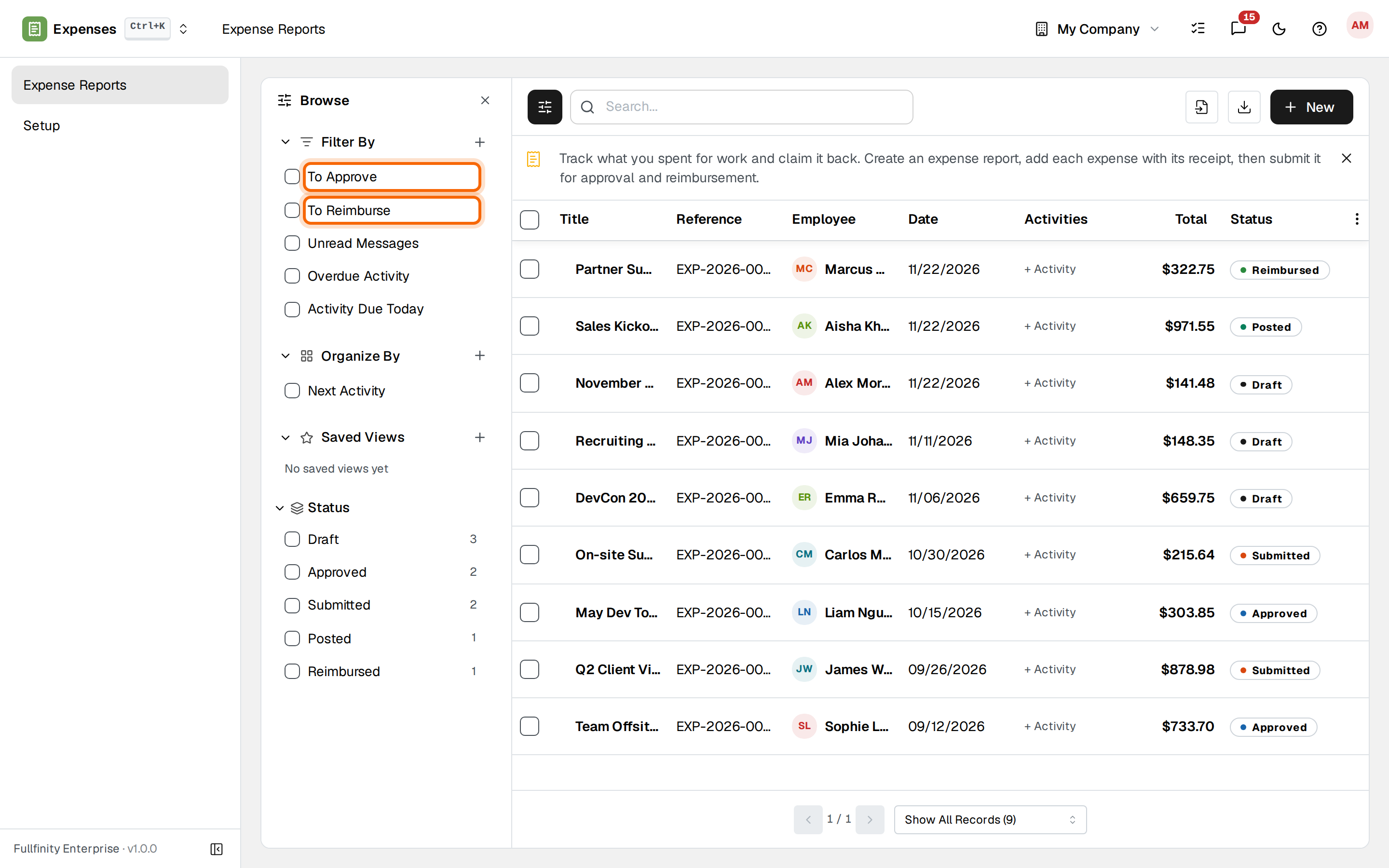
Go to Expenses → Expense Reports, open Browse and tick To Approve.
2. Check and approve
Open a report. Check each line's Category, amount and Receipt, then click Approve.
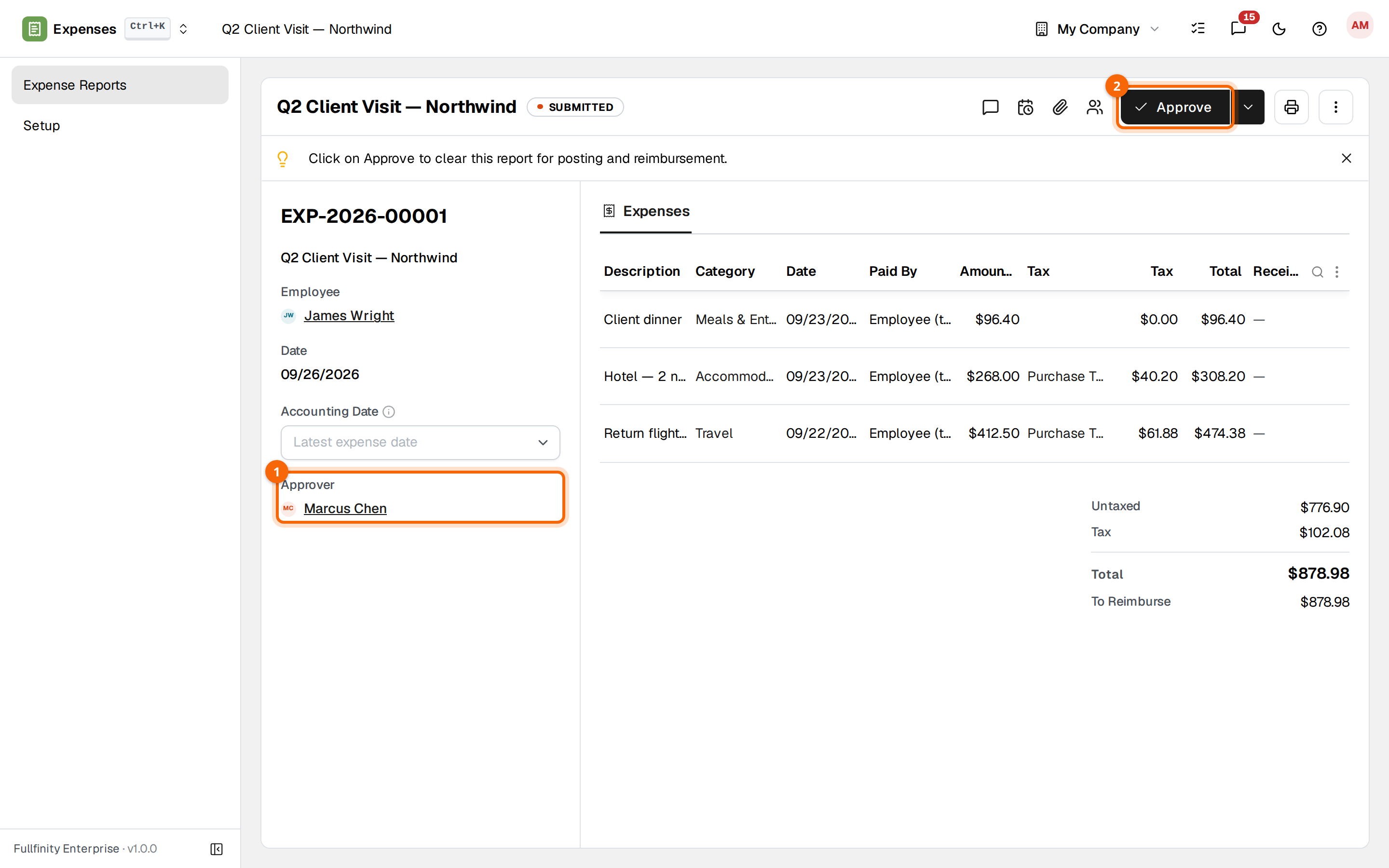
- Approver — you, if you are this employee's manager.
- Approve — the status becomes Approved, and the report waits for accounting to post it.
Send it back
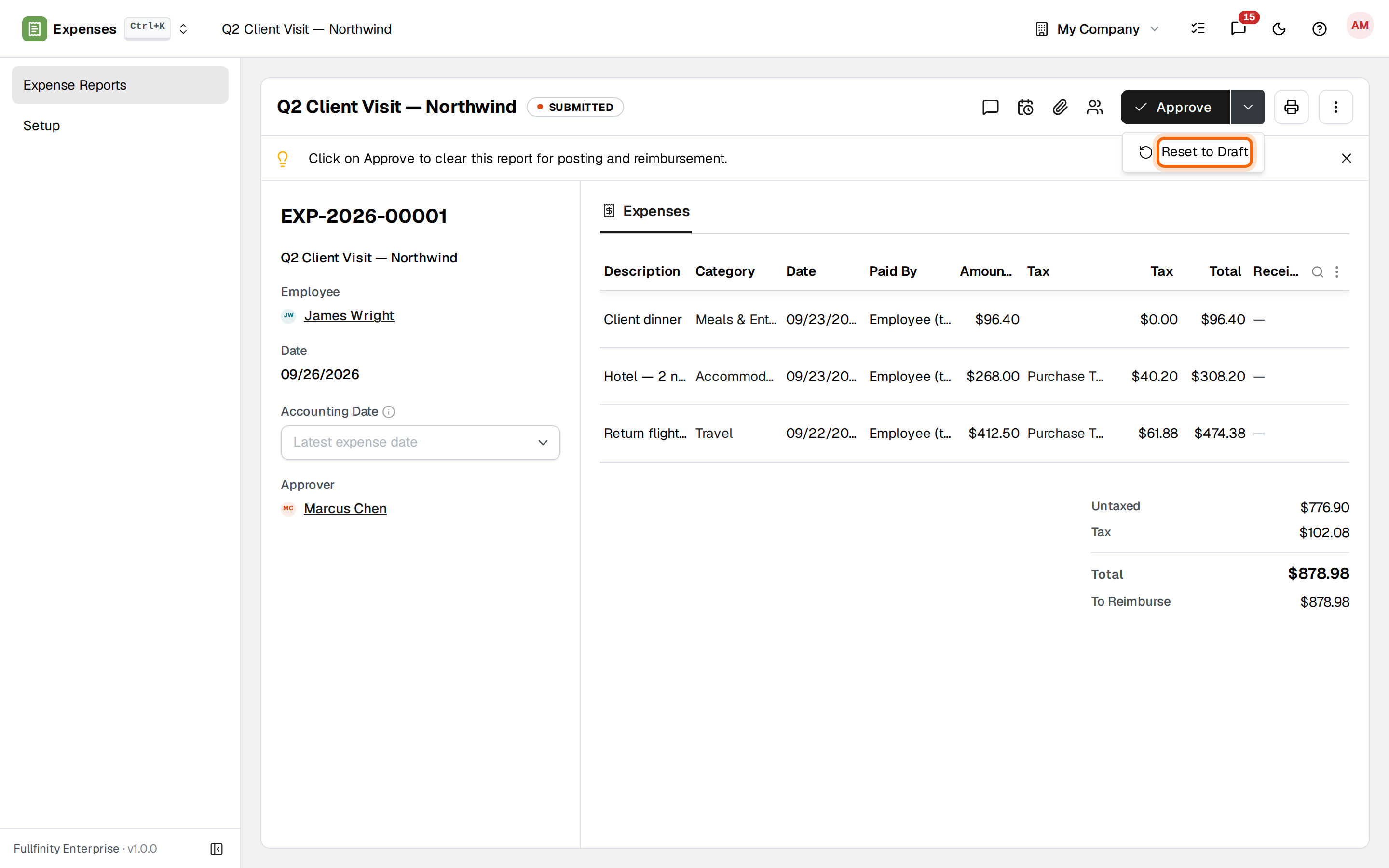
Something to fix? Open the arrow menu beside Approve and choose Reset to Draft. The report goes back to Draft so the employee can correct it and submit again. Say what needs changing in the report's messages.
Was this article helpful?