How do I add a language?
Switch on another language so people can use Fullfinity in it, and choose the language each person sees.
Fullfinity can be used in many languages, each person in their own. A language must be switched on before anyone can choose it.
1. Switch the language on
Go to Settings → Setup, open the General tab and click Languages under Localization.
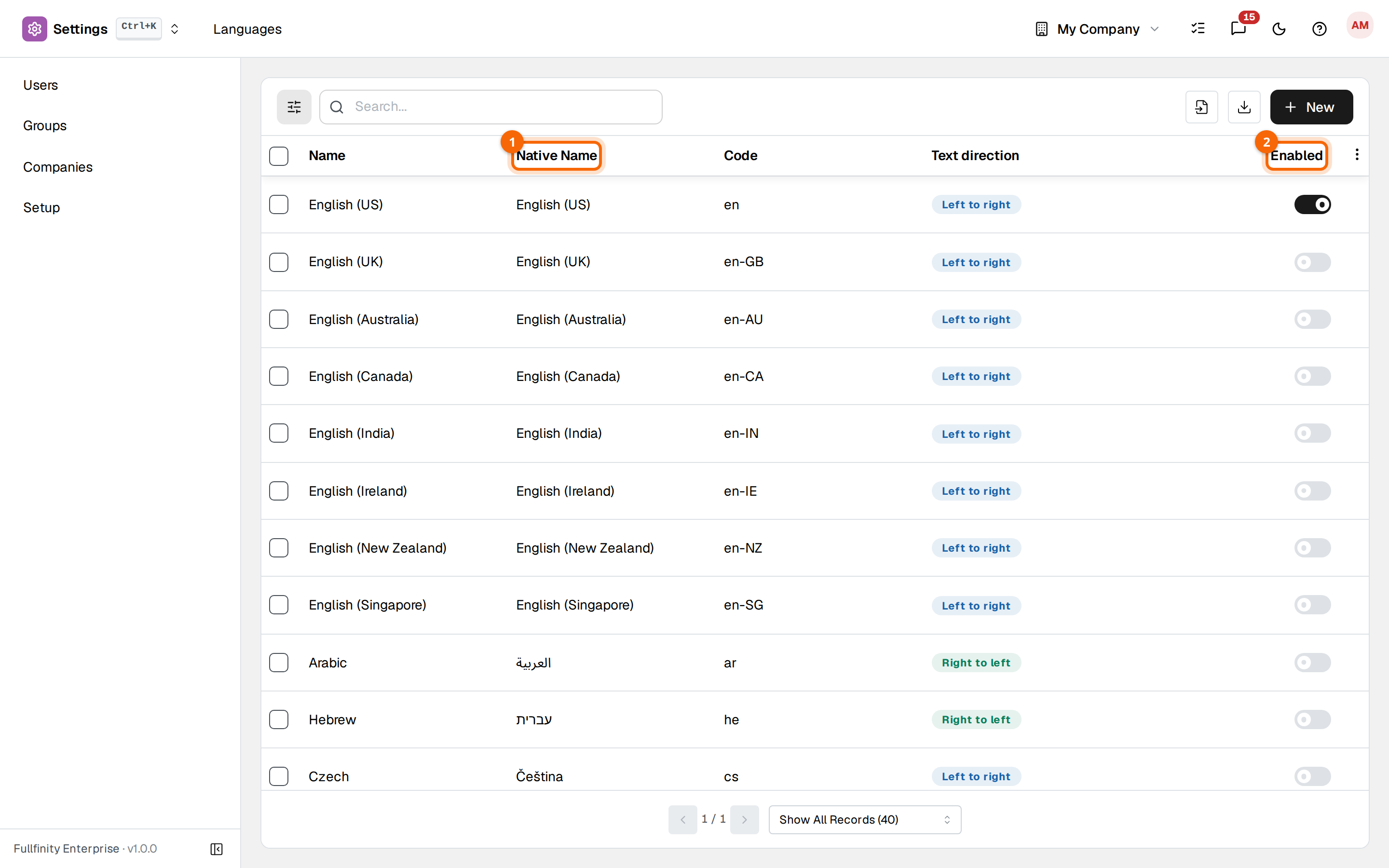
- Find the language — the Native Name column shows each one in its own words (Deutsch, العربية).
- Turn on its switch in the last column, Enabled.
Fullfinity loads the language's translations straight away. A language written right to left, such as Arabic or Hebrew, turns the whole screen around for the people who use it.
Open a language to adjust how it writes dates, times and numbers: Date Format, Time Format, Decimal Separator, Thousands Separator and Digit Grouping.
2. Choose who uses it
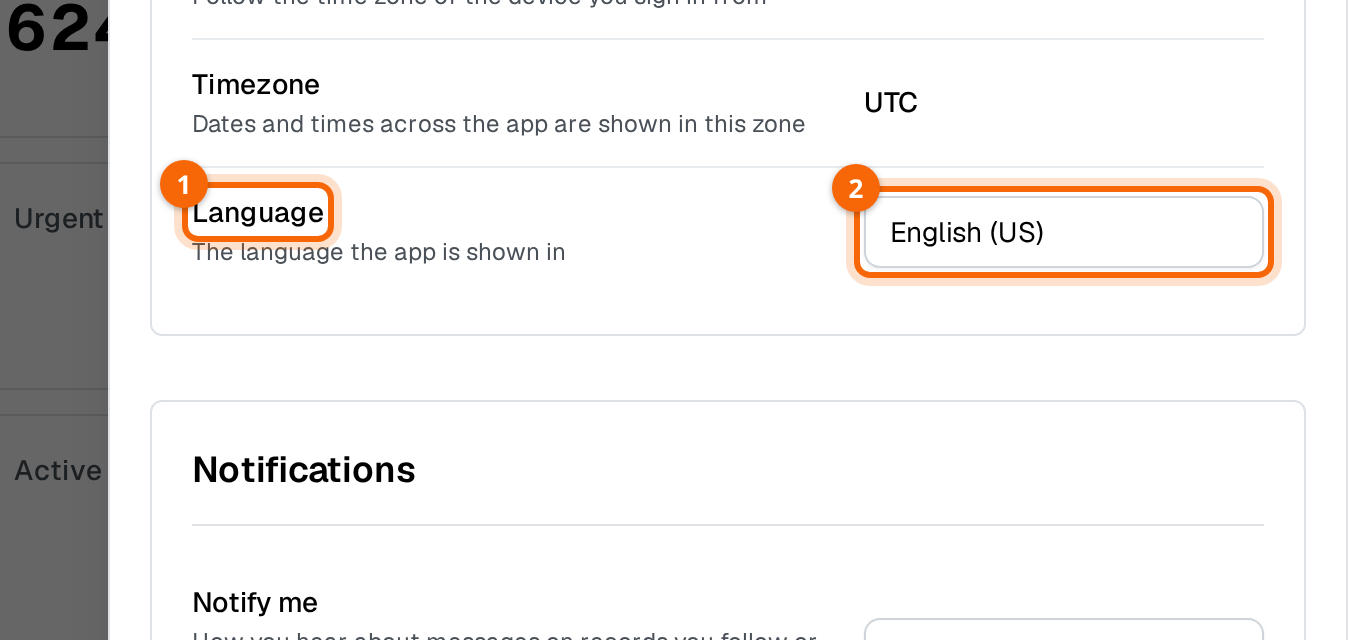
- Yourself — click your avatar, choose Preferences and pick your Language. Click Save.
- A colleague — set Language on their user under Settings → Users.
- Everyone new — set Default Language on the General tab of Setup. Left blank, new users start in English (US).
If the screens still show English after an update of the translations, open the language and click Reload Translations.