How do I track milestones?
Set checkpoints with target dates on a project, tie tasks to them, and mark them reached.
A milestone is a checkpoint in a project — Design signed off, New site live — with a target date. Tie the tasks that lead to it, and you can see at a glance how close it is.
1. Create a milestone
Go to Projects → Milestones and click New. Give it a name, choose the Project and set the Target Date. Click Save.
2. Tie tasks to it
Open each task and pick the milestone in Milestone. Only the milestones of the task's own project are offered. Or click the milestone's Tasks button: it opens a board of the milestone's tasks, and a task you add there belongs to the milestone.
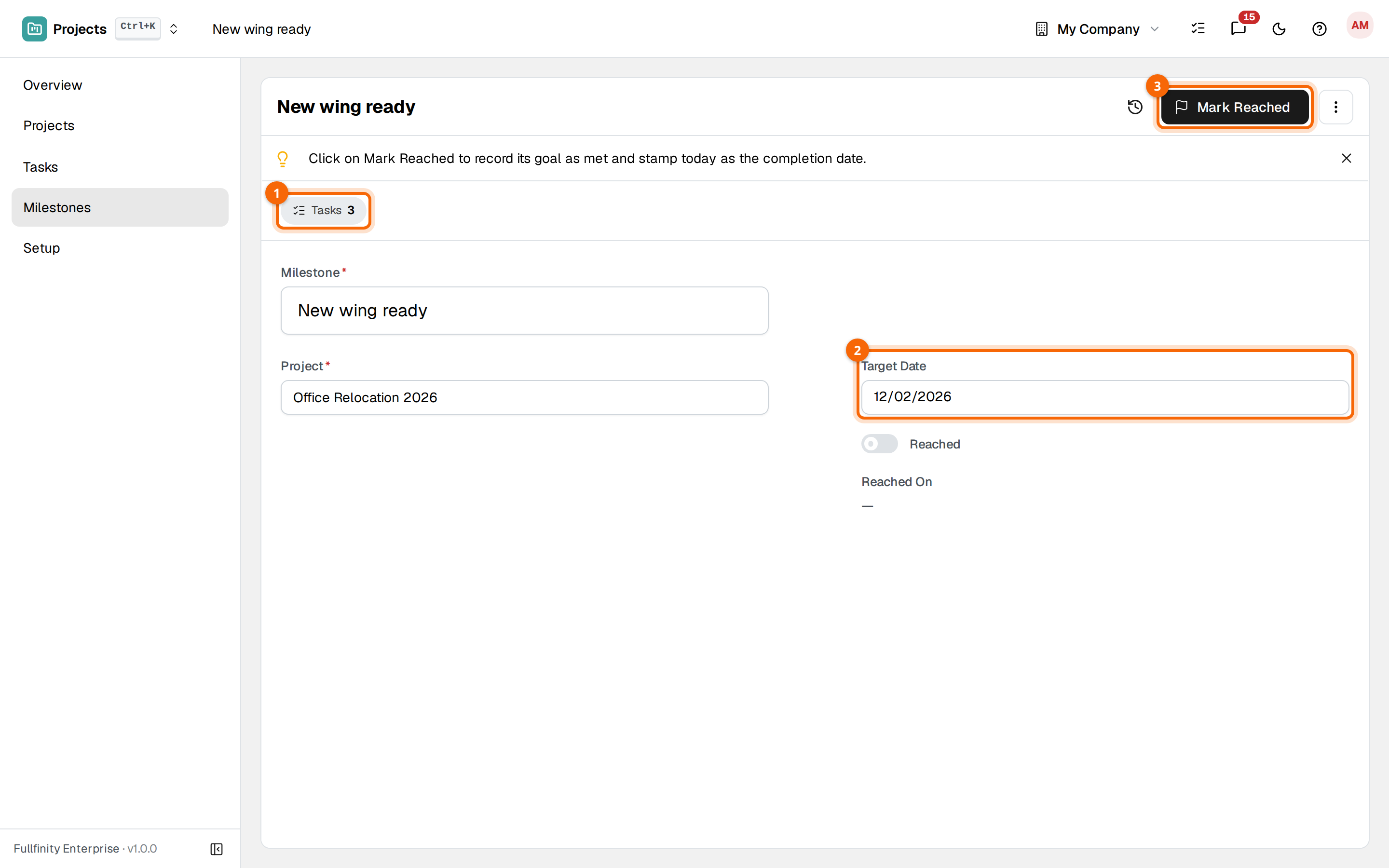
- Tasks — the tasks that lead to this milestone.
- Target Date — when it should be reached.
- Mark Reached — record that it has been met.
3. Follow and reach it
The Milestones list shows each milestone's target date, how many of its tasks are Done out of its Tasks, and whether it is Reached. Use the Overdue and Upcoming filters to see what has slipped and what is coming.
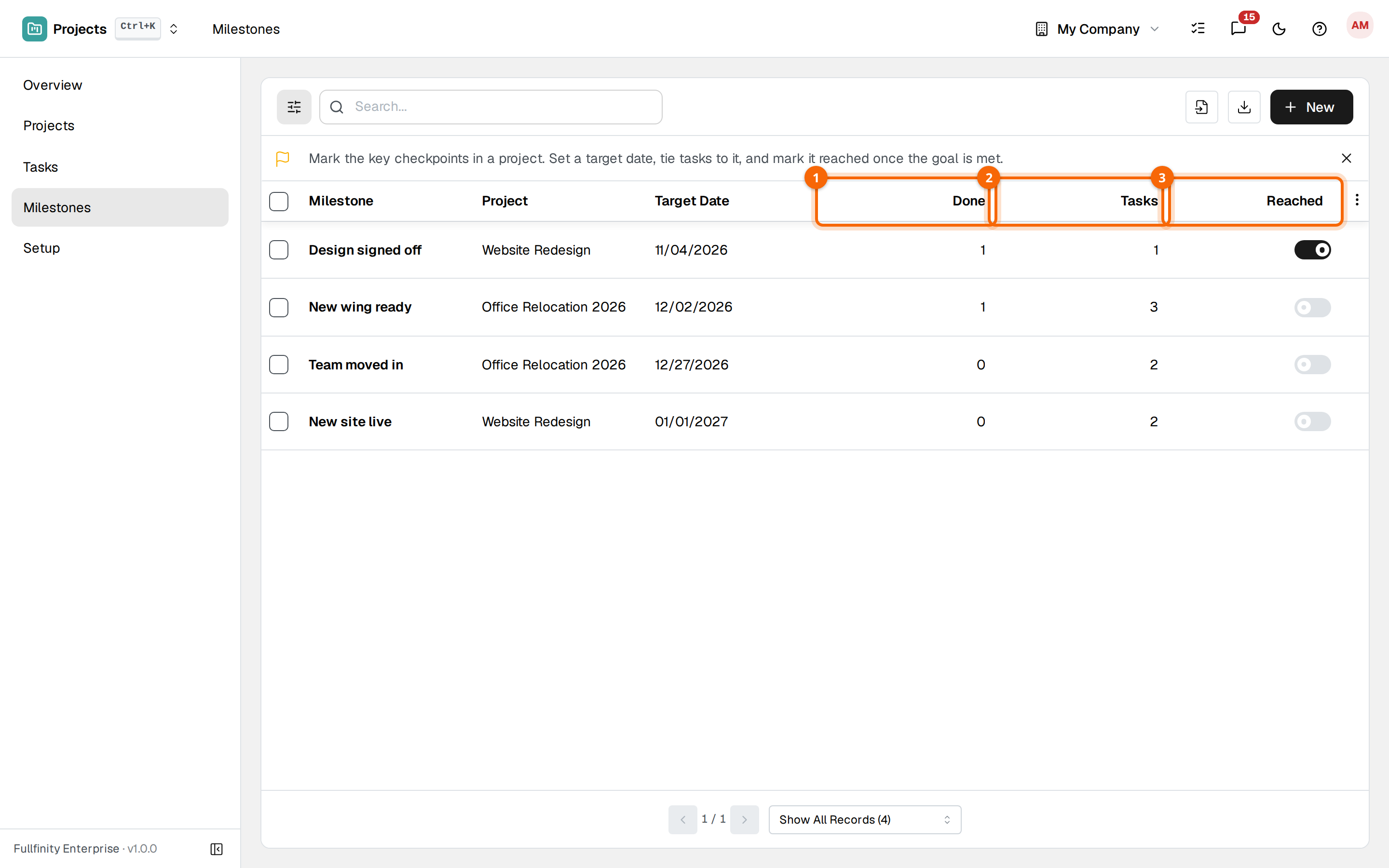
When the goal is met, click Mark Reached. Today is recorded as Reached On. The upcoming milestones also appear on the Projects Overview.