How do I choose who can respond and send invitations?
Open a survey to anyone, to signed-in users or to invited people only, send personal invitation links and limit people to one response.
The survey's Access decides who can answer and whether you know who they are.
| Access | Who can answer | Whose answers |
|---|---|---|
| Anyone with the link | Anyone who has the link. | Anonymous: no name, email or address is kept, only the answers. |
| Logged-in users | People with an account — employees, or customers who sign in to your portal. Others are asked to sign in first. | Tied to the person. |
| Invited only | Only people you invite, each with their own link. | Tied to the person invited. |
Invite people
With Access set to Invited only, the survey gets an Invitations tab.
- On the Invitations tab, click Add a line for each person: pick the Contact, or type an Email.
- Publish the survey, then click Send Invitations. Everyone still in Draft is emailed a personal link; the message says how many were queued. The email is written in each person's own language (their contact's, else yours) from the Survey Invitation email template, which you can reword like any other — see How do I change the emails Fullfinity sends?
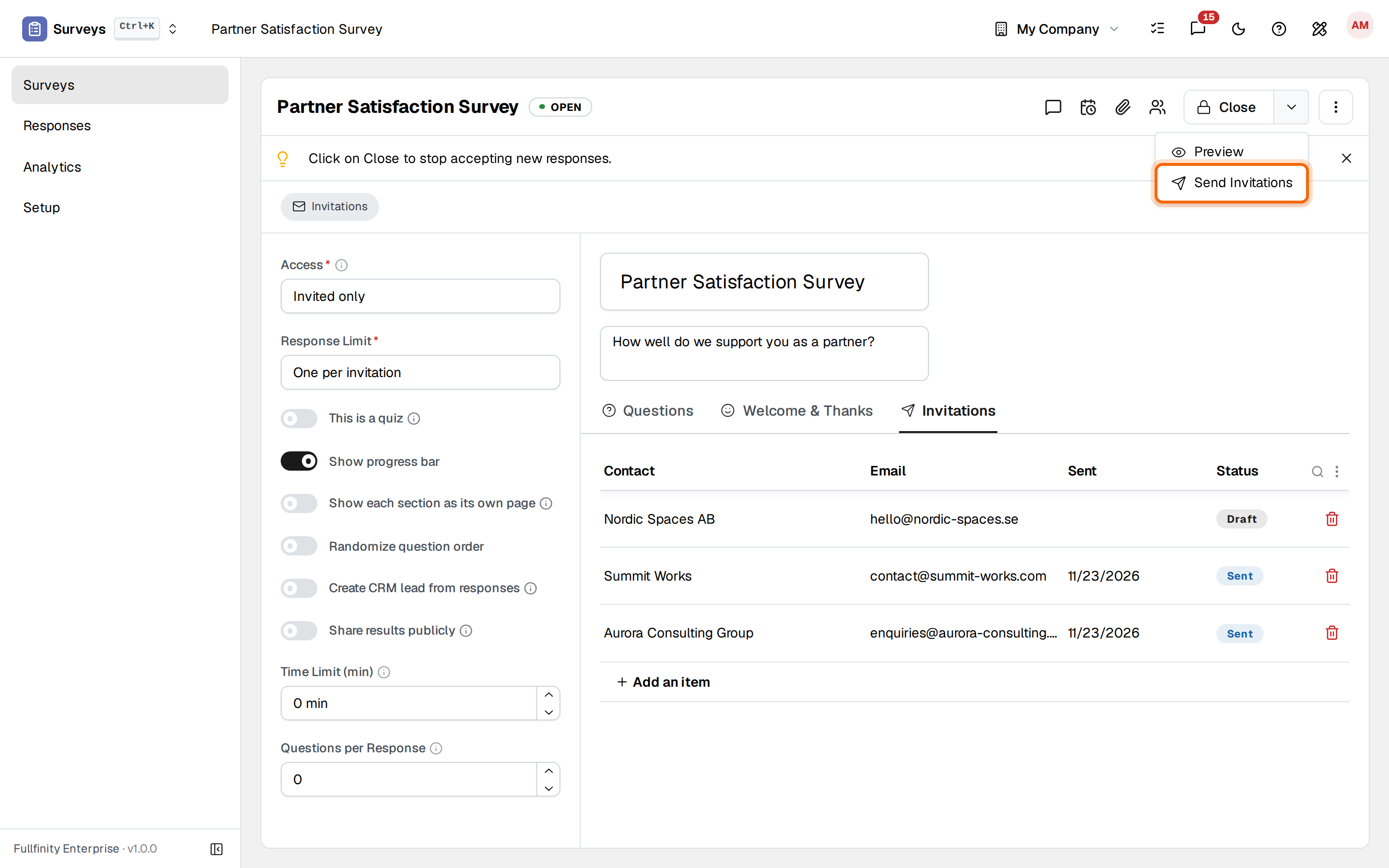
Each invitation's status follows the person: Sent, Opened (they opened the link), Started (answers saved), Completed. The Invitations button on the survey lists them all.
- To make a link stop working on a date, open the invitation and set Expires At.
- To withdraw an invitation, archive it from its action menu. Its link stops working at once.
- Invitations added later are sent the next time you click Send Invitations; those already sent aren't sent again.
One response each
Response Limit stops people answering twice:
- One per invitation — each invitation link can be used for one completed response.
- One per email — one completed response per email address.
- Unlimited — no limit (the only sensible choice for an anonymous survey).
Was this article helpful?