How do I set up eLearning?
Choose the certificate learners receive, whether they can enroll themselves, and how lesson discussion works.
eLearning puts courses on your website at /courses: lessons made of web pages, videos, documents and quizzes, with progress tracked for every learner and a certificate at the end if you want one. Partners, customers and employees all learn from the same courses. A few settings apply to every course; set them once.
Go to Learning → Setup (eLearning managers only). It opens the eLearning tab of the settings.
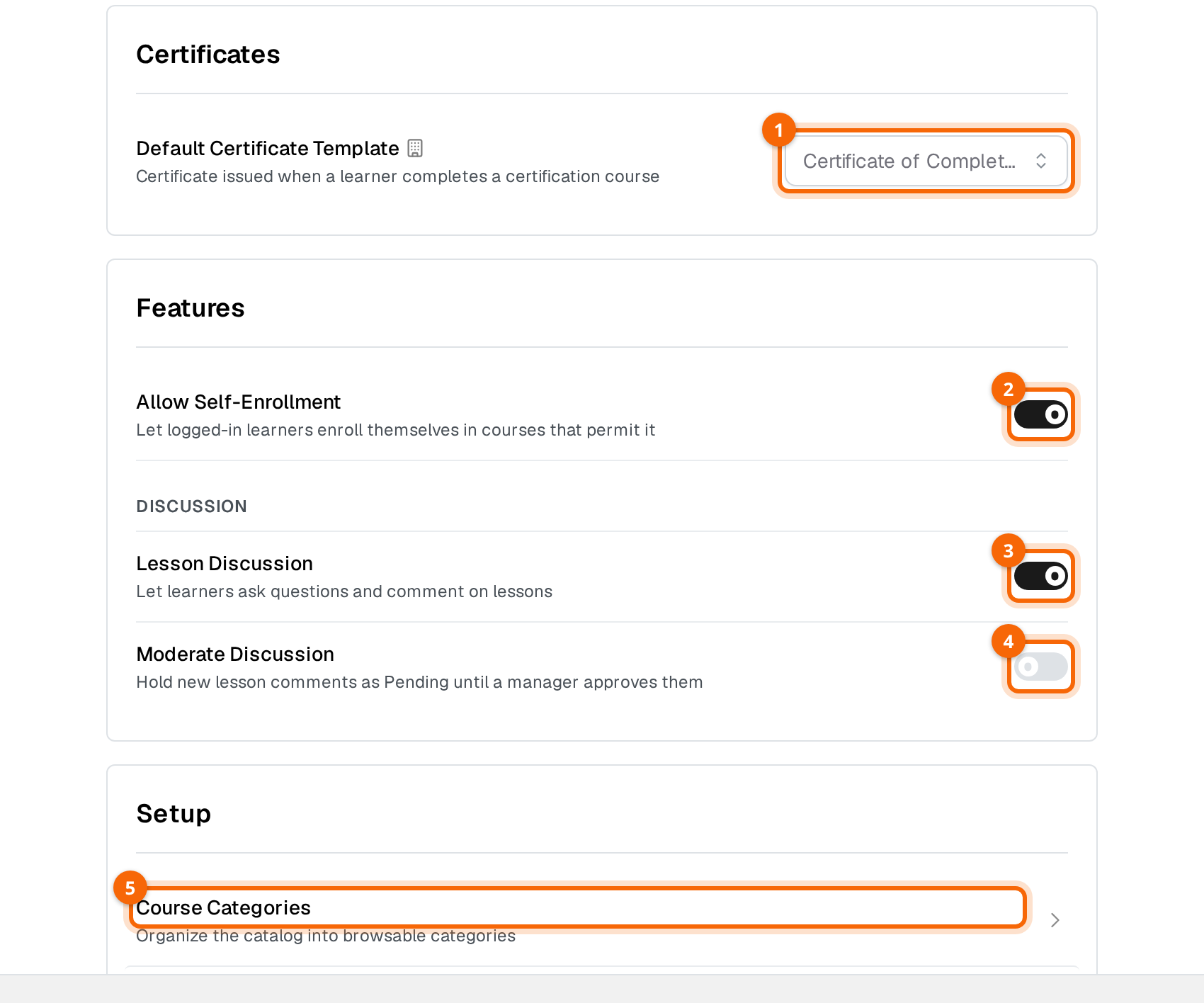
- Default Certificate Template — the certificate a new certification course starts with. Leave it blank to use the built-in course certificate; each course can still pick its own.
- Allow Self-Enrollment — lets signed-in learners enroll themselves from a course page. Switch it off and nobody can, whatever a course says; you enroll learners yourself.
- Lesson Discussion — a Discussion section under every lesson, where learners ask questions and comment. Off, the section and the course's Discussion tab disappear.
- Moderate Discussion — new comments wait as Pending until someone approves them. See How do I moderate lesson discussions?
- Course Categories and Course Tags — categories group the catalog into browsable sections (Onboarding, Certification); tags are labels for finding courses.
Click Save.
➡️ Next: How do I build a course?
Was this article helpful?