How do I track MRR and churn?
Read your monthly and yearly recurring revenue on the Overview, see what gained or lost revenue each month in MRR Movement, and break revenue down by plan or customer.
MRR (monthly recurring revenue) is what your active subscriptions bring in each month, before tax. A yearly plan counts as a twelfth of its price each month. ARR is the same figure for a year. Churn is revenue you lose when subscriptions are cancelled or shrink.
The Overview
Go to Subscriptions → Overview.
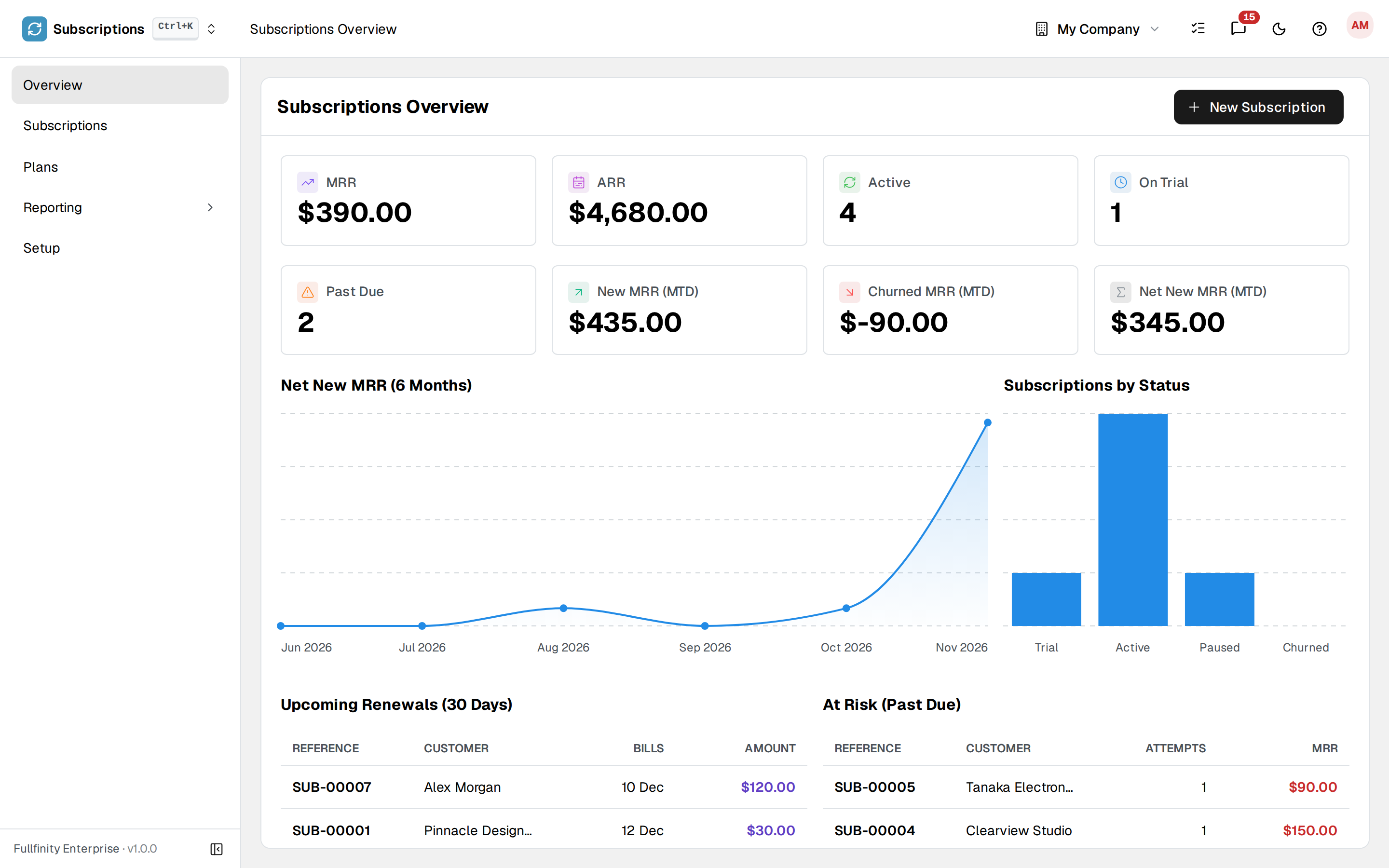
- MRR and ARR — your recurring revenue today.
- Active, On Trial and Past Due — how many subscriptions are in each state.
- New MRR (MTD), Churned MRR (MTD) and Net New MRR (MTD) — what you gained, what you lost and the difference so far this month.
- Net New MRR (6 Months) — what each of the last six months added to (or took from) your MRR — and Subscriptions by Status, where your subscriptions stand.
- Upcoming Renewals (30 Days) and At Risk (Past Due) — what bills next and whose payment is failing.
MRR Movement
Go to Subscriptions → Reporting → MRR Movement. Every change to a subscription's monthly value is recorded here as one of five movements:
| Movement | Recorded when |
|---|---|
| New | A subscription starts paying (after its trial, if it has one). |
| Expansion | It is upgraded or gains seats. |
| Contraction | It is downgraded, loses seats or is paused. |
| Churn | It is cancelled or closed. |
| Reactivation | A paused subscription is resumed. |
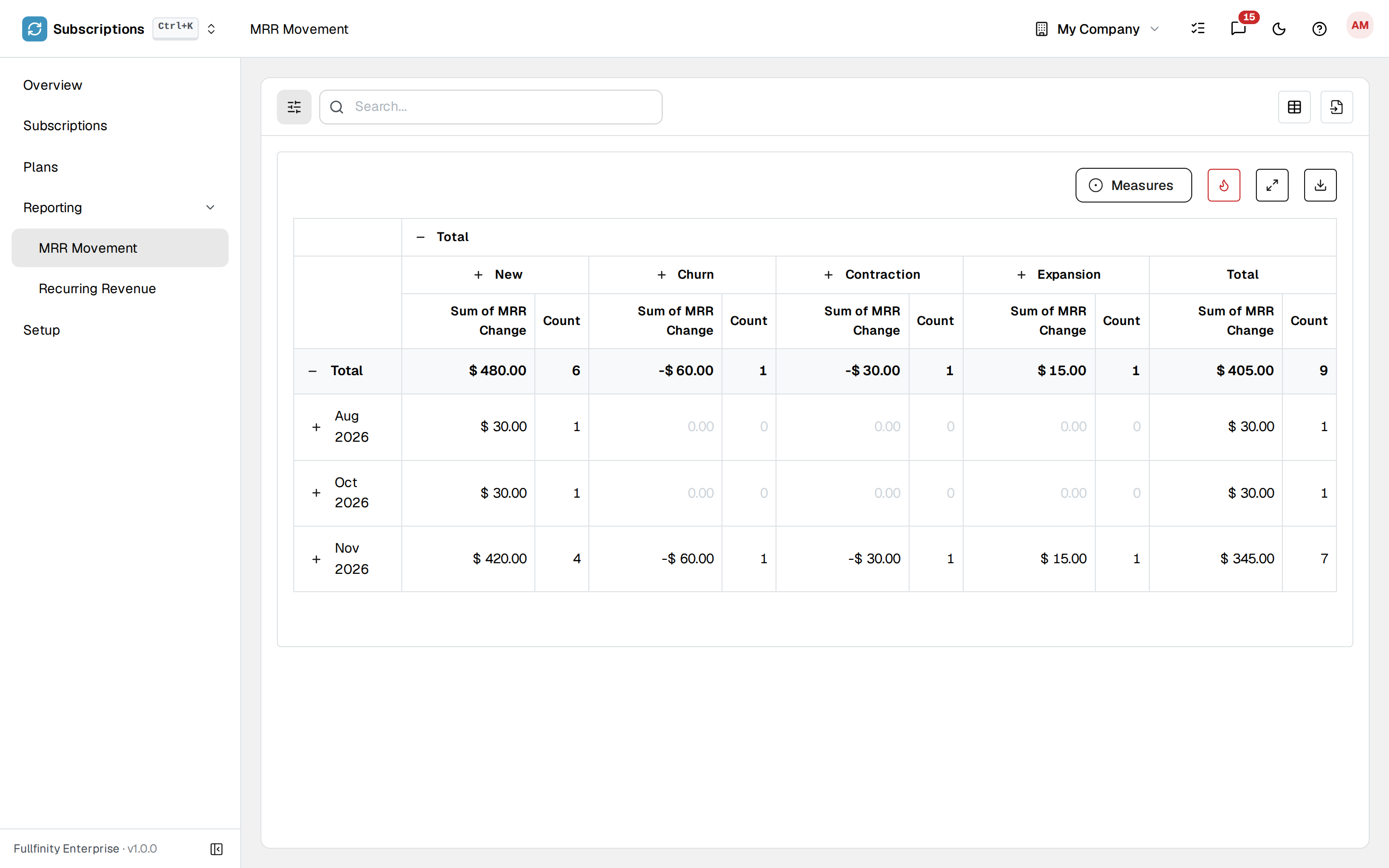
The table shows each month down the side and each movement across the top. Use the This Month, This Quarter or This Year filters, or New & Expansion and Churn & Contraction to see only gains or only losses. Switch to the list to see each subscription's movements one by one.
Recurring Revenue
Subscriptions → Reporting → Recurring Revenue shows today's MRR plan by plan, so you can see which offers your revenue comes from.